Visual Search Optimization: Google Lens, Pinterest & Beyond
Optimize for visual search: how Google Lens and Pinterest Lens find images, and the markup, cropping and quality choices that help them.
Disclosure: ImageGuide is published by Sirv, an image CDN company. This guide mentions Sirv products. Read how we write these guides.
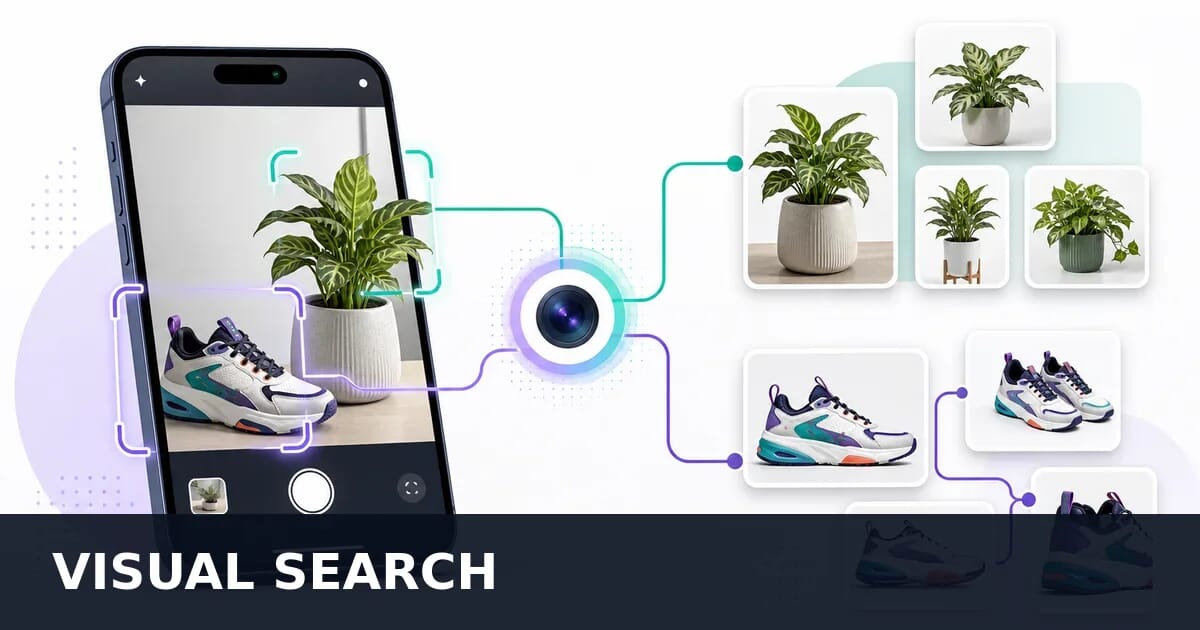
Visual search is transforming how people discover products, places, and information online. Instead of typing keywords, users point their camera or upload an image and get instant results. Optimizing your images for visual search engines is becoming as important as traditional SEO. This guide covers practical strategies for Google Lens, Pinterest, and the broader visual search ecosystem.
The Rise of Visual Search
Visual search has moved from experimental technology to mainstream behavior. The numbers tell the story:
| Platform | Monthly Usage | Primary Use Cases |
|---|---|---|
| Google Lens | 20B+ queries/month | Product identification, text extraction, translation |
| Pinterest Lens | 1.5B+ visual searches/month | Product discovery, style inspiration, recipes |
| Amazon Visual Search | Integrated into app | Product matching, barcode scanning |
| Bing Visual Search | Hundreds of millions/month | Entity identification, similar images |
| Snapchat Scan | Millions of daily scans | AR shopping, product identification |
Why Visual Search Matters Now
Several converging trends make visual search optimization urgent:
- Mobile-first behavior: 62% of millennials and Gen Z prefer visual search over text
- AI capabilities: Modern models can identify objects, read text, understand context, and match products with near-human accuracy
- Commerce integration: Google Lens and Pinterest Lens connect directly to shopping results
- Zero-click discovery: Users find products without ever visiting a search results page
- Multimodal AI: Google’s AI Overviews and similar features select and display images alongside text answers
The Visual Search Funnel
User sees something interesting
        │
        ▼
Opens camera / uploads image
        │
        ▼
Visual search engine processes image
        │
        ├── Object detection (what is this?)
        ├── Feature extraction (visual fingerprint)
        ├── Similarity matching (find similar)
        └── Context analysis (metadata, surrounding text)
        │
        ▼
Results: products, information, similar images
        │
        ▼
User clicks through → your website
How Visual Search Works
Understanding the technology helps you optimize for it. Visual search engines use multiple AI systems working together.
Feature Extraction
The search engine converts your image into a mathematical representation (embedding vector) that captures its visual characteristics:
- Color patterns: Dominant colors, gradients, color distribution
- Shapes and edges: Object outlines, geometric patterns
- Textures: Surface patterns, material appearance
- Spatial relationships: Where objects are relative to each other
- Semantic content: What the image “means” (a shoe, a landscape, a recipe)
Object Detection
Modern visual search identifies individual objects within an image:
Input image: Kitchen countertop with items
        │
        ▼
Detected objects:
├── KitchenAid Stand Mixer (87% confidence)
├── Sourdough bread loaf (92% confidence)
├── Marble cutting board (78% confidence)
└── Copper measuring cups (81% confidence)
Each detected object can be independently searched, matched to products, and linked to knowledge graph entities.
Similarity Matching
After extracting features, the search engine compares them against billions of indexed images to find matches:
| Match Type | How It Works | Example |
|---|---|---|
| Exact match | Same product, same image | Finding the original source |
| Near-duplicate | Same product, different photo | Different angle of same item |
| Visually similar | Similar style/appearance | Similar-looking dresses |
| Category match | Same product type | All red running shoes |
| Contextual match | Related items | Outfit suggestions from a dress |
Knowledge Graph Integration
Visual search results are enriched by connecting detected objects to structured knowledge:
- A photo of the Eiffel Tower links to location data, hours, reviews
- A product image matches to price, availability, reviews across stores
- A plant photo connects to species information, care instructions
- A food photo links to recipes, nutritional information, restaurants
Google Lens Optimization
Google Lens is the dominant visual search platform, processing over 20 billion queries monthly. It operates in several distinct modes, each using images differently.
Search Mode
The default mode. Users point their camera at anything and Lens identifies it.
Optimization strategies:
- Use clear, well-lit product photography
- Include products on clean backgrounds for easier object detection
- Ensure high resolution (Lens works better with detailed images)
- Add comprehensive structured data so Lens can connect the visual match to your product listing
Shopping Mode
Lens identifies products and shows purchase options directly in the search interface.
Key factors for shopping results:
- Product images must be indexed by Google (verify in Search Console)
- Merchant Center product feed with matching images
- Consistent product images across your site and feeds
- Multiple angles help Lens match from different perspectives
Text Mode
Lens extracts and translates text from images. This mode affects how your text-containing images are used.
Implications for image optimization:
- Infographics with clear, high-contrast text get better extraction
- Menus, signs, and labels should use legible fonts
- Charts with text labels should maintain readability at all sizes
Translate Mode
Lens translates text in images in real-time.
Optimization:
- For international audiences, use universal visual language where possible
- Keep text in images to a minimum (prefer HTML text over image text)
- When text is necessary, use clean fonts with good contrast
Google Lens Best Practices Summary
| Factor | Recommendation | Impact |
|---|---|---|
| Image resolution | 1200px+ on longest side | Higher match confidence |
| Background | Clean, uncluttered | Easier object isolation |
| Lighting | Even, natural | Better feature extraction |
| Product visibility | Clear, centered subject | Accurate identification |
| Multiple angles | 3-5 per product | Match from any user perspective |
| Structured data | Product, ImageObject schema | Richer search results |
| File format | WebP or high-quality JPEG | Good quality, fast delivery |
Pinterest Visual Search
Pinterest processes over 1.5 billion visual searches monthly and is uniquely powerful for discovery-oriented shopping.
Pinterest Lens
Users photograph items in the real world and Pinterest finds visually similar pins. This is especially strong for:
- Fashion and outfit inspiration
- Home decor and interior design
- Food and recipes
- Beauty and personal care
- DIY and crafts
Shop the Look
Pinterest identifies individual items within a styled photo and links each to purchasable products.
Optimization for Shop the Look:
Lifestyle image with multiple products
        │
        ▼
Pinterest identifies:
├── Sofa → Link to product page
├── Throw pillow → Link to product page
├── Coffee table → Link to product page
└── Rug → Link to product page- Use high-quality lifestyle photography showing products in context
- Ensure each product in the scene is available for purchase
- Tag products using Pinterest’s product tagging tools
- Maintain consistent product imagery between pins and your website
Pinterest-Specific Optimization Tips
| Strategy | Implementation | Why It Works |
|---|---|---|
| Vertical images | 2:3 ratio (1000x1500) | Takes more feed space, higher engagement |
| Text overlay | Title + brief description | Adds context for visual + text search |
| Rich Pins | Product markup on your site | Auto-syncs price, availability |
| Alt text on pins | Descriptive, keyword-rich | Helps Pinterest categorize images |
| Fresh content | Regular new pins | Pinterest rewards fresh imagery |
| Consistent branding | Brand colors, style | Builds visual recognition |
Pinterest Catalog Integration
For e-commerce, connect your product catalog directly to Pinterest:
- Upload your product feed with high-quality images
- Images should be at least 600x600 (1000x1500 recommended)
- Use clean product photography on white or lifestyle backgrounds
- Include all required product metadata (title, description, price, URL)
- Keep images consistent between your catalog and website
E-commerce Visual Search Optimization
Product images are the primary target for visual search. Users photograph products in stores, on social media, or from magazines and expect to find them (or similar items) for purchase.
Product Photography That Ranks
Clean product shots (primary images):
Ideal product image characteristics:
├── Pure white (#FFFFFF) background
├── Product fills 80-85% of frame
├── Even, shadow-free lighting
├── True-to-life color accuracy
├── Multiple angles: front, back, side, detail
└── Minimum 2000x2000px resolution
Lifestyle/contextual shots (secondary images):
- Show products in real-world usage
- Enable Shop the Look matching on Pinterest
- Provide context that helps AI understand product category
- Include the product as the clear subject, not lost in the scene
Multi-Angle Photography
Visual search users photograph products from unpredictable angles. Cover the most common perspectives:
| Angle | Purpose | Search Scenario |
|---|---|---|
| Front | Primary identification | User sees product head-on |
| Back | Detail matching | User photographs from behind |
| Side profile | Shape recognition | User sees product from side |
| 45-degree | Natural perspective | How people naturally photograph |
| Detail/close-up | Texture and feature matching | User focuses on a specific detail |
| Scale reference | Size context | Understanding product dimensions |
Background and Lighting
| Element | Optimal for Visual Search | Avoid |
|---|---|---|
| Background | Pure white or very light gray | Busy patterns, cluttered scenes |
| Lighting | Even, diffused, no harsh shadows | Dramatic shadows, colored lights |
| Color accuracy | Calibrated, true to product | Over-saturated, filtered |
| Resolution | 2000x2000+ pixels | Under 800px, compressed |
| Composition | Product centered, fill frame | Too much empty space, cut off edges |
For efficient batch processing of product photos — background removal, color correction, and consistent cropping — Sirv AI Studio can process hundreds of images with consistent results.
Consistency Across Your Catalog
Visual search engines build a visual understanding of your brand and catalog. Inconsistent imagery hurts this:
- Use the same lighting setup across all products
- Maintain consistent background and framing
- Apply the same color profile and white balance
- Keep aspect ratios consistent within product categories
- Use a consistent naming convention for multi-angle shots
Technical Requirements
Resolution and Quality
Visual search engines analyze images at multiple scales. Higher resolution provides more features to extract:
| Use Case | Minimum Resolution | Recommended | Notes |
|---|---|---|---|
| Product photos | 1200x1200 | 2000x2000+ | Enables zoom and detailed matching |
| Lifestyle images | 1200x800 | 2000x1333+ | Allows multi-object detection |
| Category banners | 1200x600 | 1920x960+ | Wide format for rich results |
| Social sharing | 1200x630 (OG) | 1200x1500 (Pin) | Platform-specific ratios |
Image Delivery for Visual Search
Visual search crawlers need to access high-quality versions of your images. Use a CDN that serves appropriate quality:
Using Sirv for optimal delivery:
<!-- High-quality source for search engine indexing -->
<img
  src="https://your-store.sirv.com/products/shoe-front.jpg?w=1200&q=85"
  srcset="
    https://your-store.sirv.com/products/shoe-front.jpg?w=600 600w,
    https://your-store.sirv.com/products/shoe-front.jpg?w=900 900w,
    https://your-store.sirv.com/products/shoe-front.jpg?w=1200 1200w,
    https://your-store.sirv.com/products/shoe-front.jpg?w=2000 2000w
  "
  sizes="(max-width: 768px) 100vw, 50vw"
  alt="Blue Nike Air Max 90 running shoe - front view"
  width="1200"
  height="1200"
/>
Sirv automatically serves WebP or AVIF to browsers that support them while ensuring search engine crawlers receive the high-quality original format they need for visual indexing.
File Naming for Visual Context
File names reinforce visual search classification:
Good file names (add context):
├── blue-nike-air-max-90-front.jpg
├── mid-century-modern-walnut-coffee-table.jpg
├── homemade-sourdough-bread-scored-top.jpg
└── tokyo-shibuya-crossing-night.jpg

Poor file names (no context):
├── IMG_4523.jpg
├── product-1.jpg
├── photo.webp
└── download.jpeg
Structured Data for Visual Search
Structured data connects your visual content to searchable entities, significantly improving visual search performance.
Product Schema
Product schema helps visual search engines match images to purchasable items:
<script type="application/ld+json">
{
  "@context": "https://schema.org",
  "@type": "Product",
  "name": "Blue Nike Air Max 90",
  "image": [
    "https://your-store.sirv.com/products/nike-air-max-90-front.jpg",
    "https://your-store.sirv.com/products/nike-air-max-90-side.jpg",
    "https://your-store.sirv.com/products/nike-air-max-90-back.jpg",
    "https://your-store.sirv.com/products/nike-air-max-90-detail.jpg"
  ],
  "description": "Classic Nike Air Max 90 in university blue colorway",
  "brand": {
    "@type": "Brand",
    "name": "Nike"
  },
  "color": "University Blue",
  "material": "Mesh/Leather",
  "offers": {
    "@type": "Offer",
    "price": "130.00",
    "priceCurrency": "USD",
    "availability": "https://schema.org/InStock",
    "url": "https://your-store.com/nike-air-max-90-blue"
  }
}
</script>
ImageObject Schema
Provide rich metadata about images themselves:
<script type="application/ld+json">
{
  "@context": "https://schema.org",
  "@type": "ImageObject",
  "contentUrl": "https://your-store.sirv.com/products/nike-air-max-90-front.jpg",
  "name": "Nike Air Max 90 University Blue - Front View",
  "description": "Front view of the Nike Air Max 90 in university blue colorway, showing the mesh upper and visible Air unit",
  "width": "2000",
  "height": "2000",
  "representativeOfPage": true,
  "associatedArticle": {
    "@type": "Product",
    "name": "Nike Air Max 90 University Blue"
  }
}
</script>
How Structured Data Aids Visual Search
| Data Point | Visual Search Benefit |
|---|---|
| Product name | Confirms visual identification |
| Brand | Narrows matching to correct manufacturer |
| Color | Validates color-based visual matching |
| Material | Helps texture classification |
| Category | Improves category-level matching |
| Multiple images | More angles for matching |
| Price/availability | Enables shopping results |
Image Context Signals
Visual search engines do not analyze images in isolation. They combine visual features with surrounding context signals to improve accuracy and relevance.
Alt Text
Alt text provides the most direct textual description of image content:
<!-- Weak: Generic description -->
<img src="shoe.jpg" alt="shoe" />

<!-- Strong: Specific, descriptive -->
<img src="shoe.jpg" alt="Nike Air Max 90 university blue running shoe with white midsole and visible air unit" />
Alt text tips for visual search:
- Describe what the image actually shows (not what you wish it showed)
- Include product name, brand, color, and distinguishing features
- Keep under 125 characters for screen reader compatibility
- Avoid keyword stuffing — natural language works best
Surrounding Text
Content near the image reinforces visual search classification:
<article>
  <h2>Nike Air Max 90 - University Blue</h2>
  <p>The iconic Air Max 90 returns in a fresh university blue colorway
     featuring a breathable mesh upper with leather overlays...</p>

  <!-- This image benefits from the surrounding text context -->
  <img
    src="nike-air-max-90-blue.jpg"
    alt="Nike Air Max 90 in university blue"
    width="1200"
    height="1200"
  />

  <ul>
    <li>Color: University Blue/White</li>
    <li>Material: Mesh/Leather upper</li>
    <li>Sole: Rubber with visible Air unit</li>
  </ul>
</article>
Captions
Visible captions provide explicit context that both users and search engines can read:
<figure>
  <img
    src="sourdough-scoring.jpg"
    alt="Hands scoring a sourdough loaf with a razor blade in a wheat pattern"
    width="1200"
    height="800"
  />
  <figcaption>
    Scoring the sourdough loaf with a wheat stalk pattern before baking
    at 475°F in a Dutch oven.
  </figcaption>
</figure>
File Names
As mentioned earlier, descriptive file names add another context signal. Search engines weigh file names as a ranking factor for image search:
File path context:
/products/running-shoes/nike-air-max-90-university-blue-front.jpg

This tells search engines:
├── Category: running shoes
├── Brand: Nike
├── Model: Air Max 90
├── Color: university blue
└── Angle: front view
AI Overviews and Image Inclusion
Google’s AI Overviews (and similar AI-generated answer features) frequently include images alongside text summaries. Getting your images selected for AI Overviews can drive significant visibility.
How AI Overviews Select Images
AI Overviews choose images based on:
- Relevance: Image directly illustrates the answer
- Quality: High resolution, well-lit, clear composition
- Authority: Image comes from a trusted, authoritative source
- Structured data: Rich markup confirms image content
- Context match: Surrounding text aligns with the AI-generated answer
- Freshness: Recently published or updated images may be preferred
Optimization Strategies for AI Overviews
| Strategy | Implementation |
|---|---|
| Answer visual questions | Create images that directly illustrate common queries |
| How-to sequences | Step-by-step image series for instructional queries |
| Comparison images | Side-by-side comparisons for “vs” queries |
| Infographics | Data visualization for statistical queries |
| Product highlights | Clean product shots for shopping queries |
| Before/after | Transformation images for results-oriented queries |
Creating AI Overview-Friendly Images
<!-- Image designed to answer "how to score sourdough bread" -->
<figure>
  <img
    src="sourdough-scoring-technique.jpg"
    alt="Step-by-step sourdough bread scoring technique showing blade angle and depth"
    width="1200"
    height="800"
  />
  <figcaption>
    Hold the lame at a 30-degree angle and score 1/4 inch deep
    along the center of the loaf.
  </figcaption>
</figure>

<script type="application/ld+json">
{
  "@context": "https://schema.org",
  "@type": "HowToStep",
  "name": "Score the dough",
  "text": "Hold the lame at a 30-degree angle and score 1/4 inch deep",
  "image": "https://example.com/sourdough-scoring-technique.jpg"
}
</script>
Measuring Visual Search Performance
Google Search Console
Google Search Console provides data on image search performance:
Image search data:
- Navigate to Performance > Search results
- Filter by “Search type: Image”
- View clicks, impressions, CTR, and position for image queries
Key metrics to track:
| Metric | What It Tells You | Target |
|---|---|---|
| Image impressions | How often your images appear | Increasing trend |
| Image clicks | Traffic from image search | Higher CTR than average |
| Image CTR | Click-through rate from image results | 2-5% typical |
| Query analysis | What visual queries match your images | Alignment with products |
Pinterest Analytics
For Pinterest, track visual search performance through the business analytics dashboard:
- Pin impressions: How often your pins appear in visual search results
- Close-ups: Users who zoomed in on your pin (high intent signal)
- Saves: Users who saved your pin for later (bookmarking intent)
- Outbound clicks: Traffic to your website from visual search discovery
- Shop clicks: Direct product clicks from Shop the Look
Tracking Visual Search Traffic
Distinguish visual search traffic in your analytics using UTM parameters and referrer analysis:
// Detect visual search referrers
function getVisualSearchSource() {
  const referrer = document.referrer;
  const params = new URLSearchParams(window.location.search);

  if (referrer.includes('lens.google.com')) return 'google-lens';
  if (referrer.includes('pinterest.com/pin')) return 'pinterest-lens';
  if (params.get('utm_source') === 'google' &&
      params.get('utm_medium') === 'visual') return 'google-visual';

  return null;
}

// Track in your analytics
const visualSource = getVisualSearchSource();
if (visualSource) {
  analytics.track('visual_search_arrival', { source: visualSource });
}
Industry-Specific Tips
E-commerce / Retail
- Photograph every product from 5+ angles
- Use pure white backgrounds for primary images
- Include lifestyle shots for visual discovery
- Maintain a product image sitemap
- Connect product feeds to Google Merchant Center and Pinterest Catalogs
- Use Sirv AI Studio for batch background removal and consistent processing
Food and Restaurants
- Overhead shots work best for recipe visual search
- Natural lighting makes food look more appealing and realistic
- Include the finished dish prominently (not just ingredients)
- Add Recipe structured data with step images
- Use descriptive file names:
homemade-margherita-pizza-fresh-basil.jpg
Fashion and Apparel
- Full outfit shots enable “Shop the Look” matching
- Show garments on models for fit context
- Include flat-lay photography for detail matching
- Photograph in neutral settings so the clothing is the focus
- Multiple colorways of the same item should each have distinct images
Real Estate
- Wide-angle interior shots for room-by-room matching
- Exterior photos from standard curb-appeal angles
- Consistent lighting across all room photos
- Include floor plans as searchable images
- Virtual tour screenshots with room labels
Travel and Hospitality
- Landmark photos from recognizable angles (Google Lens excels at landmarks)
- Interior shots of accommodations with clean, inviting composition
- Food photos from restaurants with the dish as the subject
- Activity photos showing experiences available at the destination
- Seasonal variations to match time-sensitive queries
Future of Visual Search
Multimodal AI Search
The next generation of search combines text and visual input simultaneously:
- Google’s multimodal search: Users can circle, highlight, or annotate an image and add text to refine their search
- Conversational visual search: “Find me this dress but in red” while showing a blue dress image
- Video search: Frame-by-frame visual search within video content
AR Integration
Augmented reality is merging with visual search:
- Try-before-you-buy: Point at a room, see how furniture looks
- Real-time product information: Point at any product for instant details
- Navigation: Visual search integrated with location and directions
Preparing for the Future
| Trend | How to Prepare |
|---|---|
| Multimodal search | Ensure text and visual content align consistently |
| 3D/AR product views | Invest in 3D product photography and models |
| Video visual search | Optimize video thumbnails and key frames |
| AI-generated shopping | Maintain accurate product data and feeds |
| Voice + visual search | Ensure alt text works as spoken descriptions |
Staying Competitive
The most effective visual search strategy combines solid technical foundations with high-quality visual content:
- Start with image quality: No optimization technique compensates for poor photography
- Add structured data: Connect visual content to searchable entities
- Optimize delivery: Use a CDN like Sirv for fast, format-optimized delivery
- Monitor performance: Track visual search traffic and refine your approach
- Stay current: Visual search AI improves rapidly — what works today becomes the baseline tomorrow
Summary
Visual Search Optimization Checklist
Image Quality:
- High resolution (1200px+ minimum, 2000px+ recommended)
- Clean backgrounds for product images
- Even, natural lighting
- Multiple angles per product (5+ for e-commerce)
- True-to-life color accuracy
Technical SEO:
- Descriptive file names with keywords
- Comprehensive alt text (specific, not generic)
- Structured data (Product, ImageObject, HowTo schemas)
- Image sitemap submitted to Search Console
- Fast delivery via CDN (Sirv for automatic optimization)
Context Signals:
- Relevant surrounding text content
- Visible captions using
<figure>and<figcaption> - Consistent product information across pages and feeds
- Rich metadata in product feeds (Google Merchant Center, Pinterest Catalog)
Platform-Specific:
- Google: Merchant Center feed, high-quality images in structured data
- Pinterest: 2:3 vertical images, product tagging, Rich Pins
- E-commerce: White background primaries, lifestyle secondaries, multi-angle coverage
Visual search is not a separate channel to optimize for — it is an extension of your existing image optimization strategy. High-quality, well-described, properly structured images perform well across traditional search, visual search, and AI-powered discovery simultaneously.