Press for desktop
Smaller images.
A whole folder at a time.
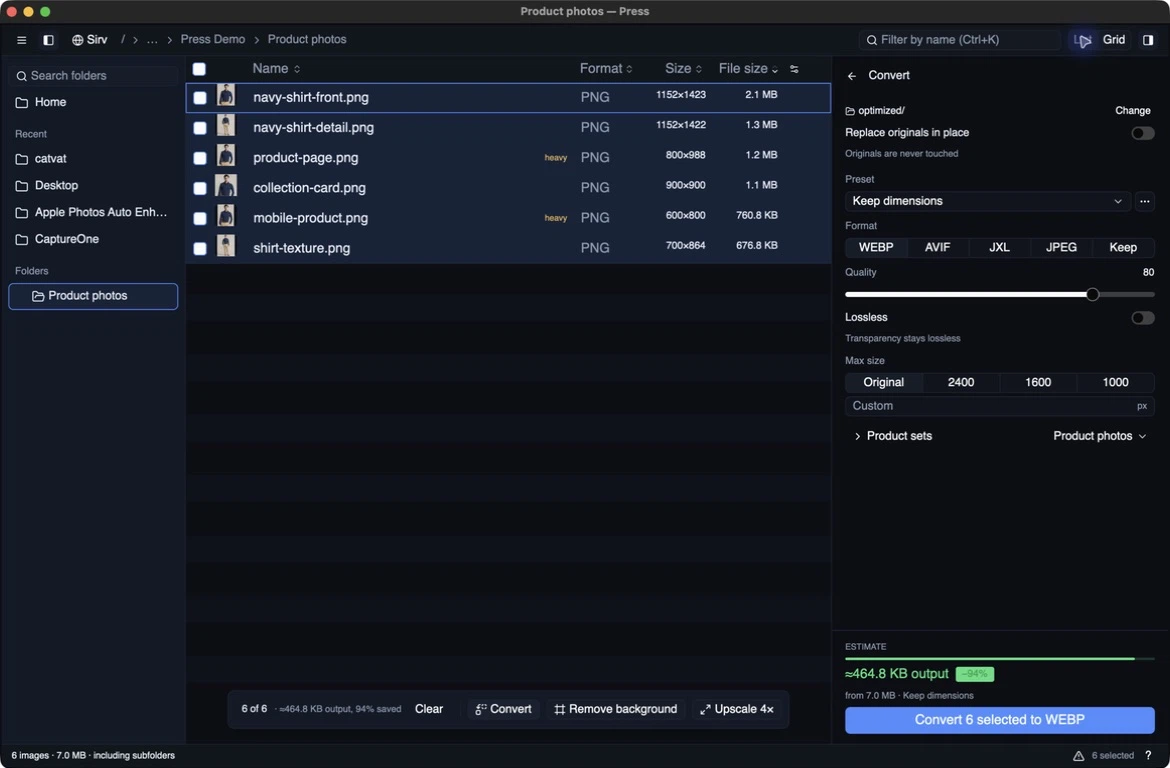
Find large files, compare image quality, and convert to WebP, AVIF, JPEG XL, or JPEG. The audit and conversion run on your computer. No account needed.
Free for macOS, Windows, and Linux. Latest: v0.6.8.
- Local by defaultAudit + convert offline
- Separate outputKeep originals by default
- Four formatsWebP · AVIF · JPEG XL · JPEG
- Local AImacOS · Linux x64
From folder to finished files.
Check the quality before you commit to a batch.
- 01
Open a folder
Drop it on the window or pick it. Navigate with the folder sidebar and breadcrumbs, or include subfolders in your batch. The largest images appear first.
- 02
Inspect the trade-off
Choose a saved preset or set the format, quality, and maximum edge. Compare original and result at fitted size or true 1:1 pixels.
- 03
Convert what matters
Tick individual files or select the whole list. Convert acts on the selected files. Save copies under
optimized/or choose another destination. Review the files when the batch finishes.
The smaller file still has to look right.
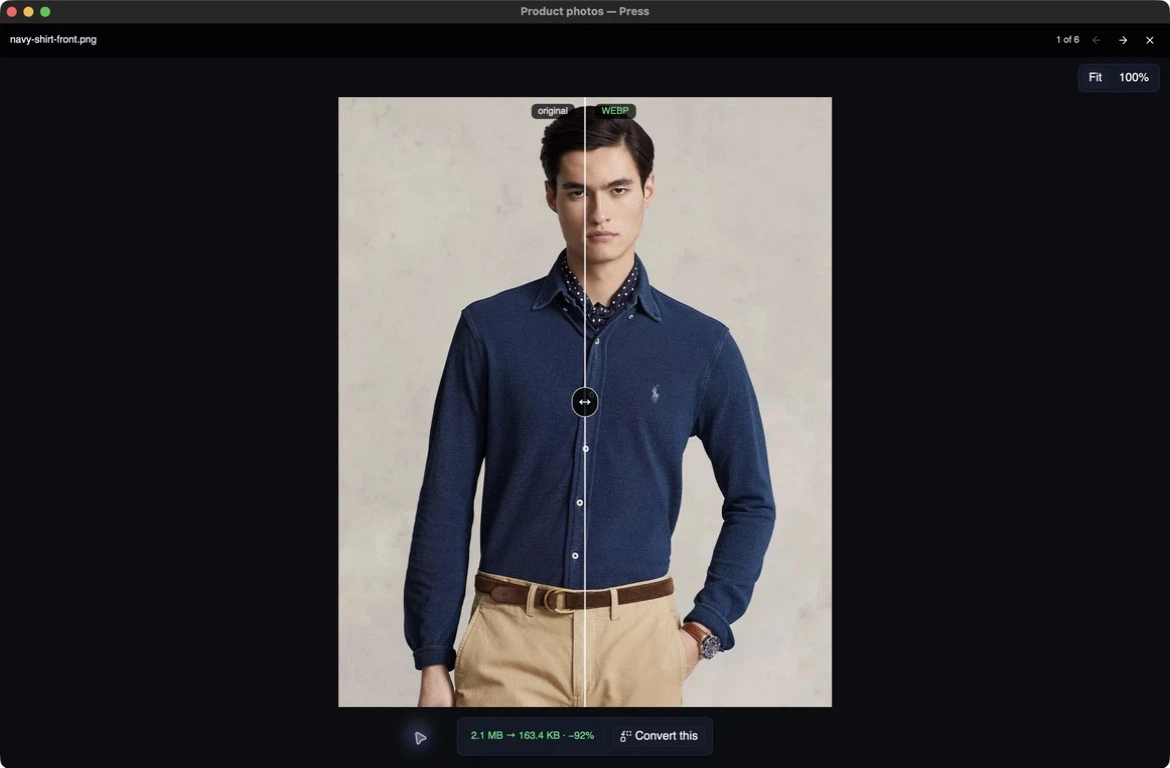
Drag the divider across an image and zoom to 100% to check texture, edges, and small text. Adjust the quality before converting the folder. After a run, compare the saved outputs with their originals in the same view.
- WebP
- Fast, broadly useful output
- AVIF
- Compare size and fine detail
- JPEG XL
- Lossy or true lossless output
- JPEG / Keep
- Export JPEG or keep each source’s format
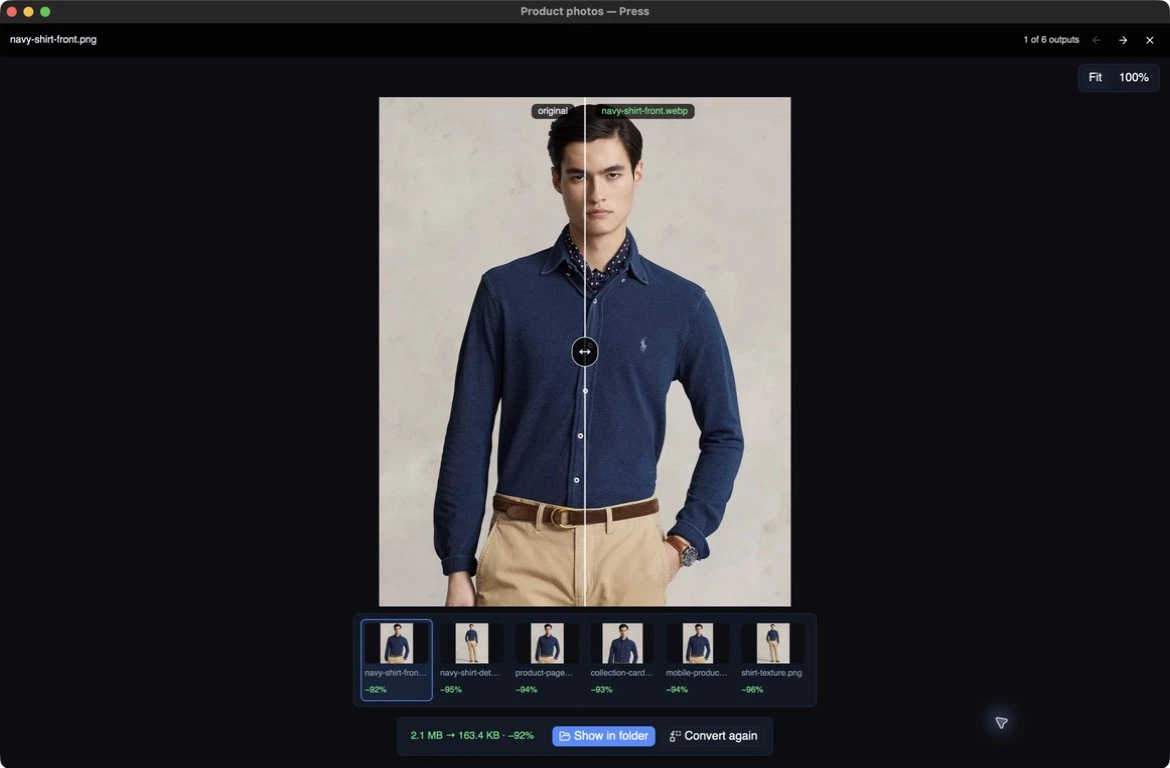
Review the files you actually wrote.
When conversion finishes, step through the saved outputs and compare each with its original. The thumbnail strip shows what each file saved, and Show in folder takes you to the output on disk.
Save your conversion settings as a preset for the next batch. The output folder and the choice to replace originals stay separate from the preset.
Download
Get Press for your computer.
Free and open source. No subscription for local tools.
macOS
DetectedChoose your Mac chip
Open the DMG and drag Press to Applications. Signed and notarized. You can also install with Homebrew:
brew install --cask IgorVaryvoda/press/press
Not sure? Apple menu → About This Mac → look for Chip or Processor.
Windows
DetectedWindows x64 installer
Run the setup file. Press offers updates at launch; you choose when to download, apply, and restart. You can also install with Chocolatey:
choco install press
Linux
DetectedLinux x86-64
Use the .deb on Ubuntu 24.04, or make the AppImage executable and run it on other x86-64 Linux systems.
chmod +x press_*.AppImage
For package-manager updates, use the signed APT repository.
Showing v0.6.8. See the release notes and signatures.
A few things to know.
Does Press upload my images?
Auditing, comparisons, and conversion stay on your computer. Images upload only when you use optional Sirv sync or run a hosted Sirv AI Studio tool. Local background removal and 4× upscaling run on macOS and Linux x64 after downloading their models.
Can it replace my originals?
By default, Press saves separate copies in optimized/. You can choose to replace originals instead; Press moves the originals into press-originals/ for recovery. Check the output setting before starting a batch.
Can I use it from the terminal?
Yes. press convert ./images --format jxl runs the same conversion without opening a window. WebP is the default; --format avif and --format jxl select those formats. Use --format jpeg for JPEG or --format same to keep each source’s format.