E-commerce Product Image Optimization
Product image optimization for online stores: gallery and zoom implementation, colour accuracy, and the sizes that keep a product page fast.
Disclosure: ImageGuide is published by Sirv, an image CDN company. This guide mentions Sirv products. Read how we write these guides.
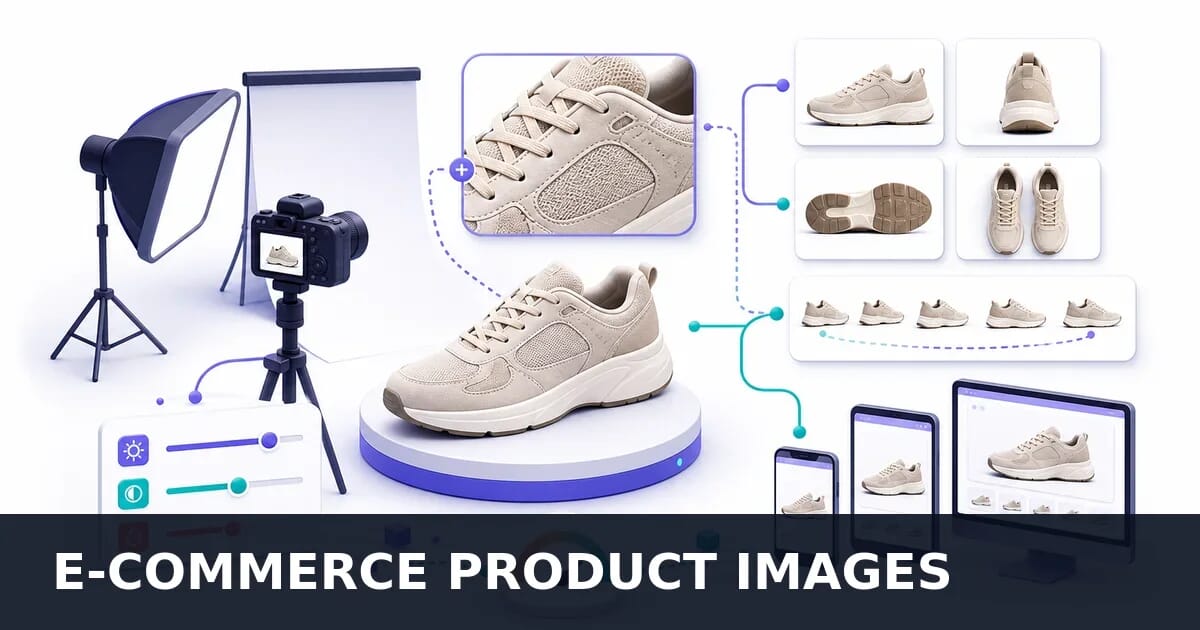
Product images directly impact conversions. High-quality, fast-loading product photos can increase sales by 30% or more. This guide covers everything you need to optimize product images for e-commerce success.
Why Product Images Matter
| Factor | Impact |
|---|---|
| Image quality | 75% of shoppers rely on product photos |
| Multiple angles | Increases conversion by 20-30% |
| Zoom capability | 38% of users zoom on product images |
| Load speed | 1s delay reduces conversions by 7% |
| Mobile experience | 60%+ of e-commerce traffic |
Image Impact on E-Commerce Performance
Key statistics on how product images affect buying decisions
Image Requirements
Recommended Specifications
| Specification | Recommendation | Reason |
|---|---|---|
| Resolution | 2000×2000 minimum | Enables quality zoom |
| Aspect ratio | 1:1 (square) | Consistent grid layout |
| Format | AVIF → WebP → JPEG | Modern + fallback |
| Background | Pure white (#FFFFFF) | Clean, professional |
| File size | Under 200KB optimized | Fast loading |
Size Breakdown
Master image: 2400×2400 (archive)
├── Zoom: 1200×1200 (loaded on demand)
├── Main: 800×800 (product page)
├── Thumbnail: 400×400 (gallery)
└── Cart: 150×150 (mini previews)
Gallery Implementation
Basic Product Gallery
<div class="product-gallery">
  <!-- Main Image -->
  <div class="main-image">
    <picture>
      <source srcset="product-main.avif" type="image/avif">
      <source srcset="product-main.webp" type="image/webp">
      <img
        src="product-main.jpg"
        alt="Blue Running Shoes - Front View"
        width="800"
        height="800"
        id="mainProductImage"
      >
    </picture>
  </div>

  <!-- Thumbnails -->
  <div class="thumbnails" role="tablist">
    <button
      role="tab"
      aria-selected="true"
      data-full="product-1.jpg"
      data-avif="product-1.avif"
      data-webp="product-1.webp"
    >
      <img src="product-1-thumb.jpg" alt="Front view" width="80" height="80">
    </button>
    <button
      role="tab"
      aria-selected="false"
      data-full="product-2.jpg"
      data-avif="product-2.avif"
      data-webp="product-2.webp"
    >
      <img src="product-2-thumb.jpg" alt="Side view" width="80" height="80">
    </button>
    <button
      role="tab"
      aria-selected="false"
      data-full="product-3.jpg"
      data-avif="product-3.avif"
      data-webp="product-3.webp"
    >
      <img src="product-3-thumb.jpg" alt="Back view" width="80" height="80">
    </button>
  </div>
</div>
JavaScript Gallery Controller
class ProductGallery {
  constructor(container) {
    this.container = container;
    this.mainImage = container.querySelector('#mainProductImage');
    this.thumbnails = container.querySelectorAll('[role="tab"]');
    this.supportedFormat = this.detectFormat();

    this.init();
  }

  detectFormat() {
    const canvas = document.createElement('canvas');
    if (canvas.toDataURL('image/avif').indexOf('data:image/avif') === 0) {
      return 'avif';
    }
    if (canvas.toDataURL('image/webp').indexOf('data:image/webp') === 0) {
      return 'webp';
    }
    return 'jpg';
  }

  init() {
    this.thumbnails.forEach(thumb => {
      thumb.addEventListener('click', () => this.switchImage(thumb));
    });

    // Keyboard navigation
    this.container.addEventListener('keydown', (e) => {
      if (e.key === 'ArrowLeft' || e.key === 'ArrowRight') {
        this.navigateByKey(e.key);
      }
    });
  }

  switchImage(thumb) {
    // Update aria states
    this.thumbnails.forEach(t => t.setAttribute('aria-selected', 'false'));
    thumb.setAttribute('aria-selected', 'true');

    // Get appropriate format
    const formatKey = `data-${this.supportedFormat}`;
    const src = thumb.getAttribute(formatKey) || thumb.getAttribute('data-full');

    // Preload then switch
    const img = new Image();
    img.onload = () => {
      this.mainImage.src = src;
    };
    img.src = src;
  }

  navigateByKey(key) {
    const current = this.container.querySelector('[aria-selected="true"]');
    const thumbArray = Array.from(this.thumbnails);
    const currentIndex = thumbArray.indexOf(current);

    let nextIndex;
    if (key === 'ArrowLeft') {
      nextIndex = currentIndex > 0 ? currentIndex - 1 : thumbArray.length - 1;
    } else {
      nextIndex = currentIndex < thumbArray.length - 1 ? currentIndex + 1 : 0;
    }

    this.switchImage(thumbArray[nextIndex]);
    thumbArray[nextIndex].focus();
  }
}

// Initialize
document.querySelectorAll('.product-gallery').forEach(gallery => {
  new ProductGallery(gallery);
});
Zoom Implementation
CSS Hover Zoom
Simple zoom without additional images:
.product-zoom-container {
  position: relative;
  overflow: hidden;
  cursor: zoom-in;
}

.product-zoom-container img {
  transition: transform 0.3s ease;
  transform-origin: center center;
}

.product-zoom-container:hover img {
  transform: scale(1.5);
}

/* Follow cursor position */
.product-zoom-container.active img {
  cursor: zoom-out;
}
Advanced Magnifier Zoom
class ProductZoom {
  constructor(container, options = {}) {
    this.container = container;
    this.image = container.querySelector('img');
    this.options = {
      zoomLevel: 2.5,
      lensSize: 150,
      ...options
    };

    this.zoomImage = null;
    this.lens = null;
    this.init();
  }

  init() {
    this.createLens();
    this.loadZoomImage();

    this.container.addEventListener('mouseenter', () => this.showLens());
    this.container.addEventListener('mouseleave', () => this.hideLens());
    this.container.addEventListener('mousemove', (e) => this.moveLens(e));

    // Touch support
    this.container.addEventListener('touchstart', (e) => this.handleTouch(e));
    this.container.addEventListener('touchmove', (e) => this.handleTouch(e));
    this.container.addEventListener('touchend', () => this.hideLens());
  }

  createLens() {
    this.lens = document.createElement('div');
    this.lens.className = 'zoom-lens';
    this.lens.style.cssText = `
      position: absolute;
      width: ${this.options.lensSize}px;
      height: ${this.options.lensSize}px;
      border: 2px solid #333;
      border-radius: 50%;
      background-repeat: no-repeat;
      pointer-events: none;
      opacity: 0;
      transition: opacity 0.2s;
      box-shadow: 0 2px 10px rgba(0,0,0,0.2);
    `;
    this.container.appendChild(this.lens);
  }

  loadZoomImage() {
    const zoomSrc = this.image.dataset.zoom || this.image.src.replace('-800', '-1600');
    this.zoomImage = new Image();
    this.zoomImage.src = zoomSrc;
  }

  showLens() {
    this.lens.style.opacity = '1';
  }

  hideLens() {
    this.lens.style.opacity = '0';
  }

  moveLens(e) {
    const rect = this.container.getBoundingClientRect();
    const x = e.clientX - rect.left;
    const y = e.clientY - rect.top;

    // Position lens
    const lensX = x - this.options.lensSize / 2;
    const lensY = y - this.options.lensSize / 2;
    this.lens.style.left = `${lensX}px`;
    this.lens.style.top = `${lensY}px`;

    // Calculate zoom background position
    const zoomRatio = this.zoomImage.width / this.image.width;
    const bgX = -(x * zoomRatio - this.options.lensSize / 2);
    const bgY = -(y * zoomRatio - this.options.lensSize / 2);

    this.lens.style.backgroundImage = `url(${this.zoomImage.src})`;
    this.lens.style.backgroundSize = `${this.image.width * zoomRatio}px ${this.image.height * zoomRatio}px`;
    this.lens.style.backgroundPosition = `${bgX}px ${bgY}px`;
  }

  handleTouch(e) {
    e.preventDefault();
    const touch = e.touches[0];
    this.showLens();
    this.moveLens(touch);
  }
}

// Initialize
document.querySelectorAll('.product-image-zoom').forEach(container => {
  new ProductZoom(container);
});
Lightbox Zoom
For full-screen zoom experience:
class ProductLightbox {
  constructor() {
    this.overlay = null;
    this.currentIndex = 0;
    this.images = [];
    this.init();
  }

  init() {
    this.createOverlay();

    document.querySelectorAll('[data-lightbox]').forEach((img, index) => {
      this.images.push({
        src: img.dataset.zoom || img.src,
        alt: img.alt
      });

      img.addEventListener('click', () => this.open(index));
    });

    // Keyboard navigation
    document.addEventListener('keydown', (e) => {
      if (!this.overlay.classList.contains('active')) return;

      if (e.key === 'Escape') this.close();
      if (e.key === 'ArrowLeft') this.prev();
      if (e.key === 'ArrowRight') this.next();
    });
  }

  createOverlay() {
    this.overlay = document.createElement('div');
    this.overlay.className = 'lightbox-overlay';

    // Close button
    const closeBtn = document.createElement('button');
    closeBtn.className = 'lightbox-close';
    closeBtn.setAttribute('aria-label', 'Close');
    closeBtn.textContent = '\u00d7';
    closeBtn.addEventListener('click', () => this.close());

    // Prev button
    const prevBtn = document.createElement('button');
    prevBtn.className = 'lightbox-prev';
    prevBtn.setAttribute('aria-label', 'Previous');
    prevBtn.textContent = '\u2190';
    prevBtn.addEventListener('click', () => this.prev());

    // Next button
    const nextBtn = document.createElement('button');
    nextBtn.className = 'lightbox-next';
    nextBtn.setAttribute('aria-label', 'Next');
    nextBtn.textContent = '\u2192';
    nextBtn.addEventListener('click', () => this.next());

    // Content area
    const content = document.createElement('div');
    content.className = 'lightbox-content';

    const img = document.createElement('img');
    img.className = 'lightbox-image';
    img.src = '';
    img.alt = '';
    content.appendChild(img);

    // Counter
    const counter = document.createElement('div');
    counter.className = 'lightbox-counter';

    this.overlay.appendChild(closeBtn);
    this.overlay.appendChild(prevBtn);
    this.overlay.appendChild(nextBtn);
    this.overlay.appendChild(content);
    this.overlay.appendChild(counter);

    this.overlay.addEventListener('click', (e) => {
      if (e.target === this.overlay) this.close();
    });

    document.body.appendChild(this.overlay);
  }

  open(index) {
    this.currentIndex = index;
    this.updateImage();
    this.overlay.classList.add('active');
    document.body.style.overflow = 'hidden';
  }

  close() {
    this.overlay.classList.remove('active');
    document.body.style.overflow = '';
  }

  prev() {
    this.currentIndex = this.currentIndex > 0 ? this.currentIndex - 1 : this.images.length - 1;
    this.updateImage();
  }

  next() {
    this.currentIndex = this.currentIndex < this.images.length - 1 ? this.currentIndex + 1 : 0;
    this.updateImage();
  }

  updateImage() {
    const img = this.overlay.querySelector('.lightbox-image');
    const image = this.images[this.currentIndex];
    img.src = image.src;
    img.alt = image.alt;
    this.overlay.querySelector('.lightbox-counter').textContent =
      `${this.currentIndex + 1} / ${this.images.length}`;
  }
}

new ProductLightbox();
Ready-Made Solution: Sirv Media Viewer
Building galleries, zoom, and 360 spin from scratch is complex. Sirv Media Viewer is a production-ready solution that handles all of this out of the box.
Features
| Feature | Description |
|---|---|
| Image zoom | Hover, click, or fullscreen zoom with high-res loading |
| 360 spin | Interactive product spin from multiple angles |
| Video | Embed product videos alongside images |
| Responsive | Automatically adapts to any screen size |
| Lazy loading | Built-in performance optimization |
| Thumbnails | Customizable navigation with multiple layouts |
| Fullscreen | Immersive viewing with keyboard navigation |
Quick Implementation
<!-- Include Sirv JS -->
<script src="https://scripts.sirv.com/sirvjs/v3/sirv.js"></script>

<!-- Product gallery with zoom -->
<div class="Sirv" data-options="fullscreen:true; thumbnails:bottom">
  <div data-src="https://demo.sirv.com/shoes/shoes-1.jpg" data-type="zoom"></div>
  <div data-src="https://demo.sirv.com/shoes/shoes-2.jpg" data-type="zoom"></div>
  <div data-src="https://demo.sirv.com/shoes/shoes-3.jpg" data-type="zoom"></div>
</div>
360 Product Spin
<!-- 360 spin viewer -->
<div class="Sirv" data-src="https://demo.sirv.com/example.spin"></div>
Combined Gallery with Spin and Zoom
<div class="Sirv" data-options="thumbnails:bottom;">
  <!-- 360 spin as first item -->
  <div data-src="https://your-account.sirv.com/products/shoe.spin"></div>
  <!-- Zoomable images -->
  <div data-src="https://your-account.sirv.com/products/shoe-front.jpg" data-type="zoom"></div>
  <div data-src="https://your-account.sirv.com/products/shoe-side.jpg" data-type="zoom"></div>
  <div data-src="https://your-account.sirv.com/products/shoe-detail.jpg" data-type="zoom"></div>
  <!-- Product video -->
  <div data-src="https://your-account.sirv.com/products/shoe-video.mp4"></div>
</div>
This eliminates hundreds of lines of custom JavaScript while providing a battle-tested, accessible, and performant product viewing experience used by thousands of e-commerce stores.
Learn more about Sirv Media Viewer →
Color Accuracy
Accurate color representation reduces returns.
Maintaining Color Fidelity
# Preserve color profile during conversion
convert input.jpg -profile sRGB.icc -quality 85 output.jpg

# With Sharp
sharp input.jpg --withMetadata --quality 85 output.jpg
Sharp Configuration
const sharp = require('sharp');

async function processProductImage(input, output) {
  await sharp(input)
    // Keep color profile
    .withMetadata({ icc: true })
    // Consistent color space
    .toColorspace('srgb')
    // High quality for products
    .jpeg({
      quality: 85,
      chromaSubsampling: '4:4:4' // Full color detail
    })
    .toFile(output);
}
Color-Accurate Variants
For products where color matters (clothing, paint, makeup):
<div class="color-variants">
  <fieldset>
    <legend>Select Color</legend>
    <label>
      <input
        type="radio"
        name="color"
        value="navy"
        data-image="product-navy.jpg"
        checked
      >
      <span class="swatch" style="background: #1a237e;"></span>
      Navy Blue
    </label>
    <label>
      <input
        type="radio"
        name="color"
        value="burgundy"
        data-image="product-burgundy.jpg"
      >
      <span class="swatch" style="background: #7b1fa2;"></span>
      Burgundy
    </label>
  </fieldset>
</div>
Lazy Loading Strategy
Product Listings
<!-- First row: eager load -->
<div class="product-grid">
  <article class="product-card">
    <img
      src="product-1.jpg"
      alt="Product 1"
      width="400"
      height="400"
      fetchpriority="high"
    >
  </article>
  <article class="product-card">
    <img
      src="product-2.jpg"
      alt="Product 2"
      width="400"
      height="400"
    >
  </article>

  <!-- Below fold: lazy load -->
  <article class="product-card">
    <img
      src="product-3.jpg"
      alt="Product 3"
      width="400"
      height="400"
      loading="lazy"
    >
  </article>
</div>
Thumbnail Preloading
// Preload next/prev images in gallery
function preloadAdjacentImages(currentIndex, images) {
  const toPreload = [
    images[currentIndex - 1],
    images[currentIndex + 1]
  ].filter(Boolean);

  toPreload.forEach(src => {
    const link = document.createElement('link');
    link.rel = 'prefetch';
    link.href = src;
    link.as = 'image';
    document.head.appendChild(link);
  });
}
CDN Configuration
Sirv for E-commerce
// Sirv product image loader
function sirvProductUrl(path, options = {}) {
  const {
    width = 800,
    quality = 85,
    format = 'optimal',
    crop = 'pad',
    background = 'white'
  } = options;

  const params = new URLSearchParams({
    w: width,
    q: quality,
    format,
    'canvas.width': width,
    'canvas.height': width,
    'canvas.color': background,
    'canvas.position': 'center'
  });

  return `https://your-account.sirv.com${path}?${params}`;
}

// Usage
const mainImage = sirvProductUrl('/products/shoe-001.jpg', { width: 800 });
const thumbnail = sirvProductUrl('/products/shoe-001.jpg', { width: 150 });
const zoom = sirvProductUrl('/products/shoe-001.jpg', { width: 1600, quality: 90 });
Cloudinary Configuration
function cloudinaryProductUrl(publicId, options = {}) {
  const {
    width = 800,
    quality = 'auto:best',
    format = 'auto',
    crop = 'pad',
    background = 'white'
  } = options;

  const transforms = [
    `w_${width}`,
    `q_${quality}`,
    `f_${format}`,
    `c_${crop}`,
    `b_${background}`
  ].join(',');

  return `https://res.cloudinary.com/your-cloud/image/upload/${transforms}/${publicId}`;
}
Responsive Product Images
Product Page
<picture class="product-main-image">
  <!-- Large desktop -->
  <source
    media="(min-width: 1200px)"
    srcset="
      product-1200.avif 1200w,
      product-1600.avif 1600w
    "
    type="image/avif"
  >
  <source
    media="(min-width: 1200px)"
    srcset="
      product-1200.webp 1200w,
      product-1600.webp 1600w
    "
    type="image/webp"
  >

  <!-- Tablet -->
  <source
    media="(min-width: 768px)"
    srcset="
      product-600.avif 600w,
      product-800.avif 800w
    "
    type="image/avif"
  >

  <!-- Mobile -->
  <source
    srcset="
      product-400.avif 400w,
      product-600.avif 600w
    "
    type="image/avif"
  >

  <img
    src="product-800.jpg"
    srcset="
      product-400.jpg 400w,
      product-600.jpg 600w,
      product-800.jpg 800w,
      product-1200.jpg 1200w
    "
    sizes="(min-width: 1200px) 50vw, (min-width: 768px) 70vw, 100vw"
    alt="Blue Running Shoes - Premium comfort design"
    width="800"
    height="800"
    loading="eager"
  >
</picture>
Category Listings
<img
  src="product-thumb-400.jpg"
  srcset="
    product-thumb-200.jpg 200w,
    product-thumb-300.jpg 300w,
    product-thumb-400.jpg 400w,
    product-thumb-600.jpg 600w
  "
  sizes="(min-width: 1200px) 20vw, (min-width: 768px) 25vw, 50vw"
  alt="Product Name"
  width="400"
  height="400"
  loading="lazy"
>
Background Removal
Consistent white backgrounds improve visual cohesion.
Sirv AI Studio
Sirv AI Studio provides instant background removal and AI-powered image editing directly in your browser:
- One-click background removal - Remove backgrounds instantly with AI
- Background replacement - Add solid colors, gradients, or custom images
- Batch processing - Process multiple product images at once
- Direct CDN integration - Edited images are immediately available via Sirv CDN
This eliminates the need for Photoshop or API integrations for most product image workflows.
Sirv Studio API
For automated pipelines, Sirv Studio API provides programmatic access to all AI features including background removal, upscaling, and product lifestyle shots.
// test-example: sirv-single-ecommerce
const SIRV_STUDIO_API = 'https://www.sirv.studio/api/zapier';

// Remove background from product image
async function removeBackground(imageUrl) {
  const response = await fetch(`${SIRV_STUDIO_API}/remove-bg`, {
    method: 'POST',
    headers: {
      'Authorization': `Bearer ${process.env.SIRV_STUDIO_API_KEY}`,
      'Content-Type': 'application/json'
    },
    body: JSON.stringify({
      image_url: imageUrl,
      model: 'birefnet' // 1 credit, or 'bria' for 2 credits
    })
  });
  if (!response.ok) throw new Error(`Background removal failed: ${response.status}`);
  const result = await response.json();
  if (!result || typeof result.image_url !== 'string' || !result.image_url.trim()) {
    throw new Error('Background removal returned no image_url');
  }
  return result.image_url;
}
The same API also supports product lifestyle operations; its request and response are separate from background removal:
const SIRV_STUDIO_API = 'https://www.sirv.studio/api/zapier';

// Place product in lifestyle scene
async function createLifestyleShot(productImageUrl, sceneDescription) {
  const response = await fetch(`${SIRV_STUDIO_API}/product-lifestyle`, {
    method: 'POST',
    headers: {
      'Authorization': `Bearer ${process.env.SIRV_STUDIO_API_KEY}`,
      'Content-Type': 'application/json'
    },
    body: JSON.stringify({
      image_url: productImageUrl,
      scene_description: sceneDescription,
      position: 'center_horizontal'
    })
  });
  return response.json();
}
For multiple products, submit caller-owned IDs and poll the documented asynchronous batch job:
// test-example: sirv-batch-ecommerce
const SIRV_STUDIO_API = 'https://www.sirv.studio/api/zapier';
const BATCH_PROGRESS = new Set(['pending', 'queued', 'processing']);
const BATCH_STATUSES = new Set([...BATCH_PROGRESS, 'completed', 'failed']);

function validateBatchImages(images) {
  if (!Array.isArray(images) || images.length === 0) {
    throw new TypeError('images must be a non-empty array');
  }
  const ids = new Set();
  for (const image of images) {
    if (!image || typeof image !== 'object' || Array.isArray(image)) {
      throw new TypeError('each image must be an object');
    }
    if (typeof image.id !== 'string' || !image.id.trim()) {
      throw new TypeError('each image id must be a non-empty string');
    }
    if (typeof image.image_url !== 'string' || !image.image_url.trim()) {
      throw new TypeError(`image ${image.id} must have a non-empty image_url`);
    }
    if (ids.has(image.id)) throw new TypeError(`duplicate image id: ${image.id}`);
    ids.add(image.id);
  }
  return ids;
}

function batchTimeoutError() {
  return new Error('Sirv batch request timed out');
}

async function batchRemoveBackgrounds(images, { apiKey, timeoutMs = 30000, pollIntervalMs = 2000 }) {
  const submittedIds = validateBatchImages(images);
  if (typeof apiKey !== 'string' || !apiKey.trim()) throw new TypeError('apiKey is required');
  if (!Number.isFinite(timeoutMs) || timeoutMs <= 0) throw new TypeError('timeoutMs must be positive');
  if (!Number.isFinite(pollIntervalMs) || pollIntervalMs < 0) throw new TypeError('pollIntervalMs cannot be negative');

  const deadline = Date.now() + timeoutMs;
  const remaining = () => {
    const ms = deadline - Date.now();
    if (ms <= 0) throw batchTimeoutError();
    return ms;
  };
  const requestJson = async (url, options) => {
    const controller = new AbortController();
    const timer = setTimeout(() => controller.abort(), remaining());
    try {
      const response = await fetch(url, { ...options, signal: controller.signal });
      if (!response.ok) throw new Error(`Sirv batch request failed: ${response.status}`);
      try {
        return await response.json();
      } catch (error) {
        if (controller.signal.aborted || error?.name === 'AbortError') throw batchTimeoutError();
        throw new Error('Sirv batch response was not valid JSON', { cause: error });
      }
    } catch (error) {
      if (controller.signal.aborted || error?.name === 'AbortError') throw batchTimeoutError();
      throw error;
    } finally {
      clearTimeout(timer);
    }
  };
  const headers = {
    'Authorization': `Bearer ${apiKey}`,
    'Content-Type': 'application/json'
  };

  const submission = await requestJson(`${SIRV_STUDIO_API}/batch/remove-bg`, {
    method: 'POST',
    headers,
    body: JSON.stringify({ images, model: 'birefnet' })
  });
  if (!submission || typeof submission !== 'object' || Array.isArray(submission)) {
    throw new Error('Malformed batch submission');
  }
  if (submission.status === 'failed') throw new Error('Sirv batch submission failed');
  if (typeof submission.job_id !== 'string' || !submission.job_id.trim()) throw new Error('Invalid batch job_id');
  if (!BATCH_PROGRESS.has(submission.status)) throw new Error(`Unexpected batch submission status: ${submission.status}`);
  if (submission.total !== images.length) throw new Error('Batch submission total does not match input');
  if (!Number.isFinite(submission.estimated_credits) || submission.estimated_credits < 0) throw new Error('Invalid estimated_credits');
  if (typeof submission.poll_url !== 'string') throw new Error('Invalid batch poll_url');
  if (!/^\/(?!\/)[^?#]+$/.test(submission.poll_url)) throw new Error('Batch poll_url must be a relative path');

  const pollUrl = new URL(submission.poll_url, 'https://www.sirv.studio');
  const expectedPath = `/api/zapier/batch/status/${submission.job_id}`;
  if (pollUrl.origin !== 'https://www.sirv.studio' || pollUrl.pathname !== expectedPath) {
    throw new Error('Batch poll_url does not match the submitted job');
  }

  while (true) {
    const remainingMs = remaining();
    if (pollIntervalMs >= remainingMs) {
      await new Promise(resolve => setTimeout(resolve, remainingMs));
      throw batchTimeoutError();
    }
    if (pollIntervalMs > 0) await new Promise(resolve => setTimeout(resolve, pollIntervalMs));

    const poll = await requestJson(pollUrl.href, { headers: { 'Authorization': `Bearer ${apiKey}` } });
    if (!poll || typeof poll !== 'object' || Array.isArray(poll)) throw new Error('Malformed batch status');
    if (typeof poll.job_id !== 'string' || !poll.job_id.trim() || poll.job_id !== submission.job_id) throw new Error('Batch status job_id mismatch');
    if (!BATCH_STATUSES.has(poll.status)) throw new Error(`Unexpected batch status: ${poll.status}`);
    if (poll.total !== images.length) throw new Error('Batch status total does not match input');
    if (poll.status === 'failed') throw new Error('Sirv batch job failed');
    if (BATCH_PROGRESS.has(poll.status)) continue;

    if (!Array.isArray(poll.results)) throw new Error('Completed batch has no results');
    if (poll.completed !== images.length || poll.failed !== 0) throw new Error('Completed batch counts are inconsistent');
    const seen = new Set();
    const results = [];
    for (const result of poll.results) {
      if (!result || typeof result !== 'object' || typeof result.id !== 'string' || !result.id.trim()) throw new Error('Batch result has no valid id');
      if (seen.has(result.id)) throw new Error(`Duplicate batch result id: ${result.id}`);
      if (!submittedIds.has(result.id)) throw new Error(`Unknown batch result id: ${result.id}`);
      seen.add(result.id);
      if (result.status !== 'success') throw new Error(`Image ${result.id} failed with status ${result.status}`);
      if (typeof result.image_url !== 'string' || !result.image_url.trim()) throw new Error(`Image ${result.id} returned no image_url`);
      results.push({ id: result.id, image_url: result.image_url });
    }
    if (seen.size !== submittedIds.size) throw new Error('Completed batch is missing result IDs');
    return results;
  }
}

// test-usage:start
const products = [
  { id: 'product-001', image_url: 'https://example.com/product-001.jpg' },
  { id: 'product-002', image_url: 'https://example.com/product-002.jpg' }
];
const results = await batchRemoveBackgrounds(products, {
  apiKey: process.env.SIRV_STUDIO_API_KEY
});
results.forEach(result => console.log(`${result.id}: ${result.image_url}`));
// test-usage:end
The API also includes /image-review for automated quality validation, /virtual-try-on for fashion, and /product-description for AI-generated copy.
CSS White Background Fallback
.product-image {
  background: white;
  object-fit: contain;
  aspect-ratio: 1;
}

/* Subtle shadow for depth */
.product-image-container {
  background: white;
  box-shadow: inset 0 0 0 1px rgba(0,0,0,0.05);
  border-radius: 8px;
  padding: 20px;
}
Performance Optimization
Critical Product Image
<head>
  <!-- Preload main product image -->
  <link
    rel="preload"
    as="image"
    href="product-main.avif"
    type="image/avif"
  >
  <link
    rel="preload"
    as="image"
    href="product-main.webp"
    type="image/webp"
  >
</head>
Image Generation Pipeline
const sharp = require('sharp');

const PRODUCT_SIZES = [
  { name: 'zoom', width: 1600, quality: 90 },
  { name: 'main', width: 800, quality: 85 },
  { name: 'thumb', width: 400, quality: 80 },
  { name: 'cart', width: 150, quality: 75 }
];

const FORMATS = ['avif', 'webp', 'jpg'];

async function processProductImage(inputPath, productId) {
  const outputDir = `./products/${productId}`;

  for (const size of PRODUCT_SIZES) {
    for (const format of FORMATS) {
      const outputPath = `${outputDir}/${size.name}.${format}`;

      let pipeline = sharp(inputPath)
        .resize(size.width, size.width, {
          fit: 'contain',
          background: { r: 255, g: 255, b: 255 }
        });

      if (format === 'avif') {
        pipeline = pipeline.avif({ quality: size.quality - 10 });
      } else if (format === 'webp') {
        pipeline = pipeline.webp({ quality: size.quality });
      } else {
        pipeline = pipeline.jpeg({ quality: size.quality });
      }

      await pipeline.toFile(outputPath);
    }
  }
}
Batch Processing
const glob = require('glob');
const pLimit = require('p-limit');

const limit = pLimit(4); // Process 4 images concurrently

async function processAllProducts() {
  const images = glob.sync('./source-images/*.{jpg,png}');

  const tasks = images.map(imagePath => {
    const productId = path.basename(imagePath, path.extname(imagePath));
    return limit(() => processProductImage(imagePath, productId));
  });

  await Promise.all(tasks);
  console.log(`Processed ${images.length} product images`);
}
SEO Optimization
Alt Text Best Practices
<!-- Bad: Generic -->
<img alt="Product image">

<!-- Bad: Keyword stuffing -->
<img alt="buy cheap blue running shoes best price online store sale discount">

<!-- Good: Descriptive -->
<img alt="Nike Air Max 90 Running Shoes in Navy Blue - Side View">

<!-- Good: With context -->
<img alt="Model wearing the Classic Fit Oxford Shirt in White, Size Medium">
Structured Data
<script type="application/ld+json">
{
  "@context": "https://schema.org",
  "@type": "Product",
  "name": "Classic Running Shoes",
  "image": [
    "https://example.com/products/shoes-front.jpg",
    "https://example.com/products/shoes-side.jpg",
    "https://example.com/products/shoes-back.jpg"
  ],
  "description": "Comfortable running shoes for everyday use",
  "brand": {
    "@type": "Brand",
    "name": "ShoeBrand"
  },
  "offers": {
    "@type": "Offer",
    "price": "89.99",
    "priceCurrency": "USD",
    "availability": "https://schema.org/InStock"
  }
}
</script>
Mobile Optimization
Touch-Friendly Gallery
.product-thumbnails {
  display: flex;
  gap: 8px;
  overflow-x: auto;
  scroll-snap-type: x mandatory;
  -webkit-overflow-scrolling: touch;
  scrollbar-width: none;
}

.product-thumbnails::-webkit-scrollbar {
  display: none;
}

.product-thumbnail {
  flex: 0 0 auto;
  scroll-snap-align: start;
  min-width: 60px;
  min-height: 60px; /* Touch target */
}
Swipe Gallery
class SwipeGallery {
  constructor(container) {
    this.container = container;
    this.slides = container.querySelectorAll('.slide');
    this.currentIndex = 0;
    this.touchStartX = 0;
    this.touchEndX = 0;

    this.init();
  }

  init() {
    this.container.addEventListener('touchstart', (e) => {
      this.touchStartX = e.changedTouches[0].screenX;
    });

    this.container.addEventListener('touchend', (e) => {
      this.touchEndX = e.changedTouches[0].screenX;
      this.handleSwipe();
    });
  }

  handleSwipe() {
    const diff = this.touchStartX - this.touchEndX;
    const threshold = 50;

    if (Math.abs(diff) > threshold) {
      if (diff > 0 && this.currentIndex < this.slides.length - 1) {
        this.goTo(this.currentIndex + 1);
      } else if (diff < 0 && this.currentIndex > 0) {
        this.goTo(this.currentIndex - 1);
      }
    }
  }

  goTo(index) {
    this.currentIndex = index;
    this.container.style.transform = `translateX(-${index * 100}%)`;
  }
}
A/B Testing Images
Test Variables
Track these metrics when testing images:
| Variable | Test Options |
|---|---|
| Main image | Product-only vs lifestyle |
| Image count | 3 vs 5 vs 8 images |
| First image | Front vs angled vs in-use |
| Zoom type | Hover vs click vs lightbox |
| Background | Pure white vs light gray vs styled |
Implementation
// Simple A/B test
const variant = Math.random() > 0.5 ? 'A' : 'B';

const imageConfig = {
  A: {
    firstImage: 'product-front.jpg',
    imageCount: 4,
    zoomType: 'hover'
  },
  B: {
    firstImage: 'product-lifestyle.jpg',
    imageCount: 6,
    zoomType: 'lightbox'
  }
};

// Track in analytics
analytics.track('product_view', {
  variant,
  config: imageConfig[variant]
});
Summary
Quick Reference
| Element | Specification |
|---|---|
| Main image | 800×800, 85% quality, eager load |
| Zoom image | 1600×1600, 90% quality, on-demand |
| Thumbnails | 150×150, 75% quality, eager load |
| Listings | 400×400, 80% quality, lazy load |
| Format | AVIF → WebP → JPEG |
Checklist
- ✅ Use square (1:1) aspect ratios for consistency
- ✅ Provide minimum 2000×2000 for quality zoom
- ✅ Include multiple angles (front, back, side, detail)
- ✅ Maintain color accuracy with sRGB profiles
- ✅ Implement responsive images with srcset
- ✅ Lazy load below-fold product images
- ✅ Preload main product image on PDP
- ✅ Add zoom capability (hover or lightbox)
- ✅ Optimize for mobile swipe gestures
- ✅ Write descriptive, specific alt text
- ✅ Include structured data with all image URLs
- ✅ Use CDN for automatic format selection
- ✅ Test image loading on slow connections
- ✅ A/B test image presentation strategies
Product images are often the deciding factor in purchase decisions. Invest in quality photography, implement proper optimization, and continuously test to maximize conversions.