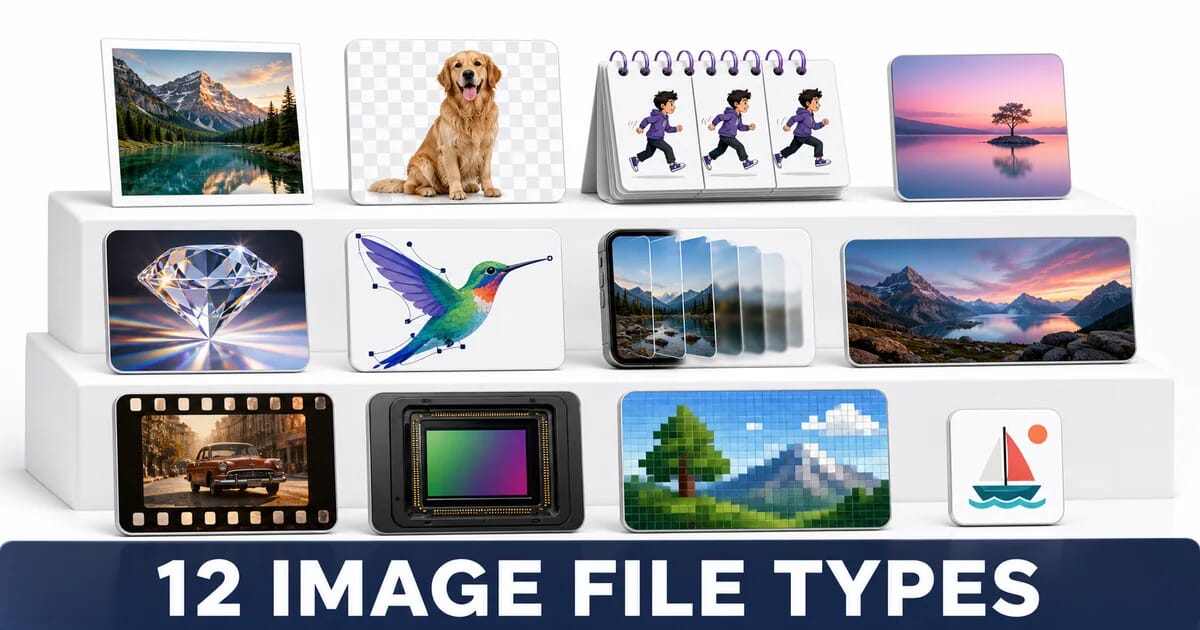
12 Image File Types Explained: When to Use Each
Twelve image formats compared - JPEG, PNG, GIF, WebP, AVIF, SVG, HEIC, JPEG XL, TIFF, RAW, BMP, ICO - on compression, transparency and support.
Disclosure: ImageGuide is published by Sirv, an image CDN company. This guide mentions Sirv products. Read how we write these guides.
There are hundreds of image formats. Twelve of them account for effectively everything you will meet on the web, on a phone, or in a design handoff. This guide explains what each one is, what it is good at, and the specific job it should be doing.
Three of the twelve belong in production web pages today. The rest are sources, archives, or legacy you need to recognise and convert.
The Master Comparison
Before the format-by-format detail, one image through all of them. Same 1200×630 source, with lossy settings chosen so the results look comparable:
One Image, Nine Formats
Measured with ImageMagick, cwebp, avifenc and cjxl.
The spread is 47× from BMP to AVIF for the same picture. Three observations to carry into the sections below:
- The three lossless formats — BMP, TIFF and PNG — differ enormously from each other, so “lossless” says nothing about size on its own.
- JPEG XL at its visually-lossless default came out slightly larger than JPEG. Its advantage shows at looser settings and in lossless JPEG repacking, not at
-d 1. - AVIF at 48 KB is a third of the JPEG. That gap is why format choice outranks almost every other optimisation.
| # | Format | Compression | Alpha | Animation | Colour depth | Browser support |
|---|---|---|---|---|---|---|
| 1 | JPEG | Lossy | No | No | 8-bit | Universal |
| 2 | PNG | Lossless | Yes | No (APNG: yes) | 8/16-bit | Universal |
| 3 | GIF | Lossless, 256 colours | 1-bit | Yes | 8-bit indexed | Universal |
| 4 | WebP | Both | Yes | Yes | 8-bit | Universal since 2021 |
| 5 | AVIF | Both | Yes | Yes | 8/10/12-bit | Universal since 2022 |
| 6 | SVG | Vector, text | Yes | Yes (SMIL/CSS) | Unlimited | Universal |
| 7 | HEIC/HEIF | Lossy | Yes | Yes | 8/10-bit | Safari only |
| 8 | JPEG XL | Both | Yes | Yes | Up to 32-bit | Safari 17+; flagged in Chrome and Firefox |
| 9 | TIFF | Both | Yes | Multi-page | Up to 32-bit | None |
| 10 | RAW | Uncompressed sensor data | N/A | No | 12/14-bit | None |
| 11 | BMP | Uncompressed | Yes | No | 1–32-bit | Universal (avoid) |
| 12 | ICO | Container | Yes | No | Multiple | Universal (favicons) |
1. JPEG
Extension: .jpg, .jpeg · MIME: image/jpeg · Since: 1992
The universal photographic format. JPEG splits an image into 8×8 blocks, converts each to frequency components with a discrete cosine transform, and discards the high-frequency detail the eye is least sensitive to. That is why it excels on photographs and fails on sharp edges.
Strengths
- Decoded by literally everything, including 30-year-old software
- Excellent on continuous-tone photographs
- Progressive mode renders a full-frame preview before the file finishes
- Tiny decode cost compared to AVIF
Weaknesses
- No transparency at all
- Ringing artifacts around text and hard edges
- 8-bit only, so gradients can band
- Re-saving degrades the image every time (generation loss)
Use It For
Photographs where you need maximum compatibility, and as the fallback source inside <picture>.
<picture>
  <source srcset="photo.avif" type="image/avif">
  <source srcset="photo.webp" type="image/webp">
  <img src="photo.jpg" width="1200" height="800" alt="…">
</picture>
Do Not Use It For
Logos, screenshots, line art, anything with text, or anything needing transparency.
Quality guidance: 80–85 for web photographs. Always encode progressive. Use MozJPEG for 8% to 15% smaller files than libjpeg at identical settings. The JPEG optimization guide goes deeper.
2. PNG
Extension: .png · MIME: image/png · Since: 1996
Lossless compression with a real alpha channel. PNG uses DEFLATE with per-row filters, so it compresses flat colour and repeated patterns extremely well, and photographs extremely badly.
The Two PNGs
| Variant | Colours | Alpha | Typical use |
|---|---|---|---|
| PNG-8 | 256, indexed | 1-bit or indexed | Flat illustrations, simple icons |
| PNG-24/32 | 16.7 million | Full 8-bit | Screenshots, images needing soft transparency |
Converting a PNG-24 illustration to PNG-8 with pngquant commonly cuts 60% to 70% with no visible change.
pngquant --quality 65-90 --speed 1 illustration.png
oxipng -o 4 --strip safe illustration-fs8.png
Use It For
Screenshots with text, UI captures, images that need soft transparency and must work everywhere, and anything where a single pixel must be exactly right.
Do Not Use It For
Photographs. A photo as PNG is five to ten times larger than the same photo as a well-tuned JPEG that looks identical.
APNG adds animation to PNG and is supported in all modern browsers. It is far better than GIF for short animations with transparency, though WebP usually beats it on size. See the PNG optimization guide.
3. GIF
Extension: .gif · MIME: image/gif · Since: 1987
Culturally immortal, technically obsolete. GIF is limited to a 256-colour palette per frame, uses LZW compression with no motion prediction between frames, and supports only fully-on or fully-off transparency.
A 3-second UI recording, 800×600
The same clip encoded four ways. GIF pays for every frame in full.
Use It For
Almost nothing new. The two remaining cases are email clients that block video, and platforms whose upload pipeline requires GIF.
Replace It With
<video autoplay loop muted playsinline width="800" height="600" poster="preview.jpg">
  <source src="clip.webm" type="video/webm">
  <source src="clip.mp4" type="video/mp4">
</video>
ffmpeg -i clip.gif -movflags faststart -pix_fmt yuv420p \
-vf "scale=trunc(iw/2)*2:trunc(ih/2)*2" clip.mp4The GIF migration guide covers the conversion and the accessibility rules for autoplaying video.
4. WebP
Extension: .webp · MIME: image/webp · Since: 2010
Google’s format, and the current safe default for the web. WebP has two distinct modes that behave very differently.
| Mode | Based on | Beats | Typical saving |
|---|---|---|---|
| Lossy | VP8 intra-frame coding | JPEG | 25–35% |
| Lossless | Its own predictive transform | PNG | 20–30% |
Both modes support an alpha channel, which is WebP’s quiet superpower: a photograph with soft transparency costs a fraction of the PNG equivalent.
Use It For
Everything a JPEG or PNG would do, with a JPEG or PNG fallback. Support is universal across Chrome, Firefox, Safari, Edge, and Samsung Internet.
cwebp -q 80 -m 6 photo.jpg -o photo.webp          # lossy photograph
cwebp -lossless -z 9 screenshot.png -o shot.webp  # lossless screenshot
cwebp -q 85 -alpha_q 100 logo.png -o logo.webp    # keep alpha crisp
Limitations
- 8-bit only, so no HDR and no 10-bit gradients
- Lossy WebP always uses 4:2:0 chroma subsampling, which softens sharp red and blue edges
- Slightly behind AVIF on compression
For screenshots containing small coloured text, lossless WebP avoids the subsampling problem entirely. The complete WebP guide has the full encoder reference.
5. AVIF
Extension: .avif · MIME: image/avif · Since: 2019
Still images encoded with AV1 video compression. AVIF is the smallest of the widely-supported formats and the only one that handles HDR properly.
Strengths
- 40% to 60% smaller than JPEG at matched visual quality
- 10-bit and 12-bit colour, so no banding on gradients
- Full alpha channel
- Film grain synthesis: the encoder strips grain, then regenerates it on decode
- Wide colour gamut and HDR through Rec. 2020 and PQ
Weaknesses
- Encoding is slow. Expect seconds per image at high effort settings
- Decoding is heavier than JPEG, which matters on low-end phones with many images
- Aggressive settings smooth fine texture into a waxy look
- Progressive rendering is limited compared to JPEG
Encoder Settings
# Balanced: good quality, reasonable speed
avifenc --min 0 --max 63 -a end-usage=q -a cq-level=30 -s 6 in.png out.avif

# Higher quality, slower
avifenc --min 0 --max 63 -a end-usage=q -a cq-level=24 -s 4 in.png out.avif

# Text and diagrams: no chroma subsampling
avifenc --yuv 444 -a cq-level=20 diagram.png diagram.avif
AVIF quality scales do not map to JPEG scales. AVIF cq-level=30 is roughly JPEG quality 85. The complete AVIF guide covers HDR and film grain in detail.
6. SVG
Extension: .svg · MIME: image/svg+xml · Since: 2001
Not a raster format at all. SVG is XML that describes shapes, so it renders perfectly at every size and every pixel density from a single file.
Strengths
- Resolution independent: one file serves 1×, 2×, and 3× displays
- Tiny for line art, often 2 KB to 15 KB
- Styleable with CSS, animatable, scriptable
- Text inside an SVG is real text: selectable, searchable, accessible
- Compresses extremely well with gzip or brotli
Weaknesses
- Useless for photographs
- Complex paths can be slower to render than an equivalent raster
- Inline SVG from untrusted sources is an XSS vector
Use It For
Logos, icons, charts, maps, diagrams, illustrations, and loading placeholders.
Always Optimize It
Design tools export enormous amounts of editor metadata:
npx svgo --multipass icon.svg -o icon.min.svgSVGO typically removes 40% to 70% of an exported file.
Sanitize Untrusted SVG
An uploaded SVG can contain <script> and event handlers. Never serve user-supplied SVG inline without sanitizing it:
import DOMPurify from 'dompurify';

const clean = DOMPurify.sanitize(userSvg, {
  USE_PROFILES: { svg: true, svgFilters: true }
});
Serving it from a separate domain, or as an <img src> rather than inline, also blocks script execution. See the SVG best practices guide.
7. HEIC / HEIF
Extension: .heic, .heif · MIME: image/heic · Since: 2015
The format your iPhone actually saves. HEIF is a container; HEIC is HEIF holding HEVC-encoded images. It stores roughly half the bytes of a JPEG at the same quality, plus depth maps, burst sequences, and Live Photo data.
The Web Problem
Only Safari decodes HEIC. Chrome, Firefox, and Edge do not, largely because HEVC is patent-encumbered. If your site accepts uploads from iPhones, you will receive HEIC files that most of your visitors cannot see.
Handle It on Upload
// Client-side conversion before upload
import heic2any from 'heic2any';

async function normalizeUpload(file) {
  const isHeic = /\.hei[cf]$/i.test(file.name) ||
                 ['image/heic', 'image/heif'].includes(file.type);
  if (!isHeic) return file;

  const converted = await heic2any({ blob: file, toType: 'image/jpeg', quality: 0.9 });
  return new File([converted], file.name.replace(/\.hei[cf]$/i, '.jpg'), { type: 'image/jpeg' });
}
Note that iOS sometimes reports an empty MIME type for HEIC files, so check the extension as well as file.type.
Server-side, libheif or ImageMagick with HEIC support handles the conversion:
heif-convert photo.heic photo.jpg
magick photo.heic -quality 85 photo.jpg
An image CDN can do this transparently. Sirv accepts HEIC uploads and serves WebP or AVIF to browsers automatically. The HEIC guide covers the full pipeline.
8. JPEG XL
Extension: .jxl · MIME: image/jxl · Since: 2021
Technically the most capable format on this list, and the one you probably cannot use yet.
What Makes It Special
- 30% to 50% smaller than JPEG at matched quality
- Lossless JPEG transcoding: an existing JPEG becomes a JXL about 20% smaller, and the original JPEG bytes can be reconstructed exactly
- True progressive decoding, better than JPEG’s
- Up to 32-bit per channel, HDR, wide gamut
- No generation loss when re-encoding
The Support Problem
| Browser | Status |
|---|---|
| Safari 17+ | Enabled by default since September 2023 |
| Chrome 145+ | Behind the enable-jxl-image-format flag since February 2026 |
| Firefox 152+ | Behind the image.jxl.enabled flag since June 2026 |
| Edge | Behind a flag, follows Chromium |
Chrome removed JPEG XL in version 110 (February 2023), then re-added it in version 145 using a memory-safe Rust decoder. All three engines now carry a decoder, but only Safari enables it, so treat JXL as Safari-only for delivery purposes.
Use It Today For
- Archiving. Transcode a JPEG library to JXL losslessly and recover about 20% of your storage, with the ability to reconstruct the exact original JPEGs later.
# Lossless JPEG → JXL, fully reversible
cjxl original.jpg archived.jxl --lossless_jpeg=1
djxl archived.jxl restored.jpg # byte-identical to original.jpg- A
<picture>source ahead of AVIF, so Safari users get it and everyone else falls through:
<picture>
  <source srcset="photo.jxl" type="image/jxl">
  <source srcset="photo.avif" type="image/avif">
  <source srcset="photo.webp" type="image/webp">
  <img src="photo.jpg" width="1200" height="800" alt="…">
</picture>
The JPEG XL guide tracks the adoption situation in depth.
9. TIFF
Extension: .tif, .tiff · MIME: image/tiff · Since: 1986
The print and archival workhorse. TIFF is a flexible container that can hold uncompressed data, LZW, ZIP, or even JPEG compression, at up to 32 bits per channel, with layers, multiple pages, and CMYK colour.
Use It For
- Print production and prepress, where CMYK and 16-bit depth matter
- Scanning and document archives, where multi-page TIFF is standard
- Master files that will be edited repeatedly
Never Use It For
The web. No browser renders TIFF, and files are routinely 20 MB to 200 MB.
# Convert a print master to web deliverables
magick master.tif -colorspace sRGB -resize 1600x1600\> -quality 85 web.jpg
Note -colorspace sRGB. A CMYK TIFF converted without a colour space change produces badly shifted colours. See the colour spaces guide.
10. RAW
Extensions: .cr2/.cr3 (Canon), .nef (Nikon), .arw (Sony), .raf (Fuji), .dng (Adobe) · Since: varies by manufacturer
Not really an image. A RAW file is the unprocessed sensor readout plus metadata: 12 or 14 bits per photosite, before demosaicing, white balance, or tone curves. Every manufacturer has its own incompatible variant.
Why Photographers Shoot RAW
| Capability | RAW | JPEG from camera |
|---|---|---|
| Exposure recovery | ±2–3 stops | ±0.5 stop |
| White balance | Fully non-destructive | Baked in |
| Colour depth | 12–14 bit | 8 bit |
| Editing degradation | None | Every save |
On the Web
Never. Convert in a raw processor (Lightroom, Capture One, darktable, RawTherapee), export to TIFF or a high-quality JPEG master, then produce web derivatives from that.
DNG is worth knowing: Adobe’s open, documented RAW container. Converting proprietary RAW files to DNG protects an archive against a manufacturer’s format becoming unreadable.
11. BMP
Extension: .bmp · MIME: image/bmp · Since: 1987
Windows bitmap. Essentially uncompressed pixel data with a small header. A 1920×1080 BMP is about 6 MB where the same image as a JPEG is 200 KB.
Where You Still Meet It
- Windows clipboard and screenshot output
- Old scanner and fax software
- Embedded systems and boot screens where no decoder is available
What to Do With It
Convert it immediately.
magick screenshot.bmp -quality 90 screenshot.webpBrowsers do render BMP, which is exactly why it occasionally slips into production and inflates a page by several megabytes. Add it to your CI image budget check as a format that should never appear.
12. ICO
Extension: .ico · MIME: image/x-icon · Since: 1985
Not a compression format but a container, holding several sizes of the same icon so the operating system or browser can pick the right one.
The Modern Favicon Set
ICO is no longer the whole answer. A current set looks like this:
<!-- Modern browsers: scalable, tiny -->
<link rel="icon" href="/favicon.svg" type="image/svg+xml">

<!-- Fallback for older browsers and some crawlers -->
<link rel="icon" href="/favicon.ico" sizes="32x32">

<!-- iOS home screen -->
<link rel="apple-touch-icon" href="/apple-touch-icon.png">

<!-- Android and PWA -->
<link rel="manifest" href="/site.webmanifest">
Keep /favicon.ico at the site root containing 16×16 and 32×32 entries. Many crawlers, feed readers, and chat link previewers still request that exact path.
# Build a multi-size ICO
magick icon-256.png -define icon:auto-resize=16,32,48 favicon.ico
How to Choose
By Content Type
| What you have | Use | Fallback |
|---|---|---|
| Photograph | AVIF | WebP → JPEG |
| Photograph with transparency | AVIF | WebP → PNG |
| Logo, icon, chart, map | SVG | PNG |
| Screenshot with text | WebP lossless | PNG |
| Flat illustration, few colours | SVG | PNG-8 |
| Short animation | MP4 / WebM | Animated WebP |
| iPhone upload | Convert on ingest | JPEG or WebP |
| Print master | TIFF | — |
| Camera original | RAW / DNG | — |
| Favicon | SVG + ICO | PNG |
The Decision Path
- Was it drawn rather than photographed? Use SVG. Stop here.
- Does it move? Use MP4 or WebM video, not GIF.
- Does it contain small text or sharp UI edges? Use lossless WebP, with PNG as the fallback.
- Otherwise it is a photograph. Use AVIF, with WebP and JPEG fallbacks.
- Does it need transparency? All three of AVIF, WebP, and PNG support it. Preference order is unchanged.
The Production Answer
For a public website in 2026, three formats do everything:
<picture>
  <source srcset="image.avif" type="image/avif">
  <source srcset="image.webp" type="image/webp">
  <img src="image.jpg" width="1200" height="800" alt="…" loading="lazy">
</picture>
Plus SVG for anything drawn, and MP4 for anything that moves.
If you would rather not generate and store three formats per image, an image CDN negotiates them per request from a single original. Sirv returns AVIF, WebP, or JPEG based on the browser’s Accept header, from one URL.
Summary
Keep, Convert, Avoid
| Verdict | Formats |
|---|---|
| Use in production | AVIF, WebP, SVG, JPEG (fallback), PNG (screenshots) |
| Source and archive only | TIFF, RAW/DNG, JPEG XL (archival transcode) |
| Convert on ingest | HEIC, BMP, TIFF |
| Replace wherever found | GIF (→ video), BMP (→ WebP), PNG photos (→ AVIF) |
| Special purpose | ICO (favicons only) |
Checklist
- ✅ Every drawn asset is SVG, and every SVG runs through SVGO
- ✅ Every photograph is offered as AVIF and WebP
- ✅ JPEG exists only as the fallback in
<picture> - ✅ PNG is used for screenshots and text, never for photographs
- ✅ No animated GIFs remain in production
- ✅ HEIC uploads are converted at ingest, checking extension and MIME type
- ✅ TIFF and RAW never reach a browser
- ✅ BMP is blocked by the CI image budget
- ✅ The favicon set covers SVG, ICO, and Apple touch icon
- ✅ JPEG XL is used for archival transcoding, not production delivery
Format choice happens before compression and matters more than any encoder setting. Get it right and the encoder has an easy job.
Sources
Related Resources
Related Guides
WebP vs AVIF vs JPEG XL: Which Format When?
The Complete WebP Guide: Everything You Need to Know
The Complete AVIF Guide: Next-Generation Image Format
JPEG Optimization Mastery: The Definitive Guide
PNG Optimization: Transparency Done Right
SVG Best Practices for Web Performance
HEIC/HEIF: From iPhone to Web
JPEG XL: The Future Image Format (Adoption Guide)