360 Product Viewer: Images, Spins and Zoom
Build a fast 360 product viewer with the right image count, sizing, compression, lazy loading, zoom, and Sirv Media Viewer setup.
Disclosure: ImageGuide is published by Sirv, an image CDN company. This guide mentions Sirv products. Read how we write these guides.
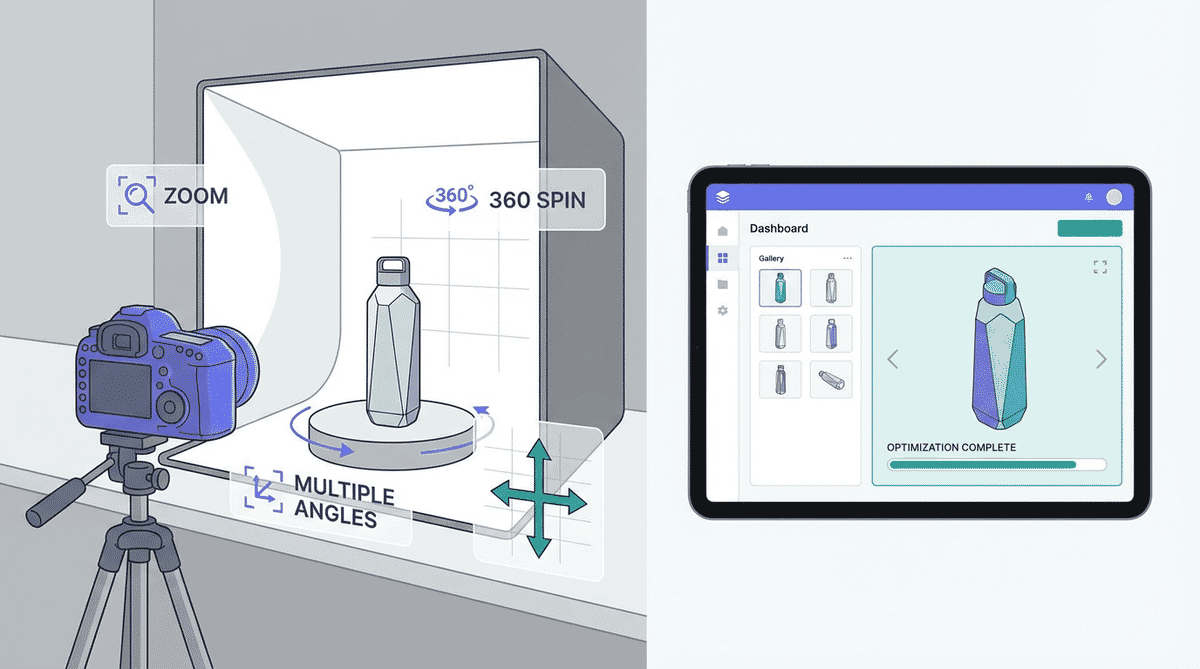
A 360 product viewer lets shoppers rotate an item as if they were holding it. It is especially useful for products where shape, texture, hardware, ports, stitching, or finish affect the buying decision.
The hard part is not taking the photos. The hard part is delivering 24-72 images without wrecking page speed. A good 360 product viewer needs the right capture plan, responsive image sizing, lazy loading, zoom behavior, and CDN delivery.
For production stores, Sirv Media Viewer is the simplest path because it handles galleries, zoom, 360 spins, video, thumbnails, fullscreen behavior, and responsive delivery in one viewer.
Recommended 360 Product Viewer Setup
| Decision | Recommended starting point |
|---|---|
| Frames per spin | 24 for simple products, 36 for most stores, 72 for premium detail |
| Source size | 1600-2400px square or longest side |
| Delivery format | WebP or AVIF when supported, JPEG fallback |
| Thumbnail size | 80-160px wide |
| Initial load | First frame plus viewer shell |
| Lazy loading | Load remaining frames after interaction or idle time |
| Zoom image | Separate higher-resolution variant, not the same thumbnail |
The goal is to make the first product image fast, then progressively load richer interaction.
Capture Requirements
Start with a repeatable photography setup:
- Use a turntable or marked floor positions.
- Keep camera height and focal length fixed.
- Lock exposure, white balance, and focus.
- Shoot consistent lighting from frame to frame.
- Leave enough margin for cropping.
- Use the same background across the full spin.
For most e-commerce products, 36 frames is the best balance. It gives smooth rotation without creating the file weight of a 72-frame spin. Automotive, jewelry, footwear, and complex hardware may justify more frames.
File Naming And Folder Structure
Keep frame names sortable:
/products/sku-123/spin/
  sku-123-001.jpg
  sku-123-002.jpg
  sku-123-003.jpg
  ...
  sku-123-036.jpg
Avoid random camera names like DSC_8421.jpg. Sortable filenames make batch processing, CDN ingestion, QA, and replacement much easier.
Performance Budget
A 360 viewer can quietly become the heaviest thing on a product page. Use a budget before implementation:
| Asset | Target |
|---|---|
| First visible product image | 80-180 KB |
| Initial viewer JS/CSS | As small as practical |
| Spin frame delivery | Lazy or interaction-triggered |
| Full spin transfer | Depends on product, usually under 3-6 MB after optimization |
| Zoom image | On demand only |
Never load all spin frames before Largest Contentful Paint. The product page should first become useful, then interactive.
Sirv Media Viewer Example
Sirv Media Viewer can render a spin from a .spin file or configured media set:
<script src="https://scripts.sirv.com/sirvjs/v3/sirv.js"></script>

<div
  class="Sirv"
  data-src="https://example.sirv.com/products/sku-123/sku-123.spin"
></div>
The viewer can combine a normal gallery, a 360 spin, and zoomable product photos. That is often better than using one plugin for thumbnails, another for zoom, and a third for rotation.
Create a Sirv account when you need the spin assets hosted, transformed, and delivered from the CDN instead of your application server.
Zoom And 360 Together
Zoom and spin serve different jobs:
- Spin answers “what does the product look like from every angle?”
- Zoom answers “what is the material, texture, label, or build quality?”
Do not make users choose. A strong product gallery often starts with a hero image, includes alternate angles, offers a 360 spin, and provides zoom for detail shots.
For zoom quality, keep high-resolution masters but deliver smaller initial frames. Load deep zoom images only when the user requests them.
Common Mistakes
Loading every frame upfront
This destroys mobile performance. Load the first frame eagerly, then load the rest after interaction or during idle time.
Using too many frames
More frames are not always better. If the product is visually simple, 24-36 frames often feel smooth enough. Save 72 frames for products where rotation detail genuinely matters.
Compressing every frame the same way
White-background product spins compress well, but glossy, transparent, or textured products need higher quality. Test representative products before applying global settings.
Forgetting alt text and fallback content
A spin should still have an accessible product description and a fallback image. Search engines and assistive technologies need text context.
Mixing spin and layout dimensions
Reserve the viewer aspect ratio in CSS. If the viewer changes height after loading, it can cause layout shift and hurt Core Web Vitals.
Implementation Checklist
- Capture 24-36 consistent frames.
- Crop every frame to the same dimensions.
- Keep source masters separate from delivery variants.
- Use WebP/AVIF delivery with JPEG fallback.
- Set explicit viewer dimensions or aspect ratio.
- Eager-load the first visible product image only.
- Lazy-load spin frames and zoom images.
- Add descriptive product alt text and captions.
- Test on mobile touch interaction.
- Measure LCP, CLS, and total transferred bytes.
For broader product image guidance, read E-commerce Product Image Optimization and Image CDN for Image Hosting.
FAQ
How many images do I need for a 360 product spin?
Use 24 frames for simple products, 36 frames for most e-commerce products, and 72 frames only when fine rotation detail matters. More frames increase smoothness but also increase transfer size.
What size should 360 product images be?
Keep source frames around 1600-2400px on the longest side if users need zoom. Deliver smaller responsive variants for the initial viewer, usually 600-1000px depending on layout.
Is a 360 product viewer bad for page speed?
It can be if all frames load upfront. It works well when the first frame is prioritized and the rest of the spin loads after interaction or idle time.
What is the easiest way to add a 360 product viewer?
Use Sirv Media Viewer. It supports spins, galleries, zoom, video, fullscreen, responsive behavior, and CDN-hosted media without building the viewer from scratch.