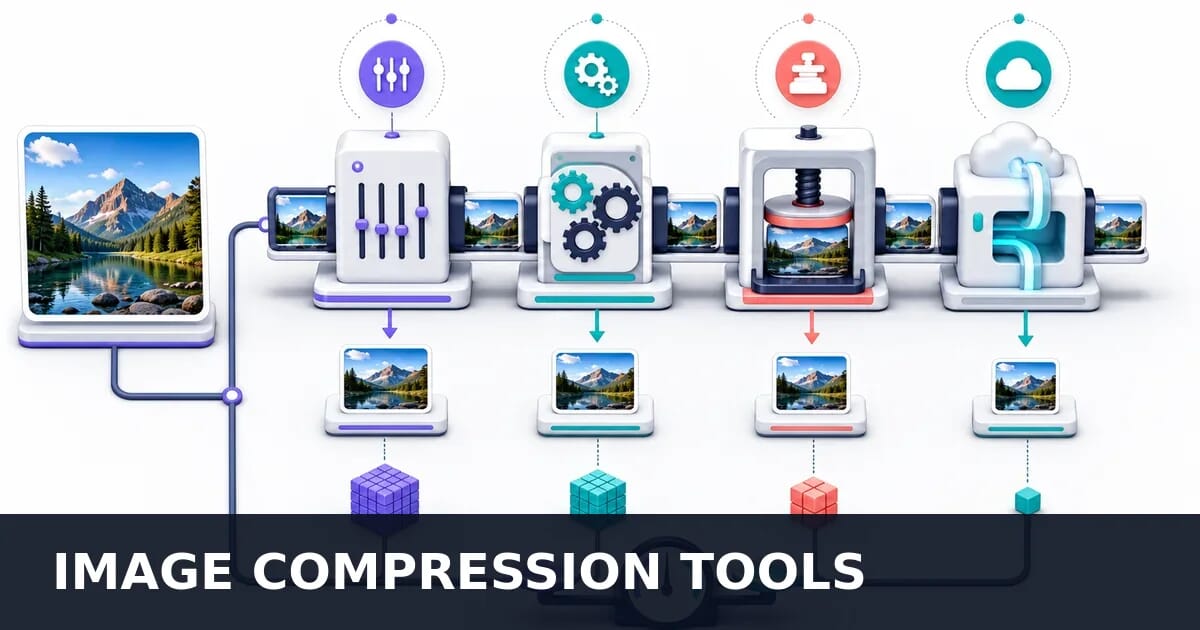
Image Compression Tools Compared: TinyPNG vs Squoosh vs ShortPixel & More
TinyPNG, Squoosh, ShortPixel, ImageOptim, sharp and CDN compression compared on output size, quality and speed, with measured results.
Disclosure: ImageGuide is published by Sirv, an image CDN company. This guide mentions Sirv products. Read how we write these guides.
Choosing the right image compression tool can save you hours of work and megabytes of bandwidth. The landscape ranges from quick browser-based tools to full CDN pipelines that compress on the fly. This guide compares every major option across categories so you can pick the right tool for your workflow.
Why Tool Choice Matters
Not every project has the same compression needs. A freelance designer uploading a few hero images to a portfolio site has very different requirements from an e-commerce team processing 50,000 product shots a month.
The wrong tool creates friction:
- Manual tools don’t scale beyond a handful of images
- Build plugins add complexity when a CDN could handle it
- WordPress plugins waste server resources if your host already optimizes
- CDN solutions cost money when a one-time build step would suffice
The right tool fits your workflow, budget, and technical capacity.
Workflow Categories
| Workflow | Example | Best Tool Type |
|---|---|---|
| One-off compression | Compress a hero image before upload | Online tool or desktop app |
| Regular manual batches | Optimize 20 blog images per week | Desktop app or CLI |
| Automated build pipeline | Compress all images on deploy | Build plugin or CLI |
| Dynamic at request time | Serve optimized images to every visitor | CDN-based |
| CMS-integrated | Optimize on upload in WordPress | CMS plugin |
| Batch AI processing | Remove backgrounds and optimize 1,000 product photos | Sirv AI Studio |
Tool Categories Overview
Before diving into individual tools, here is how the landscape breaks down:
| Category | Examples | Pros | Cons |
|---|---|---|---|
| Online tools | TinyPNG, Squoosh, Compressor.io | No install, instant results | Manual, file size limits |
| Desktop apps | ImageOptim, FileOptimizer, RIOT | Batch support, no upload | Platform-specific |
| CLI tools | Sharp, ImageMagick, cwebp, oxipng | Scriptable, fast | Requires terminal comfort |
| Build plugins | vite-plugin-image-optimizer, image-minimizer-webpack-plugin | Automated on build | Tied to build tool |
| CMS plugins | ShortPixel, Smush, Imagify, EWWW | One-click in CMS | CMS-specific, often freemium |
| CDN-based | Sirv, Cloudinary, Imgix, Cloudflare | Automatic, global, zero build | Ongoing cost |
Online Compression Tools
Online tools are the fastest way to compress a few images without installing anything.
TinyPNG / TinyJPG
The most popular online compression tool, used by millions of designers and developers.
| Feature | Detail |
|---|---|
| URL | tinypng.com |
| Formats | PNG, JPEG, WebP, APNG |
| Max file size | 5 MB (free), 75 MB (Pro) |
| Batch limit | 20 files at once (free) |
| API | Yes, 500 free compressions/month |
| Quality control | Automatic (no manual slider) |
How it works: TinyPNG uses lossy compression for PNG (reduces colors via quantization) and JPEG (re-encodes with optimized Huffman tables). Results are typically 60-80% smaller with minimal visible quality loss.
API example:
# TinyPNG API compression
curl https://api.tinify.com/shrink \
  --user api:YOUR_API_KEY \
  --data-binary @input.png \
  --output output.png
// Node.js with tinify package
const tinify = require('tinify');
tinify.key = 'YOUR_API_KEY';
const source = tinify.fromFile('hero.png');
source.toFile('hero-optimized.png');
// With resize
source.resize({
method: 'fit',
width: 1200,
height: 800
}).toFile('hero-1200.png');Strengths: Excellent PNG compression, simple interface, reliable API.
Limitations: No quality slider (automatic only), no AVIF support, limited free API usage.
Squoosh
Built by the Google Chrome team, Squoosh gives you full control over compression settings with real-time previews.
| Feature | Detail |
|---|---|
| URL | squoosh.app |
| Formats | JPEG, PNG, WebP, AVIF, JPEG XL, OxiPNG, MozJPEG, WP2 |
| Max file size | No hard limit (browser memory) |
| Batch limit | 1 image at a time (UI), unlimited (CLI) |
| API | CLI only (via @squoosh/cli) |
| Quality control | Full manual control with live preview |
How it works: Squoosh runs compression codecs in WebAssembly directly in your browser. Nothing is uploaded to a server.
CLI example:
# Install Squoosh CLI
npm install -g @squoosh/cli

# Compress to WebP at quality 80
squoosh-cli --webp '{"quality": 80}' input.jpg

# Compress to AVIF at quality 50
squoosh-cli --avif '{"quality": 50, "speed": 4}' input.jpg

# Batch compress a directory
squoosh-cli --webp '{"quality": 75}' --output-dir ./optimized/ ./images/*.jpgStrengths: Format-agnostic with live comparison, privacy-friendly (no upload), excellent for learning how codecs differ.
Limitations: Single-image UI, CLI package no longer actively maintained, can be slow on very large images.
Compressor.io
A polished online tool with support for lossy and lossless modes.
| Feature | Detail |
|---|---|
| URL | compressor.io |
| Formats | JPEG, PNG, GIF, SVG, WebP |
| Max file size | 10 MB |
| Batch limit | 1 image (free), bulk (Pro) |
| Quality control | Lossy vs Lossless toggle |
Strengths: SVG compression, clean interface, good lossless results.
Limitations: No AVIF, limited free batch, no API.
Optimizilla
An online tool focused on JPEG and PNG with adjustable quality.
| Feature | Detail |
|---|---|
| URL | imagecompressor.com |
| Formats | JPEG, PNG |
| Max file size | No stated limit |
| Batch limit | 20 images |
| Quality control | Per-image slider |
Strengths: Per-image quality adjustment with preview, batch support.
Limitations: JPEG and PNG only, no modern format output, no API.
Online Tools Comparison
| Tool | Formats Out | Quality Control | Batch | API | Privacy |
|---|---|---|---|---|---|
| TinyPNG | PNG, JPEG, WebP | Automatic | 20 | Yes | Server-side |
| Squoosh | All modern | Full manual | 1 (UI) | CLI | Client-side |
| Compressor.io | JPEG, PNG, GIF, SVG, WebP | Lossy/Lossless | 1 (free) | No | Server-side |
| Optimizilla | JPEG, PNG | Slider | 20 | No | Server-side |
Desktop Applications
Desktop apps work offline and handle batches well.
Press (macOS, Windows, Linux)
Press is ImageGuide’s free, open-source optimizer for whole folders. It scans nested directories, puts the heaviest files first, and lets you compare the original with a WebP, AVIF, or JPEG XL result at fitted size or 100% before writing anything.
Converted files go into a separate optimized/ tree, so source files stay untouched. Auditing, previews, and conversion run locally; nothing uploads unless you explicitly use the optional Sirv sync.
Strengths: Cross-platform, non-destructive batch output, modern formats, built-in visual comparison, GUI and CLI.
Limitations: Output is limited to WebP, AVIF, and JPEG XL. Use XnConvert or ImageMagick when you need a broader format or editing pipeline.
ImageOptim (macOS)
The gold standard for macOS image optimization.
| Feature | Detail |
|---|---|
| Platform | macOS |
| Price | Free (open source) |
| Formats | JPEG, PNG, GIF, SVG |
| Batch | Drag and drop folders |
| Engines | MozJPEG, pngquant, Zopfli, SVGO, Gifsicle |
ImageOptim strips metadata and re-compresses using the best available encoder for each format. Drag a folder onto the app and every image is optimized in place.
Strengths: Zero configuration, excellent defaults, respects original format.
Limitations: macOS only, no WebP/AVIF output, overwrites originals by default.
FileOptimizer (Windows)
A comprehensive Windows optimizer supporting over 400 file types including images, PDFs, and more. Free and open source with batch folder processing. Wide format support but no modern format conversion.
RIOT (Radical Image Optimization Tool)
A Windows tool with real-time side-by-side quality preview and fine-grained compression control. Free, supports JPEG, PNG, and GIF with batch processing. No modern format output.
Desktop Tools Comparison
| Tool | Platform | Formats | Modern Formats | Batch | Price |
|---|---|---|---|---|---|
| Press | All | WebP, AVIF, JPEG XL output | Yes | Yes | Free |
| ImageOptim | macOS | JPEG, PNG, GIF, SVG | No | Yes | Free |
| FileOptimizer | Windows | 400+ types | No | Yes | Free |
| RIOT | Windows | JPEG, PNG, GIF | No | Yes | Free |
| XnConvert | All | 500+ types | WebP output | Yes | Free |
CLI and Build Tools
Command-line tools offer the most power and flexibility. They integrate into scripts, CI/CD pipelines, and build processes.
Sharp (Node.js)
The fastest Node.js image processing library, built on libvips.
npm install sharpconst sharp = require('sharp');
// Basic compression
await sharp('input.jpg')
.jpeg({ quality: 80, mozjpeg: true })
.toFile('output.jpg');
// Convert to WebP
await sharp('input.jpg')
.webp({ quality: 75, effort: 6 })
.toFile('output.webp');
// Convert to AVIF
await sharp('input.jpg')
.avif({ quality: 50, effort: 5 })
.toFile('output.avif');
// Resize and compress
await sharp('input.jpg')
.resize(1200, 800, { fit: 'inside', withoutEnlargement: true })
.webp({ quality: 80 })
.toFile('output.webp');
// Batch processing
const fs = require('fs');
const path = require('path');
const glob = require('glob');
async function batchCompress(inputDir, outputDir) {
const files = glob.sync(`${inputDir}/**/*.{jpg,jpeg,png}`);
for (const file of files) {
const relative = path.relative(inputDir, file);
const outputPath = path.join(outputDir, relative.replace(/\.\w+$/, '.webp'));
await fs.promises.mkdir(path.dirname(outputPath), { recursive: true });
await sharp(file)
.resize(1920, null, { withoutEnlargement: true })
.webp({ quality: 80 })
.toFile(outputPath);
console.log(`Compressed: ${relative}`);
}
}
batchCompress('./images', './optimized');Strengths: Extremely fast (libvips backend), full format support including AVIF, excellent API design, active maintenance.
Limitations: Node.js required, native dependency can complicate deployment.
ImageMagick
The Swiss Army knife of image processing. Available on every platform.
# Basic compression
magick input.jpg -quality 80 output.jpg

# Convert to WebP
magick input.png -quality 75 output.webp

# Batch resize and compress
magick mogrify -resize 1200x1200\> -quality 80 -path ./optimized/ *.jpg

# Strip metadata
magick input.jpg -strip -quality 80 output.jpg

# Generate multiple sizes
for size in 400 800 1200 1600; do
  magick input.jpg -resize ${size}x -quality 80 output-${size}.jpg
doneStrengths: Universal availability, massive feature set, well-documented.
Limitations: Slower than Sharp/libvips, complex syntax, memory-hungry on large batches.
Format-Specific CLI Tools
Each modern format has a dedicated encoder that typically produces the best results:
cwebp (WebP encoder):
# Quality-based compression
cwebp -q 80 input.png -o output.webp

# Target file size (in bytes)
cwebp -size 50000 input.png -o output.webp

# Lossless
cwebp -lossless input.png -o output.webp

# Batch with find
find ./images -name "*.jpg" -exec sh -c \
  'cwebp -q 80 "$1" -o "${1%.jpg}.webp"' _ {} \;
avifenc (AVIF encoder):
# Quality-based (0-63, lower is better quality)
avifenc --min 20 --max 30 -s 6 input.png output.avif

# Speed vs quality trade-off (0=slowest/best, 10=fastest)
avifenc -s 4 --min 18 --max 28 input.png output.avif

# Lossless
avifenc --lossless input.png output.avif
oxipng (PNG optimizer):
# Maximum optimization
oxipng -o max input.png

# Strip metadata
oxipng -o 4 --strip safe input.png

# Batch optimize in place
oxipng -o 4 --strip safe --recursive ./images/
svgo (SVG optimizer):
# Optimize single file
svgo input.svg -o output.svg

# Batch optimize folder
svgo -f ./icons/ -o ./icons-optimized/

# With specific plugins
svgo --config='{"plugins": ["preset-default", "removeDimensions"]}' input.svg
CLI Tools Comparison
| Tool | Formats | Speed | Quality | Best For |
|---|---|---|---|---|
| Sharp | JPEG, PNG, WebP, AVIF, TIFF, GIF | Very fast | Excellent | Node.js pipelines |
| ImageMagick | Everything | Moderate | Good | Universal scripting |
| cwebp | WebP | Fast | Best WebP | WebP conversion |
| avifenc | AVIF | Slow | Best AVIF | AVIF conversion |
| oxipng | PNG | Fast | Best PNG | PNG optimization |
| svgo | SVG | Very fast | N/A | SVG cleanup |
Build Pipeline Integration
Integrating compression into your build process ensures every deployed image is optimized without manual effort.
Vite
npm install vite-plugin-image-optimizer --save-dev// vite.config.js
import { defineConfig } from 'vite';
import { ViteImageOptimizer } from 'vite-plugin-image-optimizer';
export default defineConfig({
plugins: [
ViteImageOptimizer({
jpg: {
quality: 80,
progressive: true,
},
png: {
quality: [0.65, 0.8],
speed: 4,
},
webp: {
quality: 80,
effort: 4,
},
avif: {
quality: 50,
effort: 4,
},
svg: {
plugins: [
{ name: 'preset-default' },
{ name: 'removeDimensions' },
],
},
}),
],
});Webpack
npm install image-minimizer-webpack-plugin sharp --save-dev// webpack.config.js
const ImageMinimizerPlugin = require('image-minimizer-webpack-plugin');
module.exports = {
optimization: {
minimizer: [
new ImageMinimizerPlugin({
minimizer: {
implementation: ImageMinimizerPlugin.sharpMinify,
options: {
encodeOptions: {
jpeg: { quality: 80 },
webp: { quality: 80 },
avif: { quality: 50 },
png: {},
},
},
},
generator: [
{
preset: 'webp',
implementation: ImageMinimizerPlugin.sharpGenerate,
options: {
encodeOptions: {
webp: { quality: 80 },
},
},
},
],
}),
],
},
};Astro, Gatsby, and Next.js all have built-in image optimization using Sharp under the hood. Use their native <Image> components for automatic compression and format conversion without additional plugins.
Build Plugin Comparison
| Plugin | Build Tool | Sharp | Modern Formats | Config Complexity |
|---|---|---|---|---|
| vite-plugin-image-optimizer | Vite | Yes | WebP, AVIF | Low |
| image-minimizer-webpack-plugin | Webpack | Yes | WebP, AVIF | Medium |
| @astrojs/image (built-in) | Astro | Yes | WebP, AVIF | Low |
| gulp-imagemin | Gulp | Via plugins | WebP | Medium |
| esbuild-plugin-imagemin | esbuild | Via plugins | WebP | Medium |
WordPress Plugins
WordPress sites need compression that works within the CMS workflow. These plugins optimize images on upload or in bulk.
ShortPixel
| Feature | Detail |
|---|---|
| Free tier | 100 images/month |
| Compression modes | Lossy, Glossy, Lossless |
| WebP generation | Yes |
| AVIF generation | Yes |
| CDN included | Optional (ShortPixel Adaptive Images) |
| API | Yes |
| Bulk optimize | Yes |
| Backups | Yes (original images stored) |
ShortPixel processes images on their servers and returns optimized versions. This keeps your server load low.
Smush (by WPMU DEV)
| Feature | Detail |
|---|---|
| Free tier | 50 images/bulk, 5 MB limit |
| Compression modes | Lossless (free), Lossy (Pro) |
| WebP generation | Pro only |
| AVIF generation | No |
| CDN included | Pro only |
| Lazy loading | Built-in |
| Bulk optimize | Yes (50 at a time free) |
Smush is the most-installed WordPress image plugin, though the free version is limited to lossless compression.
Imagify
| Feature | Detail |
|---|---|
| Free tier | 20 MB/month |
| Compression modes | Normal, Aggressive, Ultra |
| WebP generation | Yes |
| AVIF generation | No |
| CDN included | No |
| Bulk optimize | Yes |
| Backups | Yes |
Made by the WP Rocket team, Imagify integrates well with their caching plugin.
EWWW Image Optimizer
| Feature | Detail |
|---|---|
| Free tier | Lossless only (local) |
| Compression modes | Pixel Perfect, Premium, Savings |
| WebP generation | Yes |
| AVIF generation | Yes (Premium) |
| CDN included | Optional (Easy IO) |
| Bulk optimize | Yes |
| Local processing | Yes (free tier) |
EWWW is unique in offering local processing for lossless compression without API calls.
WordPress Plugin Comparison
| Plugin | Free Limit | Lossy Free | WebP | AVIF | CDN | API Price |
|---|---|---|---|---|---|---|
| ShortPixel | 100 img/mo | Yes | Yes | Yes | Optional | From $3.99/mo |
| Smush | 50/bulk | No (lossless) | Pro | No | Pro | From $6/mo |
| Imagify | 20 MB/mo | Yes | Yes | No | No | From $5.99/mo |
| EWWW | Unlimited lossless | No | Yes | Premium | Optional | From $7/mo |
Recommendation: ShortPixel offers the best value for most WordPress sites. It includes lossy compression, WebP, and AVIF in the free tier, with affordable paid plans for higher volumes.
CDN-Based Compression
CDN-based compression happens automatically when images are requested. No build step, no plugin, no manual work. The CDN transforms and caches optimized variants on edge servers worldwide.
Sirv
Sirv provides automatic optimization with extensive real-time transformation capabilities.
| Feature | Detail |
|---|---|
| Auto-format | WebP, AVIF based on Accept header |
| Auto-quality | Adjusts quality based on image content |
| Responsive | Dynamic resizing via URL parameters |
| Storage | Included |
| 360 spin | Built-in viewer |
| AI features | Via Sirv AI Studio |
URL-based optimization:
# Original image
https://demo.sirv.com/photo.jpg

# Resize to 800px wide, auto quality
https://demo.sirv.com/photo.jpg?w=800&q=auto

# Force WebP output
https://demo.sirv.com/photo.jpg?w=800&format=webp

# Crop to exact dimensions
https://demo.sirv.com/photo.jpg?w=800&h=600&scale.option=fill
Responsive images with Sirv:
<img
  src="https://demo.sirv.com/photo.jpg?w=400"
  srcset="
    https://demo.sirv.com/photo.jpg?w=400 400w,
    https://demo.sirv.com/photo.jpg?w=800 800w,
    https://demo.sirv.com/photo.jpg?w=1200 1200w,
    https://demo.sirv.com/photo.jpg?w=1600 1600w
  "
  sizes="(max-width: 800px) 100vw, 800px"
  alt="Responsive image"
>
Sirv automatically serves WebP or AVIF based on browser support, so you get modern format delivery without <picture> element complexity.
For batch processing at scale, Sirv AI Studio handles background removal, image enhancement, and format conversion across thousands of images programmatically.
Cloudinary
# Auto format and quality
https://res.cloudinary.com/demo/image/upload/q_auto,f_auto/sample.jpg

# Resize
https://res.cloudinary.com/demo/image/upload/w_800,c_fill,q_auto,f_auto/sample.jpg
Imgix
# Auto format and compress
https://assets.imgix.net/photo.jpg?auto=format,compress&w=800
Cloudflare Polish
Cloudflare Polish optimizes images for sites already on Cloudflare. It runs automatically with no URL changes required.
| Feature | Detail |
|---|---|
| Lossy mode | Reduces JPEG/PNG size |
| Lossless mode | Strips metadata, re-compresses |
| WebP | Automatic conversion |
| AVIF | With Cloudflare Images |
| Price | Included in Pro plan ($20/mo) |
CDN Compression Comparison
| CDN | Auto Format | Quality Control | Resize | AVIF | Starting Price |
|---|---|---|---|---|---|
| Sirv | Yes | Auto + manual | Yes | Yes | $19/mo |
| Cloudinary | Yes | Auto + manual | Yes | Yes | Free tier |
| Imgix | Yes | Auto + manual | Yes | Yes | $100/mo |
| Cloudflare Polish | WebP | Lossy/Lossless | No | Via Images | $20/mo |
| Bunny Optimizer | Yes | Auto | Yes | Yes | $9.50/mo |
Benchmark Comparison
To compare tools fairly, we compressed the same set of 10 test images (mix of photos and graphics, average 4 MB each) through each tool at comparable quality settings.
JPEG Compression (target: visually equivalent at ~80% quality)
| Tool | Avg. Size Reduction | Output Quality (SSIM) | Speed (10 images) | WebP Support | AVIF Support |
|---|---|---|---|---|---|
| TinyPNG | 72% | 0.96 | 8s (server) | Yes | No |
| Squoosh (MozJPEG) | 74% | 0.97 | 12s (local) | Yes | Yes |
| ImageOptim | 70% | 0.96 | 6s (local) | No | No |
| Sharp (MozJPEG) | 73% | 0.97 | 2s (local) | Yes | Yes |
| ImageMagick | 65% | 0.95 | 15s (local) | Yes | Limited |
| Sirv (auto) | 71% | 0.96 | Instant (CDN) | Yes | Yes |
| Cloudinary (auto) | 70% | 0.96 | Instant (CDN) | Yes | Yes |
| ShortPixel (lossy) | 73% | 0.96 | 10s (server) | Yes | Yes |
JPEG Compression Tool Benchmark
Average size reduction across 10 test images at matched SSIM ~0.96
PNG Compression (lossless and lossy)
| Tool | Lossless Reduction | Lossy Reduction | Lossy SSIM | Speed |
|---|---|---|---|---|
| TinyPNG | N/A | 78% | 0.98 | 5s |
| oxipng | 12% | N/A | N/A | 3s |
| pngquant | N/A | 75% | 0.97 | 1s |
| ImageOptim | 10% (lossless) | N/A | N/A | 4s |
| Sharp | 8% | 72% | 0.97 | 1s |
WebP Output Comparison
| Tool | Avg. Size vs JPEG | Quality (SSIM) | Speed |
|---|---|---|---|
| cwebp -q 80 | 30% smaller | 0.97 | 2s |
| Sharp webp q:80 | 28% smaller | 0.97 | 1s |
| Squoosh WebP | 31% smaller | 0.97 | 8s |
| Sirv auto WebP | 29% smaller | 0.96 | Instant |
Quality vs File Size Analysis
Compression is always a trade-off. Understanding quality metrics helps you find the sweet spot.
Quality Metrics Explained
SSIM (Structural Similarity Index): Measures perceived visual similarity between original and compressed. Ranges from 0 to 1, where 1 is identical.
| SSIM Range | Perceived Quality |
|---|---|
| 0.99-1.00 | Indistinguishable from original |
| 0.97-0.99 | Excellent, differences invisible at normal viewing |
| 0.95-0.97 | Very good, minor differences visible on close inspection |
| 0.90-0.95 | Good, acceptable for web |
| 0.85-0.90 | Noticeable quality loss |
| Below 0.85 | Clearly degraded |
DSSIM (Structural Dissimilarity): The inverse of SSIM. Lower is better. DSSIM = (1 - SSIM) / 2.
Butteraugli: Google’s metric, designed to match human perception. Score of 0 is identical; practical threshold is around 1.0-1.5 for web images.
Quality Targets by Use Case
| Use Case | JPEG Quality | WebP Quality | AVIF Quality | Target SSIM |
|---|---|---|---|---|
| Hero/banner images | 85 | 82 | 60 | > 0.97 |
| Blog content images | 80 | 78 | 50 | > 0.95 |
| Thumbnails | 70 | 65 | 40 | > 0.92 |
| Background textures | 60 | 55 | 35 | > 0.90 |
| E-commerce product | 85 | 82 | 60 | > 0.97 |
| User-generated content | 75 | 70 | 45 | > 0.93 |
Format Efficiency at Equal Visual Quality
When targeting the same visual quality (SSIM ~0.96):
| Format | Avg. File Size (1200px photo) | vs JPEG |
|---|---|---|
| JPEG (MozJPEG) | 120 KB | Baseline |
| WebP | 85 KB | 29% smaller |
| AVIF | 62 KB | 48% smaller |
| JPEG XL | 70 KB | 42% smaller |
Format Efficiency at Equal Visual Quality (SSIM ~0.96)
Average file size for a 1200px photo across formats
Decision Matrix
Use this flowchart to pick the right tool for your situation.
By Project Type
Personal blog or portfolio:
- Use Squoosh for occasional images
- Or set up Sharp in your build pipeline once
- Consider Sirv if you want zero build hassle
WordPress site:
- Install ShortPixel for automatic optimization
- Enable WebP and AVIF generation
- Add a caching plugin for delivery
E-commerce (Shopify, WooCommerce):
- Use Sirv for product images (includes 360 spin, zoom)
- Leverage automatic format negotiation for WebP/AVIF
- Use Sirv AI Studio for batch background removal
Static site (Astro, Next.js, Gatsby):
- Use the framework’s built-in image component
- Add Sharp-based build optimization
- Deploy with a CDN for edge caching
High-traffic SaaS:
- Use a dedicated image CDN (Sirv, Cloudinary, or Imgix)
- Implement responsive images with srcset
- Automate with URL-based transformation
By Volume
| Monthly Images | Recommended Approach |
|---|---|
| 1-10 | Squoosh or TinyPNG (free) |
| 10-100 | Desktop app (ImageOptim) or TinyPNG API |
| 100-1,000 | CLI tool (Sharp) in build pipeline |
| 1,000-10,000 | CDN-based (Sirv) or CMS plugin |
| 10,000+ | CDN + Sirv AI Studio for batch processing |
By Technical Skill
| Skill Level | Tool | Why |
|---|---|---|
| Non-technical | TinyPNG or Squoosh | Drag and drop, no setup |
| Basic developer | WordPress plugin (ShortPixel) | Install and configure once |
| Intermediate developer | Sharp + build plugin | Full control, automated |
| Advanced developer | CDN API + CI/CD pipeline | Maximum automation and performance |
Automation Strategies
The most robust approach combines multiple tools for different stages.
Build-Time + CDN Strategy
Use build-time compression for baseline optimization, then a CDN for dynamic delivery:
// 1. Build-time: Generate optimized base images
// vite.config.js
import { ViteImageOptimizer } from 'vite-plugin-image-optimizer';

export default defineConfig({
  plugins: [
    ViteImageOptimizer({
      jpg: { quality: 85 },  // Higher quality as base
      png: { quality: [0.7, 0.9] },
    }),
  ],
});
<!-- 2. Runtime: CDN handles responsive delivery and format negotiation -->
<img
src="https://yoursite.sirv.com/images/hero.jpg?w=400"
srcset="
https://yoursite.sirv.com/images/hero.jpg?w=400 400w,
https://yoursite.sirv.com/images/hero.jpg?w=800 800w,
https://yoursite.sirv.com/images/hero.jpg?w=1200 1200w
"
sizes="(max-width: 800px) 100vw, 1200px"
alt="Hero image"
loading="lazy"
>CI/CD Integration
Run compression as part of your deployment pipeline:
# .github/workflows/optimize-images.yml
name: Optimize Images

on:
  push:
    paths:
      - 'src/images/**'

jobs:
  optimize:
    runs-on: ubuntu-latest
    steps:
      - uses: actions/checkout@v4

      - name: Setup Node
        uses: actions/setup-node@v4
        with:
          node-version: 20

      - name: Install dependencies
        run: npm ci

      - name: Optimize images
        run: |
          npx sharp-cli --input "src/images/**/*.{jpg,png}" \
            --output "dist/images/" \
            --format webp \
            --quality 80

      - name: Check total image size
        run: |
          TOTAL=$(du -sb dist/images/ | cut -f1)
          MAX=$((10 * 1024 * 1024))  # 10 MB budget
          if [ "$TOTAL" -gt "$MAX" ]; then
            echo "Image budget exceeded: ${TOTAL} bytes > ${MAX} bytes"
            exit 1
          fi

      - name: Upload artifacts
        uses: actions/upload-artifact@v4
        with:
          name: optimized-images
          path: dist/images/
Complete Recommendation Summary
| Scenario | Primary Tool | Secondary Tool | Format Strategy |
|---|---|---|---|
| Quick one-off | Squoosh | - | WebP manually |
| Local folder batch | Press | Squoosh (single-image tuning) | WebP, AVIF, or JPEG XL copies |
| WordPress site | ShortPixel | - | Auto WebP/AVIF |
| Static site build | Sharp + build plugin | Squoosh (ad-hoc) | Build-time WebP + AVIF |
| E-commerce | Sirv CDN | Sirv AI Studio | Auto-negotiated |
| High-traffic app | Image CDN | Sharp (build fallback) | CDN auto-format |
| Design team handoff | ImageOptim / TinyPNG | - | Source format |
No single tool is best for every situation. Match the tool to your workflow, volume, and technical requirements. When in doubt, start simple with Squoosh or TinyPNG and graduate to automated solutions as your needs grow.