Automotive Image Optimization
Vehicle photography and dealership images
Automotive is one of the highest-value industries for image optimization. A single vehicle listing typically requires 30-60 photographs covering exterior angles, interior details, engine bay, features, and any imperfections. Multiply that by hundreds or thousands of vehicles in inventory, and a dealership website can easily host 50,000-100,000 active images. The stakes are high: vehicle purchases are among the largest consumer transactions, and buyers research extensively online before visiting a dealership. Cox Automotive reports that car shoppers spend an average of 14 hours researching online, and image quality directly influences which dealerships they visit. From inventory photography workflows and 360-degree spin views to VDP (Vehicle Detail Page) optimization and marketplace feed compliance, automotive image optimization requires both technical precision and scalable processes.
Vehicle Inventory Photography Workflow
Efficient inventory photography is a production challenge unique to automotive. A busy dealership might need to photograph 20-40 vehicles per week, each requiring 30-60 shots. Without a standardized workflow, quality varies, post-processing bottlenecks form, and images take days to reach the website when they should be live within hours.
Standardized shot sequence (recommended 36-photo set):
- Exterior (12 shots): Front straight-on, front 3/4 driver side, driver side profile, rear 3/4 driver side, rear straight-on, rear 3/4 passenger side, passenger side profile, front 3/4 passenger side, wheel close-up (one front, one rear showing different angles), grille detail, badging/trim detail.
- Interior (12 shots): Dashboard wide from rear seat, driver's seat area, instrument cluster, center console/infotainment, steering wheel detail, front seats from exterior, rear seats from exterior, rear seat legroom, headliner/sunroof, door panel details, trunk/cargo area, trunk with seats folded (if applicable).
- Engine and mechanical (4 shots): Engine bay, odometer reading, VIN sticker, tire tread close-up.
- Special features (4-8 shots): Any notable features — panoramic roof, third-row seating, towing hitch, aftermarket modifications, premium audio system, etc.
Equipment recommendations for efficiency:
- Use a wide-angle lens (24-35mm equivalent) for exterior and interior wide shots, and a 50-85mm for details.
- A camera with Wi-Fi transfer (Canon, Nikon, Sony all offer this) allows real-time upload to a processing station.
- Invest in a portable lighting kit for interiors — even a single LED panel dramatically improves interior shot quality and consistency.
- Consider a ground-level camera dolly or marked positions for exterior shots to ensure consistent angles across your entire inventory.
Dealership groups with multiple locations should create a written photography guide with example images for each shot in the sequence, ensuring consistency even as photographers rotate between locations.
360-Degree Vehicle Spin Views
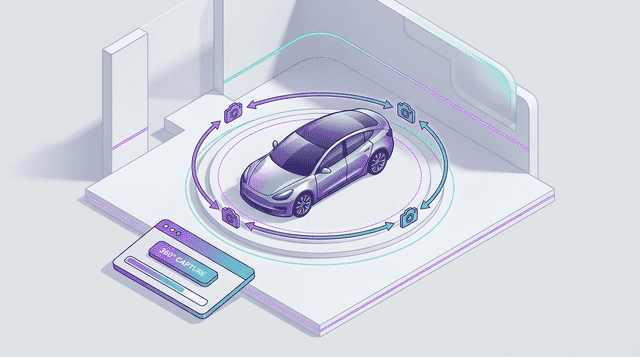
360-degree spin views have become a competitive advantage in automotive marketing. They let buyers explore the vehicle from every angle interactively, creating an experience closer to walking around the car on the lot. Dealerships using 360 spins report 40% increases in time-on-page and 15-25% increases in lead form submissions on equipped VDPs.
How 360 spins work:
A 360-degree spin is typically composed of 24-72 individual still photographs taken at equal angular intervals around the vehicle. These images are then stitched together in a JavaScript viewer that allows users to click-and-drag (or swipe on mobile) to rotate the vehicle. The more images, the smoother the rotation, but the greater the download size.
Recommended configurations:
- Budget option (24 images): 15-degree intervals. Provides smooth rotation with minimal production time. At 100 KB per WebP image, total payload is approximately 2.4 MB.
- Standard (36 images): 10-degree intervals. The sweet spot between smoothness and file count. Total payload approximately 3.6 MB with proper optimization.
- Premium (72 images): 5-degree intervals. Extremely smooth rotation, ideal for luxury and specialty vehicles. Total payload approximately 7.2 MB — requires aggressive optimization and progressive loading.
Optimization for 360 spin viewers:
- Progressive loading: Load a low-resolution set first (800x600, quality 65) for immediate interactivity, then swap in high-resolution images (1600x1200, quality 78) as the user interacts. This gets the spin interactive in under 2 seconds.
- Preload strategy: Load the current frame, the next 2-3 frames in each direction, and the opposite (180-degree) view. Load remaining frames in the background.
- Format: WebP at quality 75-80 for spin frames. The images are displayed at moderate size and swap quickly, so aggressive compression is less noticeable than in a static gallery view.
- Sprite sheets: Some 360 viewers (like SpriteSpin) combine all frames into a single sprite sheet image. This reduces HTTP requests but creates a single large file that must fully download before any interaction. Best for low frame counts (24 or fewer).
Production tips: Use a turntable for small vehicles and motorcycles. For full-size vehicles, mark positions on the ground at measured intervals and drive or push the vehicle to each position. Ensure the camera height is consistent (typically at headlight level, about 30-36 inches). Overcast days or covered areas produce the most consistent lighting for 360 spins by eliminating moving shadows.
Vehicle Detail Page (VDP) Image Optimization
The Vehicle Detail Page is the single most important page type on a dealership website. It's where buyers make the decision to contact the dealer, request a quote, or schedule a test drive. Image quality and loading performance on VDPs directly correlate with lead generation.
VDP image gallery best practices:
- Hero image: The first image (typically front 3/4 view) should be the highest quality and load first. Preload it with
. Target dimensions of 1920x1280, WebP quality 80-82, resulting in approximately 150-250 KB. - Gallery thumbnails: Show 6-8 thumbnails below the hero image. These should be 120x80 pixels, WebP quality 70, approximately 5-8 KB each. Total thumbnail strip: 40-65 KB.
- Full gallery: Load remaining images lazily as the user scrolls or clicks through the gallery. Each image at 1600x1067, WebP quality 78, approximately 100-180 KB.
- Zoom capability: Provide a lightbox view with 2400x1600 or larger images for buyers who want to examine details. Load the high-resolution version only when the user activates zoom.
Performance targets for VDPs:
- Initial page load: Under 3 MB including all assets. With a preloaded hero image (200 KB), visible thumbnails (60 KB), and the rest lazy-loaded, image weight on initial load should be under 500 KB.
- LCP: Under 2.5 seconds. The hero vehicle image is almost always the LCP element.
- Full gallery weight: A 40-image VDP gallery optimized with WebP at the recommended settings totals approximately 5-7 MB, loaded progressively as the user browses.
Mobile VDP considerations:
- Use a swipeable image carousel instead of a thumbnail grid on mobile. This is the most natural interaction pattern for browsing vehicle photos on a phone.
- Serve smaller images on mobile: 1200x800 instead of 1920x1280. Use the
sizesattribute with srcset to make this automatic. - Include a count indicator ("Photo 3 of 38") so users know how many images are available without scrolling through all of them.
Dealer Management System (DMS) integration: Most dealership websites pull vehicle data and images from a DMS or inventory management system. Ensure your image optimization happens between the DMS and the website — either through CDN transformation (Sirv, Cloudinary) or a build step that processes images from the DMS feed before deploying them to the site.
Marketplace and Third-Party Platform Requirements
Automotive marketplaces like Autotrader, Cars.com, CarGurus, and Facebook Marketplace each have their own image specifications. Since these platforms collectively drive a significant portion of dealership leads, compliance with their requirements is essential for maximum listing visibility.
Autotrader:
- Minimum 640x480 pixels; recommended 1920x1080 or larger.
- JPEG format required (no WebP).
- Maximum 5 MB per image.
- Listings with 25+ photos receive significantly more engagement. Autotrader's own data shows that listings with 30+ images get 65% more leads.
- No dealer overlays, watermarks, or stock photos — automated detection may suppress listings with these.
Cars.com:
- Minimum 640x480 pixels; 2100x1400 recommended.
- JPEG or PNG accepted.
- Maximum 10 MB per image.
- Requires a minimum of 1 image per listing; recommends 30+.
- Provides a Photo Quality Score that factors into listing prominence.
CarGurus:
- Minimum 640x480 pixels; higher resolution improves listing quality indicators.
- JPEG format required.
- Listings are scored and ranked partly on photo quality — well-lit, high-resolution, consistent photos improve your Deal Rating visibility.
Facebook Marketplace:
- Minimum 600x600 pixels.
- Accepts JPEG and PNG.
- Square or landscape orientation displays best in the feed.
- Maximum 10 images per listing on Marketplace; use them strategically (best exterior, best interior, key features, any notable conditions).
Feed optimization strategy: Maintain a master set of images at 3000x2000, JPEG quality 90 — this satisfies every major marketplace's requirements. From this master set, generate web-optimized derivatives (WebP, multiple sizes) for your own website separately. Never feed your web-optimized images to marketplaces — the quality matters for your listing's competitive positioning in search results, and marketplace platforms apply their own compression. Starting with higher-quality source images ensures better results after the marketplace's processing pipeline.
Background Replacement and Image Enhancement
The visual environment in vehicle photography significantly impacts buyer perception. A car photographed on a cluttered dealership lot with other vehicles, power lines, and buildings in the background looks less appealing than the same car against a clean studio backdrop. Background replacement technology has matured to the point where it's now a standard part of many dealerships' photography workflows.
Background replacement approaches:
- AI-powered automated tools: Services like AutoBackground (by Impel), Motorcut, and Phancyai use machine learning to isolate the vehicle and replace the background with a consistent studio or lifestyle environment. Processing time is typically 5-30 seconds per image. Quality has improved dramatically — modern tools handle reflections, wheel spokes, and transparent glass well.
- Manual Photoshop/masking: Produces the highest quality results but takes 5-15 minutes per image, making it impractical for high-volume inventory photography. Reserved for hero shots of premium vehicles.
- Physical studio backgrounds: Some high-volume dealers invest in a dedicated photography bay with painted floors and a seamless backdrop. This eliminates post-processing but requires space and only works for vehicles small enough to drive into the bay.
Optimization considerations for replaced backgrounds:
- AI background replacement can introduce artifacts along the vehicle edge. At WebP quality 75-80, these artifacts are typically invisible. At lower quality levels, they may become noticeable — test before deploying at scale.
- Solid or gradient backgrounds compress significantly better than detailed environments. A vehicle on a clean gray gradient might be 120 KB at WebP quality 78, while the same vehicle composited onto a detailed outdoor scene could be 220 KB. Choose simpler backgrounds for faster page loads.
- Maintain consistency — use the same 2-3 backgrounds across your entire inventory. Inconsistent backgrounds across listings look worse than consistent lot photography.
Image enhancement beyond backgrounds:
- Automatic exposure and color correction: Tools like Impel, Pixelz, and Sirv can batch-correct exposure, white balance, and contrast. This normalizes the look across images shot in varying conditions.
- Sky replacement: For exterior shots where you keep the real environment but want a more appealing sky, tools like Luminar AI can swap overcast skies for blue skies with natural-looking results.
- Reflection enhancement: Some tools can add subtle ground reflections that give the studio-floor look. Use sparingly — overdone reflections look artificial.
Regardless of enhancement approach, the goal is consistency. A buyer browsing 20 vehicles should experience a cohesive visual inventory, not a random collection of photography styles and qualities.
Dealership Website Performance and Core Web Vitals
Dealership websites face a unique performance challenge: they must display rich, image-heavy vehicle listings while competing in Google's local search results where Core Web Vitals are a ranking factor. A slow dealership website doesn't just frustrate buyers — it loses local search visibility to faster competitors.
Common performance problems on dealer sites:
- Oversized images: The most common issue. Many dealer websites serve 3000x2000 JPEG images (1-3 MB each) directly from the DMS without any resizing or format conversion. A VDP with 40 such images attempts to load 40-120 MB of image data.
- No lazy loading: Older dealer website platforms load all gallery images eagerly, even on search results pages with 20-50 vehicles each showing thumbnails.
- No WebP: Many dealer platforms still serve JPEG exclusively, missing 25-35% potential file size savings.
- Unoptimized hero carousels: Homepage hero carousels on dealer sites often load 3-5 large promotional banner images upfront, delaying LCP significantly.
Optimization roadmap for dealer websites:
Phase 1 — Quick wins (1-2 weeks):
- Add lazy loading to all images below the fold. This alone can reduce initial page weight by 70-80% on inventory listing pages.
- Preload the hero image on VDPs and the homepage.
- Add explicit width and height attributes to all images to eliminate CLS.
Phase 2 — Format and sizing (2-4 weeks):
- Implement a CDN with on-the-fly image transformation (Sirv, Cloudinary, Imgix). This lets you request any size and format via URL parameters without maintaining multiple versions in your DMS.
- Serve WebP with
- Implement srcset with 3-4 breakpoints: 800w, 1200w, 1920w, 2400w.
Phase 3 — Advanced optimization (ongoing):
- Add AVIF support for browsers that support it.
- Implement blur-up placeholder technique for gallery images.
- Add
fetchpriority="high"to the hero VDP image. - Audit and compress promotional banners and non-vehicle images.
Performance targets:
- SRP (Search Results Page): Under 3 MB initial load with 20-24 vehicle thumbnails visible.
- VDP (Vehicle Detail Page): Under 2 MB initial load (hero image + visible thumbnails).
- Homepage: Under 2.5 MB initial load.
- LCP across all page types: Under 2.5 seconds on mobile.
- CLS: Under 0.1 on all pages.
Common Image Types
Recommended Sizes
Best Formats for Automotive
Pro Tips
- → Shoot a minimum of 30 photos per vehicle in a consistent sequence (front, front 3/4, side, rear 3/4, rear, then interior) — consistency across inventory makes browsing efficient and professional
- → Use a circular polarizing filter to reduce reflections on paint, glass, and chrome. This single accessory improvement can reduce post-processing time by 50% and produces cleaner images that compress better
- → Export inventory photos at 2400x1600 for VDP galleries and 800x600 for SRP (Search Results Page) thumbnails, both in WebP format with JPEG fallback
- → HDR photography (3-5 exposure brackets) is essential for used vehicle interiors where the dynamic range between dark footwells and bright windshield views exceeds what a single exposure can capture
- → Implement 360-degree spin views using 36 evenly-spaced exterior shots on a turntable or marked ground positions — this has been shown to increase time-on-page by 40% on vehicle listings
- → Compress damage documentation photos less aggressively (JPEG quality 85-90) than marketing photos — these serve a disclosure function and must clearly show any imperfections
- → Use background replacement AI tools (like Motorcut or AutoBackground) to replace cluttered lot backgrounds with clean studio-style backgrounds, then optimize the processed output at WebP quality 78-82
- → Preload the first VDP gallery image and lazy load the remaining 25-55 images — this alone can improve LCP by 2-4 seconds on inventory pages
Related Guides
The Complete Responsive Images Guide
Master responsive images with srcset, sizes, and picture elements. Learn resolution switching, art direction, and modern implementation patterns for optimal web performance.
JPEG Optimization Mastery: The Definitive Guide
Master JPEG optimization with this comprehensive guide covering compression fundamentals, quality settings, progressive encoding, chroma subsampling, and advanced techniques for maximum performance.
The Complete WebP Guide: Everything You Need to Know
Master WebP image format with this comprehensive guide covering encoding, optimization, browser support, conversion strategies, and real-world implementation.
Image Optimization for Core Web Vitals
Master image optimization to improve LCP, CLS, and INP. Learn practical techniques to pass Core Web Vitals with proper image loading, sizing, and format strategies.
Frequently Asked Questions
How many photos should a vehicle listing have for maximum engagement?
Autotrader's research shows that listings with 30+ photos receive 65% more leads than those with fewer images. The sweet spot is 30-45 photos covering all standard angles (exterior from 8 positions, interior details, engine bay, trunk, and key features). Going beyond 50 photos shows diminishing returns on engagement. Ensure the first 5-8 images are the strongest — buyers often make quick judgments based on the first few gallery images before deciding to browse the full set.
What is the best image size for automotive marketplace listings?
Maintain master images at 3000x2000 pixels, JPEG quality 90, for marketplace submissions. This exceeds every major marketplace's requirements (Autotrader, Cars.com, CarGurus all accept up to 5-10 MB) and ensures the best results after the platform's own compression. For your dealership website specifically, serve optimized derivatives at 1920x1280 for VDP galleries and 800x533 for search result thumbnails, in WebP format with JPEG fallback.
How do I create a 360-degree vehicle spin view?
Capture 24-36 still photographs at equal angular intervals around the vehicle (15-degree or 10-degree spacing). Use consistent camera height (headlight level, approximately 30-36 inches) and even lighting. Process the images with consistent exposure and white balance, then load them into a 360-degree viewer library like SpriteSpin, 360-Image-Viewer, or a commercial solution from Spincar or Impel. Optimize each frame as WebP at quality 75-80 for web delivery, and implement progressive loading — show low-resolution frames first for instant interactivity, then swap in high-resolution frames as they load.
Should dealerships use AI background replacement for vehicle photos?
AI background replacement is worth implementing for most dealerships. It produces a consistent, professional look across your entire inventory regardless of lot conditions, weather, or time of day. Modern tools like AutoBackground and Motorcut handle vehicle edges, glass transparency, and wheel spokes well. The key is consistency — use the same 2-3 backgrounds across all inventory. Keep backgrounds simple (solid colors or subtle gradients) since they compress better, resulting in 30-40% smaller file sizes compared to detailed environmental composites, which improves your website's page speed.
Ready to optimize at scale?
Sirv helps automotive businesses deliver optimized images automatically.