Naming Images for SEO: Filename Rules, Examples, and Workflows
Image filenames for SEO: the hyphenated slug pattern, before and after examples, recipes per context, and how to rename without breaking URLs.
Disclosure: ImageGuide is published by Sirv, an image CDN company. This guide mentions Sirv products. Read how we write these guides.
Quick answer
Name an image with a short description of what it shows, using readable words and a matching extension. Keep variant naming consistent for catalogs and responsive derivatives. Filenames supply context, but alt text and nearby page content must still explain the image’s purpose without keyword stuffing.
Reference for this answer: Google image SEO guidance.
Google Images remains one of the largest discovery surfaces on the web, and it works differently from regular search. The crawler cannot see the picture the way you do. It reads the filename, the alt text, the surrounding text, and structured data, then matches that evidence against what people type. Naming photos for SEO is therefore not cosmetic housekeeping — it is how you hand the crawler its first and clearest clue.
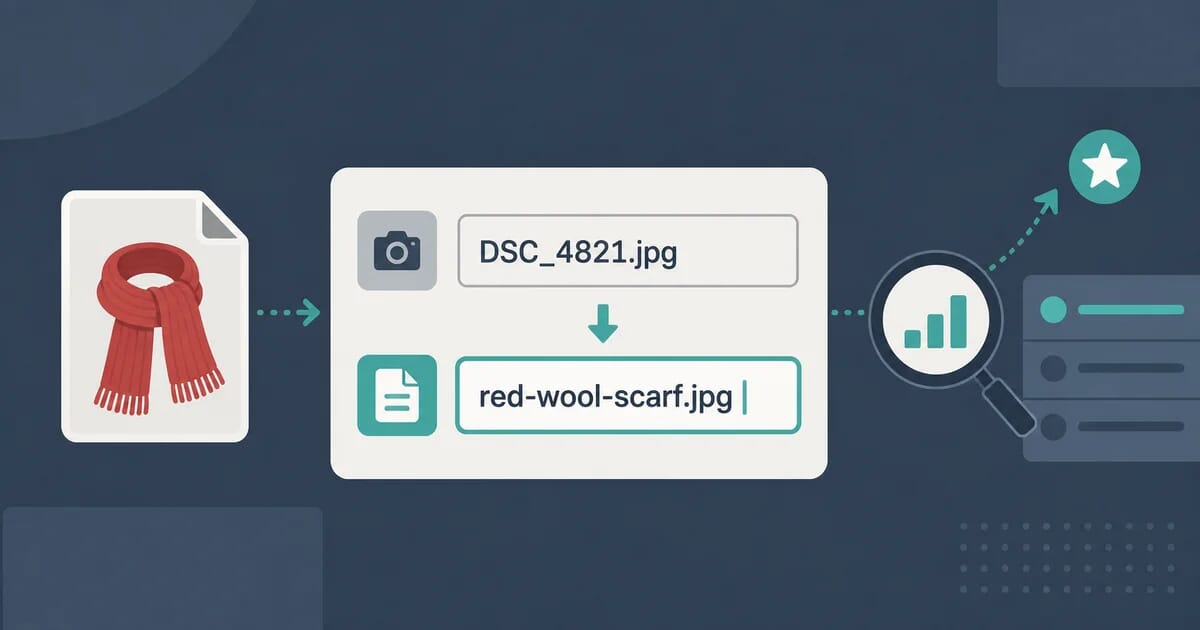
A filename is the first thing a search engine reads about an image. Before any alt text, caption, or surrounding copy, the crawler sees red-wool-scarf-folded.jpg or DSC_4821.jpg — and that single string shapes whether the image ranks in Google Images. Naming images for SEO is one of the few optimization tasks that costs nothing, takes minutes, and applies to every image you will ever publish.
This guide covers why filenames matter, the exact pattern to follow, keyword placement, ready-to-use recipes for stores, blogs, portfolios, and documentation, plus batch renaming workflows. It goes deep on filenames only; for alt text, structured data, sitemaps, and the rest of the picture, read the full image SEO guide.
Why Filenames Matter for Image Search
Three concrete reasons make the filename worth your time:
1. It is a ranking signal. Google’s own image publishing guidelines list descriptive filenames among the recommended practices. A filename is a small relevance hint about the image content. One hint alone rarely decides a ranking, but combined with alt text, page topic, and structured data, it helps Google confirm what the image shows. When every other signal agrees, confidence rises — and confident images rank.
2. It becomes part of the URL. Upload DSC_4821.jpg and the image lives at https://example.com/images/DSC_4821.jpg forever. That URL appears in Google Images results, gets shared, gets linked to, and gets cached by CDNs. The filename is not metadata you can change later without consequences — it is a permanent address. Choose it before upload, not after.
3. It is shown to users. In Google Images results, the filename often appears under the thumbnail. Searchers see red-wool-scarf-folded.jpg and immediately understand the image. They see IMG_20260821_143512(1).jpg and understand nothing. A readable name earns clicks; a camera default looks like spam or a broken export.
There is also a practical bonus: well-named files are easier for you. Six months from now, finding hero-team-offsite-2026.webp in a folder of four thousand assets takes seconds. Finding final_v3_REAL_final.webp takes a meeting.
The Anatomy of a Good Filename
Almost every good image filename follows one pattern:
descriptive-keyword-slug.extConcretely, the rules are:
| Rule | Do | Do not |
|---|---|---|
| Descriptive | leather-messenger-brown.jpg | photo1.jpg |
| Hyphens as separators | red-wool-scarf.jpg | red_wool_scarf.jpg, red%20wool%20scarf.jpg |
| All lowercase | espresso-machine.jpg | Espresso-Machine.JPG |
| No spaces | team-photo.jpg | team photo.jpg |
| No accents or special characters | cafe-interior.jpg | café-interior#.jpg |
| Front-loaded keywords | wedding-cake-three-tier.jpg | three-tier-wedding-cake.jpg (weaker) |
| Short but specific | oat-milk-latte-art.jpg | the-best-oat-milk-latte-art-you-have-ever-seen.jpg |
Why hyphens, not underscores
Google treats a hyphen as a word separator. It historically treated underscores differently, joining words together — so red_scarf could be read as one token, redscarf. Modern handling of underscores has improved, but hyphens remain the safe, documented choice. Use them everywhere: filenames, slugs, and folders.
Why lowercase
Some servers treat Photo.JPG and photo.jpg as two different files. Mixed case invites duplicate URLs, broken links after a server migration, and case-sensitive redirect mistakes. Lowercase everything and the problem never exists.
What to strip out
- Camera defaults:
DSC_4821,IMG_0042,P1060377. These carry zero meaning to humans and crawlers. - Timestamps and counters:
20260821_1435(1). Dates in filenames also make evergreen content look stale. - Accents and symbols:
é,#,&,%, parentheses. They get percent-encoded into ugly URLs likecaf%C3%A9-interior.jpg. - Stop words:
a,the,and,of.cup-of-coffee-on-tableloses nothing ascoffee-cup-table— though keep natural readability when it costs nothing. - Internal jargon:
header-banner-v2-final-approved.jpgdescribes your review process, not the image.
Before and After: Real Examples
The transformation is easiest to see side by side:
| Before | After | Why it wins |
|---|---|---|
DSC_4821.jpg | red-wool-scarf-folded.jpg | Says what the image shows; matches product queries |
IMG_20260821_091433.jpg | sourdough-starter-day-five.jpg | Readable in search results; no stale date |
Screenshot 2026-08-21 at 14.02.11.png | billing-settings-invoice-history.png | Describes content, not capture time |
logo final white bg.png | acme-logo-white.png | No spaces; brand plus variant |
chart1.png | saas-churn-rate-by-cohort.png | Ranks for the chart’s actual topic |
untitled-1.psd (exported as untitled-1.jpg) | studio-portrait-side-light.jpg | Survives handoff between people |
Notice the pattern in each “after”: a person who has never seen the image could sketch its rough content from the filename alone. That is the test. If a stranger cannot guess the subject, the crawler cannot either.
Keyword Placement: Front-load, Never Stuff
Search engines weight the beginning of a string more than the end, and users scan left to right. Put the most important term first:
wedding-photography-golden-hour.jpgbeatsgolden-hour-shot-from-a-wedding-photography-session.jpghiking-boots-waterproof-mens.jpgbeatsmens-new-outdoor-waterproof-hiking-boots-model-4471.jpg
But stuffing backfires. Compare:
- Good:
chocolate-cake-recipe.jpg - Stuffed:
chocolate-cake-recipe-best-chocolate-cake-easy-chocolate-cake.jpg
Stuffed names look manipulative to algorithms and desperate to humans. One primary keyword, optionally followed by one distinguishing attribute, covers nearly every case. If you feel the urge to add a second keyword, ask whether an attribute (color, size, angle, version) would describe the image more honestly.
Also match the page, not just the image. An image named running-shoes-trail.jpg on a page about trail running shoes reinforces the page topic. The same file on a page about office chairs creates a mismatch that weakens both.
Recipes by Context
Different sites need different amounts of structure in a name. Pick your recipe and apply it consistently.
E-commerce: SKU plus product plus attribute
Product images benefit from a fixed order. A reliable pattern:
{product-name}-{attribute}.jpg        (storefront)
{sku}-{product-name}-{attribute}.jpg  (warehouse and PIM sync)
Examples for one product line:
arctic-parka-navy-front.jpgarctic-parka-navy-back.jpgarctic-parka-navy-detail-zipper.jpgarctic-parka-navy-model-outdoor.jpg
Keep the storefront-facing names clean and human. If your inventory system needs SKUs, put them first (AP-2201-arctic-parka-navy-front.jpg) so sorting by name groups one product’s shots together. Consistent ordering also helps galleries: many storefronts and viewers sort alphabetically, so front, back, detail-* displays in a sensible sequence automatically. For interactive presentation of those shots — zoom, 360 spin, mixed media galleries — a tool like Sirv Media Viewer pairs naturally with disciplined names, because predictable filenames make bulk gallery configuration trivial.
Before those shots get names, they usually need cleanup — background removal, color correction, AI-assisted edits. Tools like Sirv Studio handle that step, and doing it before renaming means you name the final asset once, not twice.
Blog posts: topic plus angle
Blog images should echo the post slug. If the post lives at /blog/cold-brew-ratio/, its images become:
cold-brew-ratio-chart.pngcold-brew-ratio-beans-scale.jpgcold-brew-ratio-final-glass.jpg
This does double duty: the names reinforce the post’s topic for image search, and anyone reusing the images later knows exactly which article they belong to. For charts and diagrams, name the data, not the design: email-open-rate-by-industry.png outranks blue-bar-chart.png for real queries.
Portfolios: project, piece, medium
Photographers and designers should resist poetic titles in filenames. Save study-in-blue-no-4 for the visible caption; use searchable structure in the file:
branding-nordkapp-identity-logo.jpgportrait-editorial-natural-light.jpgarchitecture-interior-concrete-stairwell.jpg
Clients and art buyers search Google Images with literal terms — wedding photographer lake como — not with your artwork title. A portfolio optimization guide covers the broader strategy; the filename rule here is simply: medium, then subject, then treatment.
Documentation screenshots: feature plus state
Docs images age fast and multiply faster. Name them by feature and visible state so future maintainers can update them without opening each file:
dashboard-invite-member-modal.pngcheckout-error-card-declined.pngsettings-api-keys-empty-state.png
Include the UI state when it matters (empty-state, error, dark-mode). Teams that adopt this convention report far less time hunting for the right screenshot to refresh after a redesign.
Localization: language suffix last
If you serve translated images (text baked into banners, localized infographics), encode the locale at the end:
summer-sale-banner-en.jpgsummer-sale-banner-de.jpgsummer-sale-banner-fr.jpg
The shared prefix groups variants together in every file listing, and the suffix maps cleanly onto hreflang-style URL patterns. Never translate the middle of the name and leave the rest — keep the base slug identical across languages.
Folders and URL Paths Count Too
The filename sits inside a URL, and the folders around it carry signals of their own. Compare these two addresses for the same file:
https://example.com/wp-content/uploads/2026/08/red-wool-scarf-folded.jpg
https://example.com/images/scarves/red-wool-scarf-folded.jpg
The second tells a crawler — and any human reading the URL — that the image belongs to a scarf category. Descriptive folder names add one more layer of context at zero cost. A store might organize by category (/images/parkas/, /images/boots/), a photographer by project (/portfolio/nordkapp/), a docs team by product area (/docs/images/billing/).
Two cautions apply:
- Do not nest too deep. Four or five folder levels produce long URLs that get truncated in search results and are harder to migrate. One or two descriptive levels is enough.
- Folders are also permanent addresses. Everything said about renaming files applies doubly to renaming folders: moving
/images/old-category/changes the URL of every file inside it. Plan folder structure before the library grows, and redirect folder moves with one wildcard rule rather than file-by-file entries.
Avoid upload-date folder patterns (/2026/08/) when you control the structure. They say nothing about content, they make evergreen images look stale, and they force you to hunt through year folders to find anything.
Batch Renaming Without Breaking the Web
Renaming one file by hand is easy. Renaming a library of ten thousand images safely needs a workflow — and one warning: if images are already published, renaming changes their URLs, and every old URL becomes a 404. Plan for redirects before you touch anything.
Naming new uploads: CLI loops
For files not yet published, a quick shell loop applies the pattern in seconds. On macOS or Linux:
# Strip spaces, lowercase, replace blanks with hyphens
for f in *.jpg; do
  new=$(echo "$f" | tr '[:upper:]' '[:lower:]' | sed 's/ /-/g')
  mv "$f" "$new"
done
Rename with context in one pass using a counter:
i=1
for f in IMG_*.jpg; do
  mv "$f" "$(printf 'arctic-parka-navy-%03d.jpg' "$i")"
  i=$((i+1))
done
On Windows, PowerShell does the same:
$i = 1
Get-ChildItem IMG_*.jpg | ForEach-Object {
  Rename-Item $_ ("arctic-parka-navy-{0:d3}.jpg" -f $i); $i++
}
For interactive control, tools like Bulk Rename Utility (Windows), KRename (Linux), or Finder/Rename-with-select (macOS) handle find-and-replace, numbering, and case conversion across hundreds of files.
Renaming published images: redirects are mandatory
When a renamed file was already live:
- Set up a redirect from the old URL to the new one. On Apache, add to
.htaccess:
Redirect 301 /images/DSC_4821.jpg /images/red-wool-scarf-folded.jpgOn Nginx:
location = /images/DSC_4821.jpg {
  return 301 /images/red-wool-scarf-folded.jpg;
}- Update every reference in your CMS, templates, and markdown — a redirect protects inbound links, but internal references should point directly at the new URL.
- Prefer CDN aliases when available. Many image CDNs let you serve one file under multiple names, so
old-name.jpgkeeps resolving to the same asset with no server config at all. This is the lowest-risk migration path for large libraries. - Do not mass-rename a mature site casually. Thousands of simultaneous URL changes create a crawl and re-index burden. Rename in batches by section, verify indexing recovers, then continue.
If your images live behind a CDN rather than your origin, check whether it supports path rewriting or multi-name aliases before writing redirect rules by hand. And if you are evaluating CDNs partly for workflow reasons like this, the image CDN comparison covers which platforms handle renames gracefully.
If you want to test this workflow on a real CDN, you can create a free Sirv account and try alias-based renames on a small folder before touching your production library.
Alt Text vs Filename: Complementary, Not Duplicates
A frequent mistake is copying the filename into the alt attribute. The two serve different readers:
| Filename | Alt text | |
|---|---|---|
| Primary audience | Crawlers, search result display | Screen reader users, broken-image fallback |
| Ideal form | Short keyword slug, hyphenated | Natural sentence describing the image |
| Example | barista-pouring-latte-art.jpg | “Barista pouring steamed milk into an espresso cup, forming a rosetta pattern.” |
Think of them as two witnesses describing the same event in different registers. The filename gives a terse index term; alt text gives a full description for people who cannot see the image. Identical strings waste the second channel and read as automation to both users and algorithms. Write the filename for machines and scanners, write the alt text for humans — then let the overlap in meaning do the ranking work. The alt text guide covers description quality in depth.
Common Mistakes at a Glance
| Mistake | Example | Fix |
|---|---|---|
| Camera defaults left in place | DSC_4821.jpg | Rename before upload, every time |
| Spaces in names | team photo.jpg | Hyphens: team-photo.jpg |
| Underscores | red_scarf.jpg | Hyphens: red-scarf.jpg |
| Uppercase extensions | Logo.PNG | Lowercase everything |
| Keyword stuffing | cheap-shoes-buy-shoes-best-shoes.jpg | One keyword plus one attribute |
| Dates in evergreen names | guide-2024-cover.png | Topic-based: seo-guide-cover.png |
| Accents and symbols | café-menu#.jpg | ASCII: cafe-menu.jpg |
| Filename copied into alt text | alt=“red-scarf-folded” | Full sentence alt text instead |
| Renaming live files without redirects | 404s across the library | 301 redirects or CDN aliases first |
| Vague internal names | banner-final-v3.jpg | Describe content: spring-sale-hero.jpg |
Two of these deserve emphasis because they are invisible until they hurt. Renaming published files without redirects silently destroys years of accumulated image rankings — old URLs drop from Google Images and never come back. And spaces in filenames produce %20 URLs that some tools mishandle during migration, breaking images in ways that surface weeks later.
Putting It Into Practice
A workable routine fits in five steps:
- Name at export, not at upload. Set the filename inside your editor or export dialog, where you still remember what the image shows.
- Apply the pattern: lowercase, hyphens, primary keyword first, one attribute second.
- Match the page topic so image and content reinforce each other.
- Write distinct alt text — a sentence, not a copy of the filename.
- Redirect anything already published, or serve aliases through your CDN.
Filenames will not rescue irrelevant images, and they are only one layer of image SEO alongside compression, responsive delivery, and structured data — layers covered in the complete image SEO guide and the common image SEO mistakes checklist. But they are the cheapest layer to fix, and unlike performance work, the payoff compounds: every correctly named image keeps working in Google Images for as long as it stays online. As visual search grows and assistants increasingly answer queries with images, the gap between DSC_4821.jpg and red-wool-scarf-folded.jpg only widens. Name the next image properly and you have already started.