Instagram Image Optimization Guide
Social MediaChoose source images, responsive sizes, and crops for Instagram.
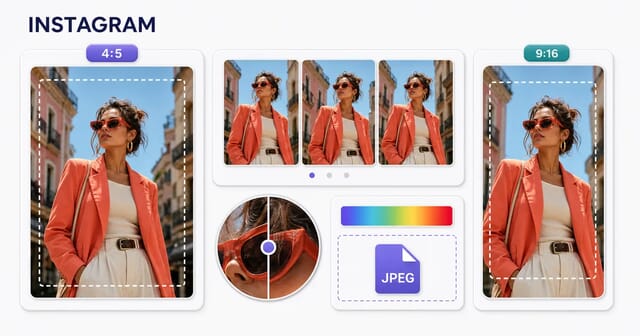
For Instagram, compose each image for its placement: a 1080 × 1080 square is a useful feed option and 1080 × 1920 is a useful vertical Story canvas. These examples do not describe every accepted crop. Preview the uploaded post because feed, profile, and full-screen views can crop it differently.
Recommended Image Sizes
These are suggested design canvases, not maximum upload dimensions. The theme or publishing placement determines the final display.
| Image Type | Recommended Size | Aspect Ratio |
|---|---|---|
| post square | 1080x1080 | 1:1 |
| post portrait | 1080x1350 | 4:5 |
| post landscape | 1080x566 | 1.91:1 |
| story | 1080x1920 | 9:16 |
| reel cover | 1080x1920 | 9:16 |
| carousel | 1080x1350 | 4:5 |
| profile picture | 320x320 | 1:1 |
| instagram ad | 1080x1080 | 1:1 |
Network Processing
- ✓ Separate feed, Story, and cover compositions
- ✓ Platform-controlled resizing and previews
- ✓ Placement-specific upload checks
Recommended Format
JPEG for photos; compare PNG for text-heavy graphics. Compare the final output at its displayed size.
Upload size guidance: Check the current upload interface for the placement
Choose the placement before exporting
A square feed asset and a vertical Story solve different layout problems. Keep an editable source and export separate compositions where text or subject placement would be lost in a crop. Check Instagram’s current resolution guidance for accepted feed ratios.
Inspect the published image
Upload a clean source with readable text and natural edges. Instagram may resize or re-encode it, so compare the published image on the devices your audience uses. Do not rely on an undocumented quality setting or a promise of no recompression.
Keep important content visible
Leave room around text, faces, and logos for interface overlays and alternate previews. Treat any pixel safe zone as a design aid, not a universal guarantee. Check carousels and covers in the app before publication.
Related Guides
JPEG Optimization Mastery: The Definitive Guide
JPEG optimization in depth: how the compression works, which quality setting to use, progressive encoding, chroma subsampling and MozJPEG.
Understanding Image Compression: Lossy vs Lossless Deep Dive
How image compression works: lossy against lossless, what the quality slider really changes, and how to judge the result with your own eyes.
Color Spaces, Profiles, and the Web
Master color management for web images. Learn sRGB, Display P3, color profiles, wide gamut displays, and ensuring consistent color across devices.
Frequently Asked Questions
Is 1080 × 1080 the only Instagram post size?
No. It is a square design option. Instagram accepts other feed shapes, and accepted ratios and preview crops can change; consult the official guidance and preview the placement.
Can exporting at an exact size prevent Instagram compression?
No. Matching the intended dimensions avoids unnecessary resizing in your own workflow, but it does not guarantee that Instagram will preserve the uploaded bytes.