Facebook Image Optimization Guide
Social MediaChoose source images, responsive sizes, and crops for Facebook.
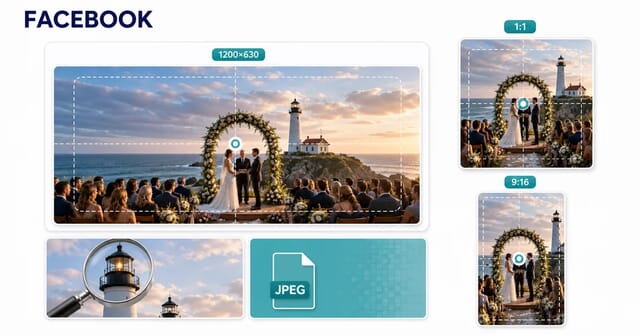
For Facebook, distinguish an uploaded feed image from a link preview, cover, Story, or ad. A 1200 × 630 image is a useful wide link-preview design, while square and vertical assets suit other placements. Check the rendered preview rather than assuming one size fits every Facebook surface.
Recommended Image Sizes
These are suggested design canvases, not maximum upload dimensions. The theme or publishing placement determines the final display.
| Image Type | Recommended Size | Aspect Ratio |
|---|---|---|
| post | 1200x630 | 1.91:1 |
| cover | 820x312 | 2.63:1 |
| profile | 180x180 | 1:1 |
| story | 1080x1920 | 9:16 |
| event cover | 1920x1005 | 1.91:1 |
| group cover | 1640x856 | 1.91:1 |
| ad feed | 1200x628 | 1.91:1 |
| ad story | 1080x1920 | 9:16 |
| ad carousel | 1080x1080 | 1:1 |
| shared link | 1200x628 | 1.91:1 |
| marketplace | 1200x1200 | 1:1 |
Network Processing
- ✓ Open Graph link previews
- ✓ Separate feed, Story, and ad compositions
- ✓ Platform-controlled resizing and preview caching
Recommended Format
JPEG for photos; PNG for graphics. Compare the final output at its displayed size.
Upload size guidance: Depends on placement; check the current publishing tool
Link previews use page metadata
Publish an absolute public og:image URL and describe the image with Open Graph metadata. Check that the page and image can be fetched without a login. Facebook may cache previews, so a new file does not always appear immediately.
Direct uploads and ads are separate
Compose feed photos for their intended shape. For paid placements, use the current Ads Manager specifications and previews; organic-post examples do not establish ad limits. Keep important text and subjects away from crop edges.
Check quality after publication
Use a clear source and inspect the uploaded result on mobile and desktop. JPEG suits photos, while PNG is worth comparing for flat graphics. No export setting can guarantee that Facebook will avoid resizing or recompression.
Related Guides
JPEG Optimization Mastery: The Definitive Guide
JPEG optimization in depth: how the compression works, which quality setting to use, progressive encoding, chroma subsampling and MozJPEG.
Understanding Image Compression: Lossy vs Lossless Deep Dive
How image compression works: lossy against lossless, what the quality slider really changes, and how to judge the result with your own eyes.
Retina/HiDPI Images: Complete Implementation Guide
Master retina and HiDPI image delivery. Learn device pixel ratios, srcset, responsive images, and optimization strategies for sharp images on all displays.
Frequently Asked Questions
Is 1200 × 630 required for every Facebook image?
No. It is a common wide link-preview design. Feed uploads, Stories, covers, profiles, and ads have different display contexts and may crop differently.
Why does a changed link image still show the old preview?
The platform may have cached the page metadata or image. Confirm the current public og:image URL, then use Meta’s sharing tools to inspect and refresh the preview.