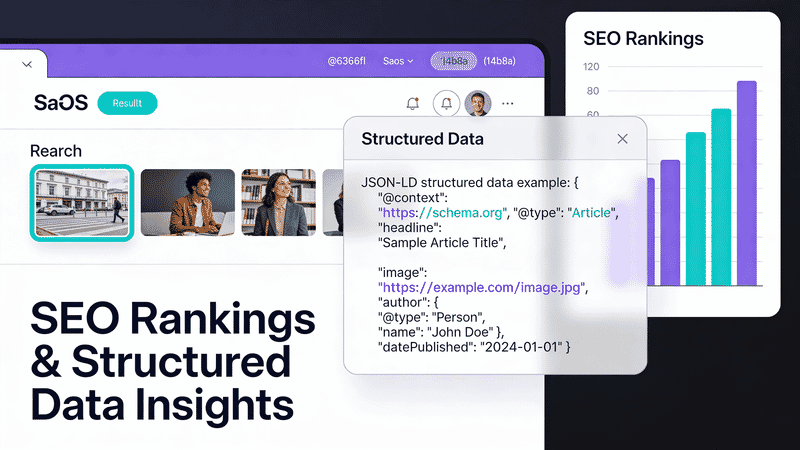
Image SEO: File Names, Structured Data, and Search Rankings
Master image SEO with this comprehensive guide covering file naming conventions, structured data markup, sitemaps, and optimization techniques that drive organic traffic.
Images can drive significant organic traffic when properly optimized for search engines. This guide covers everything from file naming to structured data markup, helping you maximize your image SEO potential.
Why Image SEO Matters
Google Images accounts for over 20% of all web searches. Properly optimized images can:
- Drive direct traffic from Google Images
- Improve overall page rankings
- Appear in featured snippets and rich results
- Increase engagement and time on page
| Traffic Source | Typical Share | SEO Impact |
|---|---|---|
| Google Web Search | 60-70% | High |
| Google Images | 15-25% | Medium-High |
| Direct/Bookmarks | 10-15% | N/A |
| Social Media | 5-10% | Low |
File Naming Best Practices
Use Descriptive Names
Search engines use file names as a ranking signal. Rename files before uploading:
❌ IMG_4523.jpg
❌ photo1.png
❌ untitled.webp

✅ blue-nike-air-max-90-running-shoe.jpg
✅ homemade-sourdough-bread-recipe.webp
✅ tokyo-skyline-sunset-view.avif
File Name Formula
[primary-keyword]-[secondary-detail]-[variant].extension
Examples:
leather-messenger-bag-brown-front.jpgreact-component-lifecycle-diagram.svgchicago-deep-dish-pizza-slice.webp
Rules for File Names
| Do | Don’t |
|---|---|
| Use hyphens between words | Use underscores or spaces |
| Keep it lowercase | Mix cases |
| Be descriptive but concise | Use generic names |
| Include relevant keywords | Stuff keywords |
| Use 3-5 words maximum | Write sentences |
# Batch rename with descriptive names
for f in *.jpg; do
  mv "$f" "product-$(echo $f | tr '[:upper:]' '[:lower:]')"
done
Image Alt Text for SEO
Alt text is a critical ranking factor. See our complete alt text guide for detailed best practices.
Quick SEO tips:
- Include target keywords naturally
- Describe the image accurately
- Keep under 125 characters
- Don’t keyword stuff
<!-- SEO-optimized alt text -->
<img
  src="vintage-leather-messenger-bag.jpg"
  alt="Vintage brown leather messenger bag with brass buckles and adjustable strap"
>
Structured Data for Images
Structured data helps search engines understand your images and can enable rich results.
Product Images
<script type="application/ld+json">
{
  "@context": "https://schema.org",
  "@type": "Product",
  "name": "Vintage Leather Messenger Bag",
  "image": [
    "https://example.com/photos/bag-front.jpg",
    "https://example.com/photos/bag-side.jpg",
    "https://example.com/photos/bag-open.jpg"
  ],
  "description": "Handcrafted leather messenger bag with brass hardware",
  "brand": {
    "@type": "Brand",
    "name": "Heritage Leather Co"
  },
  "offers": {
    "@type": "Offer",
    "price": "189.00",
    "priceCurrency": "USD"
  }
}
</script>
Recipe Images
<script type="application/ld+json">
{
  "@context": "https://schema.org",
  "@type": "Recipe",
  "name": "Classic Sourdough Bread",
  "image": [
    "https://example.com/sourdough-loaf-1x1.jpg",
    "https://example.com/sourdough-loaf-4x3.jpg",
    "https://example.com/sourdough-loaf-16x9.jpg"
  ],
  "author": {
    "@type": "Person",
    "name": "Chef Maria"
  },
  "prepTime": "PT30M",
  "cookTime": "PT45M",
  "recipeYield": "1 loaf"
}
</script>
Article Images
<script type="application/ld+json">
{
  "@context": "https://schema.org",
  "@type": "Article",
  "headline": "Complete Guide to Image Optimization",
  "image": {
    "@type": "ImageObject",
    "url": "https://example.com/image-optimization-guide.jpg",
    "width": 1200,
    "height": 630
  },
  "author": {
    "@type": "Organization",
    "name": "ImageGuide"
  },
  "datePublished": "2026-01-19"
}
</script>
ImageObject Schema
For standalone images or galleries:
<script type="application/ld+json">
{
  "@context": "https://schema.org",
  "@type": "ImageObject",
  "contentUrl": "https://example.com/tokyo-skyline.jpg",
  "name": "Tokyo Skyline at Sunset",
  "description": "Panoramic view of Tokyo skyline with Mount Fuji visible in the background during golden hour",
  "author": {
    "@type": "Person",
    "name": "John Photographer"
  },
  "copyrightHolder": {
    "@type": "Organization",
    "name": "Stock Photos Inc"
  },
  "license": "https://creativecommons.org/licenses/by/4.0/",
  "acquireLicensePage": "https://example.com/license/tokyo-skyline"
}
</script>
Image Sitemaps
Image sitemaps help search engines discover images, especially those loaded via JavaScript.
Basic Image Sitemap
<?xml version="1.0" encoding="UTF-8"?>
<urlset xmlns="http://www.sitemaps.org/schemas/sitemap/0.9"
        xmlns:image="http://www.google.com/schemas/sitemap-image/1.1">
  <url>
    <loc>https://example.com/products/leather-bag</loc>
    <image:image>
      <image:loc>https://example.com/photos/leather-bag-front.jpg</image:loc>
      <image:title>Vintage Leather Messenger Bag - Front View</image:title>
      <image:caption>Handcrafted brown leather messenger bag with brass buckles</image:caption>
    </image:image>
    <image:image>
      <image:loc>https://example.com/photos/leather-bag-side.jpg</image:loc>
      <image:title>Vintage Leather Messenger Bag - Side View</image:title>
    </image:image>
  </url>
</urlset>
Generate Image Sitemaps Automatically
// Node.js script to generate image sitemap
const fs = require('fs');
const glob = require('glob');

const images = glob.sync('public/images/**/*.{jpg,png,webp}');

let sitemap = `<?xml version="1.0" encoding="UTF-8"?>
<urlset xmlns="http://www.sitemaps.org/schemas/sitemap/0.9"
        xmlns:image="http://www.google.com/schemas/sitemap-image/1.1">`;

const imagesByPage = groupImagesByPage(images);

for (const [page, pageImages] of Object.entries(imagesByPage)) {
  sitemap += `
  <url>
    <loc>https://example.com${page}</loc>`;

  for (const img of pageImages) {
    sitemap += `
    <image:image>
      <image:loc>https://example.com${img.path}</image:loc>
      <image:title>${img.title}</image:title>
    </image:image>`;
  }

  sitemap += `
  </url>`;
}

sitemap += `
</urlset>`;

fs.writeFileSync('public/sitemap-images.xml', sitemap);
Technical SEO Factors
Page Speed
Image loading speed directly impacts rankings. Key metrics:
| Metric | Target | Impact |
|---|---|---|
| LCP (Largest Contentful Paint) | < 2.5s | High |
| CLS (Cumulative Layout Shift) | < 0.1 | Medium |
| Total Image Weight | < 1MB | Medium |
Optimize with modern formats and a CDN:
<picture>
  <source
    srcset="https://cdn.sirv.com/image.jpg?format=avif&w=800"
    type="image/avif"
  >
  <source
    srcset="https://cdn.sirv.com/image.jpg?format=webp&w=800"
    type="image/webp"
  >
  <img
    src="https://cdn.sirv.com/image.jpg?w=800"
    alt="Descriptive alt text"
    width="800"
    height="600"
    loading="lazy"
  >
</picture>
Image Dimensions
Always specify width and height to prevent layout shift:
<img
  src="product.jpg"
  alt="Product description"
  width="800"
  height="600"
>
Or use CSS aspect-ratio:
img {
  aspect-ratio: 4 / 3;
  width: 100%;
  height: auto;
}
Responsive Images
Serve appropriately sized images for each device:
<img
  src="hero-800.jpg"
  srcset="
    hero-400.jpg 400w,
    hero-800.jpg 800w,
    hero-1200.jpg 1200w,
    hero-1600.jpg 1600w
  "
  sizes="(max-width: 600px) 100vw, 50vw"
  alt="Hero image description"
>
Using Sirv for automatic responsive images:
<img
  src="https://your-site.sirv.com/hero.jpg?w=800"
  srcset="
    https://your-site.sirv.com/hero.jpg?w=400 400w,
    https://your-site.sirv.com/hero.jpg?w=800 800w,
    https://your-site.sirv.com/hero.jpg?w=1200 1200w,
    https://your-site.sirv.com/hero.jpg?w=1600 1600w
  "
  sizes="(max-width: 600px) 100vw, 50vw"
  alt="Hero image description"
>
Content Placement
Image Position on Page
Images near the top of the page and close to relevant text rank better.
<article>
  <h1>Guide to Leather Messenger Bags</h1>

  <!-- Image immediately after heading, near relevant content -->
  <img
    src="leather-messenger-bag-collection.jpg"
    alt="Collection of vintage leather messenger bags in various colors"
  >

  <p>Leather messenger bags combine style with functionality...</p>
</article>
Captions and Context
Add captions for additional context:
<figure>
  <img
    src="messenger-bag-materials.jpg"
    alt="Full-grain leather hide being inspected for quality"
  >
  <figcaption>
    Our messenger bags use only full-grain Italian leather,
    hand-selected for durability and natural beauty.
  </figcaption>
</figure>
E-commerce Image SEO
Product Image Requirements
For e-commerce, follow these guidelines:
| Requirement | Recommendation |
|---|---|
| Main image | White/neutral background |
| Image count | 5-8 per product |
| Zoom capability | 2000px minimum dimension |
| 360° view | Highly recommended |
| Lifestyle shots | Show product in use |
Google Merchant Center
For Shopping results, images must meet specific requirements:
<!-- Product structured data for Google Shopping -->
<script type="application/ld+json">
{
  "@context": "https://schema.org",
  "@type": "Product",
  "name": "Leather Messenger Bag",
  "image": "https://example.com/bag-white-background.jpg",
  "description": "Handcrafted leather messenger bag",
  "sku": "BAG-001",
  "gtin13": "0012345678901",
  "brand": {
    "@type": "Brand",
    "name": "Heritage Leather"
  },
  "offers": {
    "@type": "Offer",
    "price": "189.00",
    "priceCurrency": "USD",
    "availability": "https://schema.org/InStock"
  }
}
</script>
Using Sirv for E-commerce
Sirv offers specialized e-commerce features:
<!-- 360° product spin -->
<div class="Sirv" data-src="https://your-store.sirv.com/products/bag.spin"></div>

<!-- Deep zoom for product details -->
<div class="Sirv" data-src="https://your-store.sirv.com/products/bag.jpg?profile=zoom"></div>

<script src="https://scripts.sirv.com/sirvjs/v3/sirv.js"></script>
For background removal and product image enhancement, Sirv AI Studio can automatically:
- Remove backgrounds
- Enhance colors and contrast
- Generate consistent product shots
- Create multiple variants
Monitoring Image SEO
Google Search Console
Track image performance in Search Console:
- Go to Performance → Search type → Image
- Monitor impressions, clicks, and CTR
- Identify top-performing images
- Find opportunities for improvement
Key Metrics to Track
| Metric | What It Tells You |
|---|---|
| Image impressions | How often your images appear |
| Image clicks | Traffic from Google Images |
| Image CTR | How compelling your images are |
| Page speed (images) | Technical optimization quality |
Image SEO Checklist
Use this checklist for every image:
- Descriptive, keyword-rich file name
- Optimized alt text (under 125 chars)
- Appropriate file format (WebP/AVIF)
- Compressed for web (under 200KB typical)
- Width and height specified
- Lazy loading for below-fold images
- Structured data where applicable
- Included in image sitemap
- Served via CDN
- Responsive srcset for multiple sizes
Conclusion
Image SEO is a combination of technical optimization and content best practices. Focus on:
- Descriptive file names with relevant keywords
- Proper alt text that’s accurate and helpful
- Structured data for rich results eligibility
- Technical performance with modern formats and CDN delivery
- Regular monitoring through Search Console
Implement these practices consistently, and you’ll see improved visibility in Google Images and better overall page rankings.