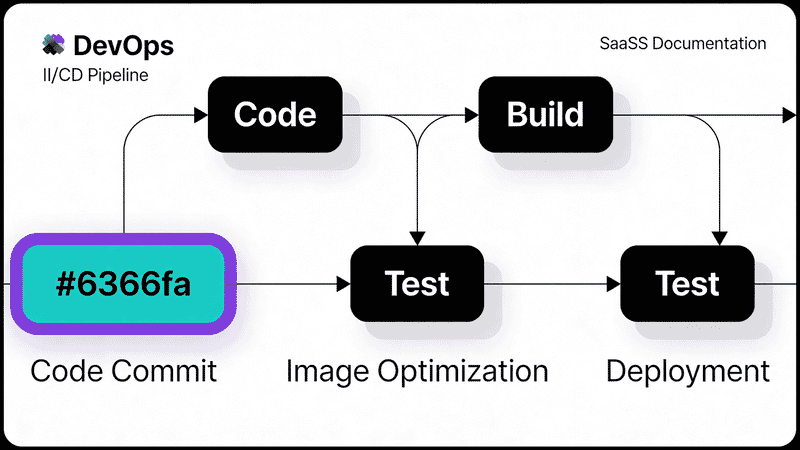
CI/CD Image Optimization Pipelines: Automate Your Workflow
Build automated image optimization into your CI/CD pipeline. Learn GitHub Actions, GitLab CI, and Jenkins configurations for consistent, optimized images on every deploy.
Manually optimizing images doesn’t scale. This guide shows you how to build image optimization into your CI/CD pipeline, ensuring every image that hits production is properly compressed, converted to modern formats, and sized correctly.
Why Automate Image Optimization?
| Manual Process | Automated Pipeline |
|---|---|
| Inconsistent quality | Enforced standards |
| Human error prone | Reproducible results |
| Time-consuming | Near-instant processing |
| Easy to skip | Impossible to bypass |
| No audit trail | Full history in commits |
Automated pipelines catch unoptimized images before they reach production, saving bandwidth and improving Core Web Vitals.
Architecture Overview
┌─────────────┐     ┌─────────────┐     ┌─────────────┐
│   Commit    │────▶│  CI/CD      │────▶│  Deploy     │
│   Images    │     │  Pipeline   │     │  Optimized  │
└─────────────┘     └─────────────┘     └─────────────┘
                           │
                    ┌──────┴──────┐
                    │             │
              ┌─────▼────┐ ┌─────▼────┐
              │ Validate │ │ Optimize │
              │ - Size   │ │ - Format │
              │ - Format │ │ - Quality│
              │ - Dims   │ │ - Resize │
              └──────────┘ └──────────┘
GitHub Actions Implementation
Basic Image Optimization Workflow
# .github/workflows/optimize-images.yml
name: Optimize Images

on:
  push:
    paths:
      - '**.jpg'
      - '**.jpeg'
      - '**.png'
      - '**.gif'
      - '**.svg'
  pull_request:
    paths:
      - '**.jpg'
      - '**.jpeg'
      - '**.png'
      - '**.gif'
      - '**.svg'

jobs:
  optimize:
    runs-on: ubuntu-latest
    steps:
      - uses: actions/checkout@v4
        with:
          fetch-depth: 0

      - name: Get changed images
        id: changed-files
        uses: tj-actions/changed-files@v40
        with:
          files: |
            **.jpg
            **.jpeg
            **.png
            **.gif
            **.svg

      - name: Setup Node.js
        if: steps.changed-files.outputs.any_changed == 'true'
        uses: actions/setup-node@v4
        with:
          node-version: '20'

      - name: Install dependencies
        if: steps.changed-files.outputs.any_changed == 'true'
        run: npm install sharp svgo

      - name: Optimize images
        if: steps.changed-files.outputs.any_changed == 'true'
        run: |
          node scripts/optimize-images.js ${{ steps.changed-files.outputs.all_changed_files }}

      - name: Commit optimized images
        if: steps.changed-files.outputs.any_changed == 'true'
        uses: stefanzweifel/git-auto-commit-action@v5
        with:
          commit_message: 'chore: optimize images [skip ci]'
          file_pattern: '*.jpg *.jpeg *.png *.gif *.svg *.webp *.avif'
Image Optimization Script
// scripts/optimize-images.js
const sharp = require('sharp');
const { optimize } = require('svgo');
const fs = require('fs').promises;
const path = require('path');

const CONFIG = {
  jpeg: { quality: 80, mozjpeg: true },
  png: { quality: 80, compressionLevel: 9 },
  webp: { quality: 80 },
  avif: { quality: 65, speed: 4 }
};

async function optimizeImage(filePath) {
  const ext = path.extname(filePath).toLowerCase();

  if (ext === '.svg') {
    const content = await fs.readFile(filePath, 'utf8');
    const result = optimize(content, {
      multipass: true,
      plugins: ['preset-default']
    });
    await fs.writeFile(filePath, result.data);
    console.log(`Optimized SVG: ${filePath}`);
    return;
  }

  const image = sharp(filePath);
  const metadata = await image.metadata();

  // Optimize original format
  if (['.jpg', '.jpeg'].includes(ext)) {
    await image.jpeg(CONFIG.jpeg).toFile(filePath + '.tmp');
  } else if (ext === '.png') {
    await image.png(CONFIG.png).toFile(filePath + '.tmp');
  }

  // Replace original
  await fs.rename(filePath + '.tmp', filePath);

  // Generate WebP variant
  const webpPath = filePath.replace(/\.(jpg|jpeg|png)$/i, '.webp');
  await sharp(filePath).webp(CONFIG.webp).toFile(webpPath);

  // Generate AVIF variant
  const avifPath = filePath.replace(/\.(jpg|jpeg|png)$/i, '.avif');
  await sharp(filePath).avif(CONFIG.avif).toFile(avifPath);

  console.log(`Optimized: ${filePath} + WebP + AVIF`);
}

async function main() {
  const files = process.argv.slice(2);

  for (const file of files) {
    try {
      await optimizeImage(file);
    } catch (error) {
      console.error(`Failed to optimize ${file}:`, error.message);
      process.exit(1);
    }
  }
}

main();
Advanced Workflow with Quality Gates
# .github/workflows/image-quality-gate.yml
name: Image Quality Gate

on:
  pull_request:
    paths:
      - 'src/images/**'
      - 'public/images/**'

jobs:
  validate:
    runs-on: ubuntu-latest
    steps:
      - uses: actions/checkout@v4

      - name: Setup Node.js
        uses: actions/setup-node@v4
        with:
          node-version: '20'

      - name: Install dependencies
        run: npm install sharp

      - name: Validate image requirements
        run: |
          node scripts/validate-images.js

      - name: Check total image budget
        run: |
          TOTAL_SIZE=$(find src/images public/images -type f \( -name "*.jpg" -o -name "*.png" -o -name "*.webp" \) -exec du -cb {} + | tail -1 | cut -f1)
          MAX_SIZE=$((50 * 1024 * 1024)) # 50MB budget

          if [ "$TOTAL_SIZE" -gt "$MAX_SIZE" ]; then
            echo "❌ Total image size (${TOTAL_SIZE} bytes) exceeds budget (${MAX_SIZE} bytes)"
            exit 1
          fi
          echo "✅ Image budget OK: ${TOTAL_SIZE} bytes"
Validation Script
// scripts/validate-images.js
const sharp = require('sharp');
const fs = require('fs').promises;
const path = require('path');
const { glob } = require('glob');

const RULES = {
  maxFileSize: 500 * 1024, // 500KB
  maxDimension: 4096,
  minDimension: 10,
  allowedFormats: ['jpeg', 'png', 'webp', 'avif', 'gif', 'svg'],
  requireWebP: true
};

async function validateImage(filePath) {
  const errors = [];
  const stats = await fs.stat(filePath);

  // Check file size
  if (stats.size > RULES.maxFileSize) {
    errors.push(`File size ${(stats.size / 1024).toFixed(0)}KB exceeds ${RULES.maxFileSize / 1024}KB limit`);
  }

  // Skip SVG for dimension checks
  if (filePath.endsWith('.svg')) {
    return errors;
  }

  const metadata = await sharp(filePath).metadata();

  // Check dimensions
  if (metadata.width > RULES.maxDimension || metadata.height > RULES.maxDimension) {
    errors.push(`Dimensions ${metadata.width}x${metadata.height} exceed ${RULES.maxDimension}px limit`);
  }

  // Check for WebP variant
  if (RULES.requireWebP && !filePath.endsWith('.webp')) {
    const webpPath = filePath.replace(/\.(jpg|jpeg|png)$/i, '.webp');
    try {
      await fs.access(webpPath);
    } catch {
      errors.push(`Missing WebP variant: ${webpPath}`);
    }
  }

  return errors;
}

async function main() {
  const images = await glob('**/*.{jpg,jpeg,png,webp,avif,gif,svg}', {
    ignore: ['node_modules/**', 'dist/**']
  });

  let hasErrors = false;

  for (const image of images) {
    const errors = await validateImage(image);
    if (errors.length > 0) {
      hasErrors = true;
      console.error(`\n❌ ${image}:`);
      errors.forEach(err => console.error(`   - ${err}`));
    }
  }

  if (hasErrors) {
    console.error('\n\nImage validation failed. Please fix the issues above.');
    process.exit(1);
  }

  console.log(`\n✅ All ${images.length} images passed validation`);
}

main();
GitLab CI Implementation
# .gitlab-ci.yml
stages:
  - validate
  - optimize
  - deploy

variables:
  IMAGE_EXTENSIONS: "jpg,jpeg,png,gif,svg"

validate-images:
  stage: validate
  image: node:20-alpine
  script:
    - apk add --no-cache vips-dev
    - npm install sharp
    - node scripts/validate-images.js
  rules:
    - changes:
        - "**/*.{jpg,jpeg,png,gif,svg}"

optimize-images:
  stage: optimize
  image: node:20-alpine
  script:
    - apk add --no-cache vips-dev
    - npm install sharp svgo
    - |
      git diff --name-only $CI_COMMIT_BEFORE_SHA $CI_COMMIT_SHA \
        | grep -E '\.(jpg|jpeg|png|gif|svg)$' \
        | xargs -r node scripts/optimize-images.js
  artifacts:
    paths:
      - "**/*.webp"
      - "**/*.avif"
    expire_in: 1 week
  rules:
    - changes:
        - "**/*.{jpg,jpeg,png,gif,svg}"
Jenkins Pipeline
// Jenkinsfile
pipeline {
    agent {
        docker {
            image 'node:20'
        }
    }

    stages {
        stage('Setup') {
            steps {
                sh 'npm install sharp svgo'
            }
        }

        stage('Validate Images') {
            when {
                changeset "**/*.jpg, **/*.jpeg, **/*.png, **/*.gif, **/*.svg"
            }
            steps {
                sh 'node scripts/validate-images.js'
            }
        }

        stage('Optimize Images') {
            when {
                changeset "**/*.jpg, **/*.jpeg, **/*.png, **/*.gif, **/*.svg"
            }
            steps {
                script {
                    def changedImages = sh(
                        script: "git diff --name-only HEAD~1 | grep -E '\\.(jpg|jpeg|png|gif|svg)\$' || true",
                        returnStdout: true
                    ).trim()

                    if (changedImages) {
                        sh "node scripts/optimize-images.js ${changedImages}"
                    }
                }
            }
        }

        stage('Archive Artifacts') {
            steps {
                archiveArtifacts artifacts: '**/*.webp, **/*.avif', allowEmptyArchive: true
            }
        }
    }

    post {
        failure {
            echo 'Image optimization pipeline failed'
        }
    }
}
Using Image CDN in CI/CD
Instead of generating multiple formats locally, you can upload originals to an image CDN like Sirv that handles optimization automatically.
Sirv Upload in GitHub Actions
# .github/workflows/upload-to-sirv.yml
name: Upload to Sirv

on:
  push:
    paths:
      - 'src/images/**'

jobs:
  upload:
    runs-on: ubuntu-latest
    steps:
      - uses: actions/checkout@v4

      - name: Get changed images
        id: changed-files
        uses: tj-actions/changed-files@v40
        with:
          files: src/images/**

      - name: Upload to Sirv
        if: steps.changed-files.outputs.any_changed == 'true'
        env:
          SIRV_CLIENT_ID: ${{ secrets.SIRV_CLIENT_ID }}
          SIRV_CLIENT_SECRET: ${{ secrets.SIRV_CLIENT_SECRET }}
        run: |
          # Get access token
          TOKEN=$(curl -s -X POST "https://api.sirv.com/v2/token" \
            -H "Content-Type: application/json" \
            -d "{\"clientId\":\"$SIRV_CLIENT_ID\",\"clientSecret\":\"$SIRV_CLIENT_SECRET\"}" \
            | jq -r '.token')

          # Upload each changed image
          for file in ${{ steps.changed-files.outputs.all_changed_files }}; do
            curl -X POST "https://api.sirv.com/v2/files/upload?filename=/images/$(basename $file)" \
              -H "Authorization: Bearer $TOKEN" \
              -H "Content-Type: $(file -b --mime-type $file)" \
              --data-binary "@$file"
          done
With Sirv, your HTML simply references the original, and the CDN handles format conversion:
<!-- Sirv automatically serves optimal format -->
<img src="https://your-site.sirv.com/images/photo.jpg?format=optimal">
For AI-powered image processing in your pipeline, Sirv AI Studio offers:
- Automatic background removal
- Smart cropping
- Color enhancement
- Batch processing via API
Pre-commit Hooks
Catch issues before they even reach CI:
# .pre-commit-config.yaml
repos:
  - repo: local
    hooks:
      - id: validate-images
        name: Validate Images
        entry: node scripts/validate-images.js
        language: node
        types: [image]

      - id: optimize-images
        name: Optimize Images
        entry: node scripts/optimize-images.js
        language: node
        types: [image]
        pass_filenames: true
Install with:
pip install pre-commit
pre-commit install
Monorepo Configuration
For monorepos, scope image processing to specific packages:
# .github/workflows/optimize-images.yml
name: Optimize Images

on:
  push:
    paths:
      - 'packages/*/images/**'
      - 'apps/*/public/images/**'

jobs:
  detect-changes:
    runs-on: ubuntu-latest
    outputs:
      packages: ${{ steps.filter.outputs.changes }}
    steps:
      - uses: actions/checkout@v4
      - uses: dorny/paths-filter@v2
        id: filter
        with:
          filters: |
            web:
              - 'apps/web/public/images/**'
            docs:
              - 'apps/docs/public/images/**'
            ui:
              - 'packages/ui/images/**'

  optimize:
    needs: detect-changes
    if: ${{ needs.detect-changes.outputs.packages != '[]' }}
    runs-on: ubuntu-latest
    strategy:
      matrix:
        package: ${{ fromJson(needs.detect-changes.outputs.packages) }}
    steps:
      - uses: actions/checkout@v4
      - name: Optimize ${{ matrix.package }} images
        run: |
          node scripts/optimize-images.js ${{ matrix.package }}
Performance Metrics
Track optimization impact over time:
# Add to your workflow
- name: Calculate size savings
  run: |
    BEFORE=$(git diff --cached --stat | grep -E '\.(jpg|png)' | awk '{sum += $3} END {print sum}')
    AFTER=$(du -cb *.webp *.avif | tail -1 | cut -f1)
    SAVINGS=$((BEFORE - AFTER))
    echo "Size savings: ${SAVINGS} bytes"
    echo "savings=${SAVINGS}" >> $GITHUB_OUTPUT
Conclusion
A well-configured CI/CD pipeline ensures:
- Consistent optimization across all images
- Automated format generation (WebP, AVIF)
- Quality gates that prevent oversized images
- Audit trail of all image changes
- Team-wide standards enforcement
Start with basic optimization and gradually add validation rules as your needs evolve.