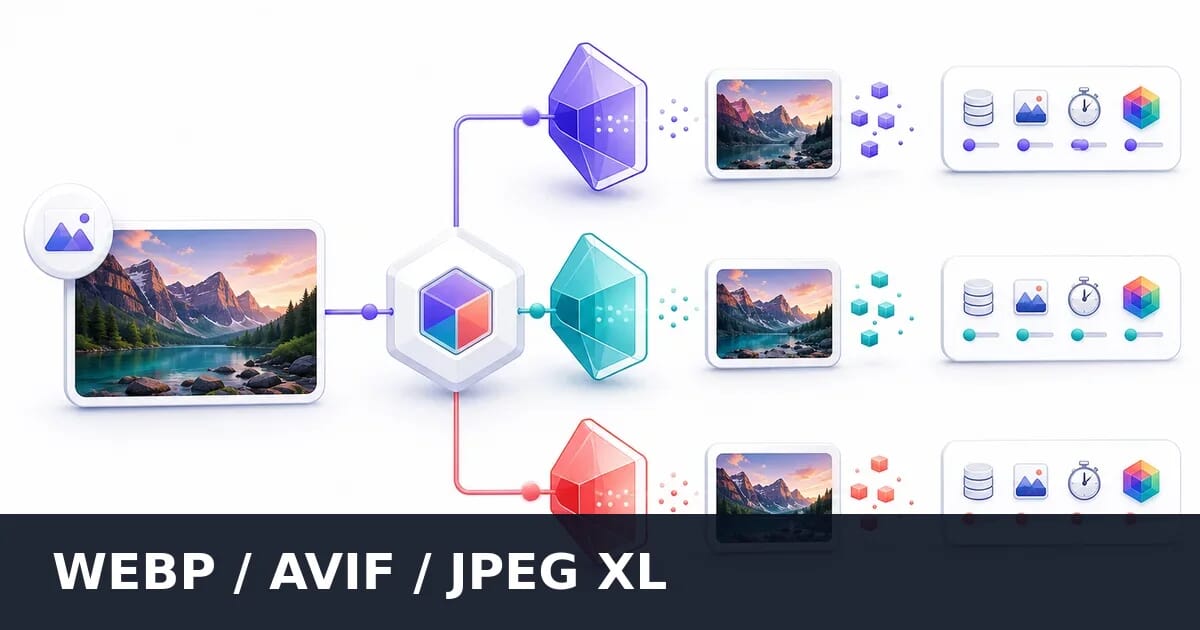
WebP vs AVIF vs JPEG XL: Which Format When?
Comprehensive comparison of modern image formats. Learn the strengths, weaknesses, browser support, and ideal use cases for WebP, AVIF, and JPEG XL.
Modern image formats promise better compression than JPEG, but each has distinct strengths and tradeoffs. This guide provides a comprehensive comparison to help you choose the right format for your needs.
Quick Comparison
| Aspect | WebP | AVIF | JPEG XL |
|---|---|---|---|
| Compression | Good | Excellent | Best |
| Browser Support | 97% | 93% | ~15% (Safari only; flagged elsewhere) |
| Encoding Speed | Fast | Slow | Medium |
| Animation | Yes | Yes | Yes |
| Transparency | Yes | Yes | Yes |
| HDR | No | Yes | Yes |
| Lossless JPEG | No | No | Yes |
| Maturity | Mature | Growing | Implemented everywhere, enabled in Safari |
WebP
WebP was developed by Google and released in 2010. It’s based on VP8 video codec technology.
Strengths
Excellent browser support: 97% global coverage, including all modern browsers.
Balanced compression: 25-35% smaller than JPEG at equivalent quality.
Fast encoding: Quick to generate on-the-fly.
Full feature set: Lossy, lossless, animation, and alpha transparency.
Mature ecosystem: Wide tooling support, well-documented.
Weaknesses
Not the best compression: AVIF typically beats WebP by 20%.
16,383×16,383 pixel limit: Can’t handle very large images.
No progressive loading: Images load top-to-bottom.
No HDR support: Limited to SDR content.
Best For
- General web images
- Sites needing maximum browser compatibility
- Dynamic/on-the-fly image generation
- Animated content (replacing GIF)
- When encoding speed matters
WebP Quality Settings
| Quality | Typical Use | vs JPEG |
|---|---|---|
| 85-100 | High quality | Similar to JPEG 90-100 |
| 75-84 | Balanced | Similar to JPEG 80-90 |
| 60-74 | Compressed | Similar to JPEG 65-80 |
Sample Implementation
<picture>
  <source srcset="image.webp" type="image/webp">
  <img src="image.jpg" alt="Description">
</picture>
AVIF
AVIF (AV1 Image File Format) emerged from the AV1 video codec, developed by the Alliance for Open Media.
Strengths
Best lossy compression: 50% smaller than JPEG, 20% smaller than WebP at equivalent quality.
HDR support: High dynamic range and wide color gamut (Rec. 2020).
Excellent gradient handling: Smooth gradients without banding.
Film grain synthesis: Can reconstruct grain at decode time for smaller files.
Growing support: 93% browser coverage and improving.
Weaknesses
Slow encoding: 10-100× slower than WebP/JPEG.
Limited max dimensions: Some implementations cap at 8K.
Slower decoding: More CPU-intensive to display.
Newer ecosystem: Less tooling maturity than WebP.
Large image decode: Very large AVIFs can be slow to render.
Best For
- Hero images and key visuals
- Photography portfolios
- When file size is critical
- HDR content
- Modern browser audiences
- Pre-generated static assets
AVIF Quality Settings
AVIF is more efficient—use lower numbers for equivalent quality:
| Quality | Typical Use | vs JPEG Equivalent |
|---|---|---|
| 75-90 | High quality | JPEG 90-100 |
| 60-74 | Balanced | JPEG 80-90 |
| 45-59 | Compressed | JPEG 65-80 |
| 30-44 | Aggressive | JPEG 50-65 |
Sample Implementation
<picture>
  <source srcset="image.avif" type="image/avif">
  <source srcset="image.webp" type="image/webp">
  <img src="image.jpg" alt="Description">
</picture>
JPEG XL
JPEG XL was developed by the JPEG committee, combining Google’s PIK and Cloudinary’s FUIF proposals.
Strengths
Best overall compression: Often beats AVIF in quality-per-byte.
Lossless JPEG transcoding: Can convert JPEG to JXL and back without quality loss.
Progressive decoding: Shows preview while loading.
Huge dimension support: Up to 1 billion × 1 billion pixels.
HDR and wide gamut: Full support for modern display technologies.
Responsive by design: Built-in support for multiple resolutions.
Weaknesses
Minimal browser support in practice: Only Safari 17+ enables it, so roughly 15% of users can receive it.
Everywhere else it is behind a flag: Chrome and Firefox both ship decoders that are off by default, and a flag users never turn on delivers no traffic.
Limited tooling: Fewer mature tools than WebP/AVIF.
Current Status
JPEG XL is technically superior, and its browser position improved significantly in 2026:
- Safari: Enabled by default since version 17
- Chrome: Removed in v110 (2023), then re-added in v145 (February 2026) behind the
enable-jxl-image-formatflag, using a memory-safe Rust decoder - Firefox: Decoder shipped in v152 (June 2026), behind the
image.jxl.enabledpreference - Edge: Follows Chromium, so flagged as of v145
All three major engines now contain a JPEG XL decoder. The open question is no longer whether Chromium will implement the format, but when it will turn the flag on. No date has been announced. See JPEG XL is back in Chrome for what the reversal does and does not change.
Recommendation: Still do not depend on JPEG XL for web delivery, because only Safari receives it. The 2026 reversal does strengthen the case for JXL as an archival format, since the format is far less likely to be a dead end than it looked a year ago.
Potential Use Cases (If Support Improves)
- Archival and master files
- Progressive image delivery
- JPEG library migration (lossless conversion)
- Very large images (gigapixel)
Head-to-Head Comparison
Compression Efficiency
For a typical 1920×1080 photograph at equivalent visual quality:
| Format | File Size | Relative |
|---|---|---|
| JPEG q=80 | 200 KB | Baseline |
| WebP q=80 | 150 KB | 25% smaller |
| AVIF q=65 | 100 KB | 50% smaller |
| JPEG XL | 90 KB | 55% smaller |
Results vary by image content
File Size at Equivalent Visual Quality
1920×1080 photo at matched perceptual quality
Encoding Speed
Time to encode a 4000×3000 image:
| Format | Encoding Time | Relative |
|---|---|---|
| JPEG | 50 ms | Baseline |
| WebP | 100 ms | 2× slower |
| AVIF (speed 6) | 2000 ms | 40× slower |
| AVIF (speed 0) | 30000 ms | 600× slower |
| JPEG XL | 500 ms | 10× slower |
AVIF speed setting dramatically affects encoding time
Encoding Time Comparison
Time to encode a single 1920×1080 image
Decoding Speed
Time to decode and render a 1920×1080 image:
| Format | Decode Time | CPU Impact |
|---|---|---|
| JPEG | 10 ms | Low |
| WebP | 15 ms | Low |
| AVIF | 30 ms | Medium |
| JPEG XL | 20 ms | Medium |
Feature Comparison
| Feature | JPEG | WebP | AVIF | JPEG XL |
|---|---|---|---|---|
| Lossy compression | ✓ | ✓ | ✓ | ✓ |
| Lossless compression | ✗ | ✓ | ✓ | ✓ |
| Alpha transparency | ✗ | ✓ | ✓ | ✓ |
| Animation | ✗ | ✓ | ✓ | ✓ |
| Progressive loading | ✓ | ✗ | ✗* | ✓ |
| HDR | ✗ | ✗ | ✓ | ✓ |
| Wide gamut | Limited | Limited | ✓ | ✓ |
| Max dimensions | 65K | 16K | 65K | 1B |
| Lossless JPEG convert | N/A | ✗ | ✗ | ✓ |
*AVIF supports layered progressive loading but with limited implementation
Browser Support Deep Dive
Current Support (2026)
| Browser | WebP | AVIF | JPEG XL |
|---|---|---|---|
| Chrome | 17+ (2012) | 85+ (2020) | ✗ |
| Firefox | 65+ (2019) | 93+ (2021) | ✗ |
| Safari | 14+ (2020) | 16.4+ (2023) | 17+ (2023) |
| Edge | 18+ (2018) | 121+ (2024) | ✗ |
| Samsung | 4+ (2016) | 100+ | ✗ |
Global Coverage
| Format | Global Support | Remaining |
|---|---|---|
| WebP | ~97% | iOS 13, old Safari |
| AVIF | ~93% | Older browsers |
| JPEG XL | ~15% | Safari only |
JPEG XL’s figure counts only browsers that enable it by default, which is Safari. Chrome 145 (February 2026) and Firefox 152 (June 2026) both added decoders behind flags, so the implementation gap has closed even though the delivery gap has not.
Global Browser Support (2026)
Percentage of web users with native format support
Fallback Strategy
Always provide fallbacks for older browsers:
<picture>
  <!-- Best compression, growing support -->
  <source srcset="image.avif" type="image/avif">
  <!-- Good compression, excellent support -->
  <source srcset="image.webp" type="image/webp">
  <!-- Universal fallback -->
  <img src="image.jpg" alt="Description">
</picture>
Decision Framework
Primary Format Selection
Do you need maximum browser support?
├── Yes → WebP primary, JPEG fallback
└── No → Is encoding speed critical (dynamic generation)?
    ├── Yes → WebP primary
    └── No → Do you need HDR?
        ├── Yes → AVIF primary
        └── No → Is file size critical?
            ├── Yes → AVIF primary
            └── No → WebP primary
Recommended Stacks
Maximum Compatibility:
<picture>
  <source srcset="image.webp" type="image/webp">
  <img src="image.jpg" alt="Description">
</picture>
Balanced (Most Sites):
<picture>
  <source srcset="image.avif" type="image/avif">
  <source srcset="image.webp" type="image/webp">
  <img src="image.jpg" alt="Description">
</picture>
Maximum Compression:
<picture>
  <source srcset="image.avif" type="image/avif">
  <img src="image.jpg" alt="Description">
</picture>
Use Case Matrix
| Use Case | Recommended | Reasoning |
|---|---|---|
| General web | WebP + AVIF | Broad support + compression |
| E-commerce products | AVIF + WebP | Quality matters, pre-generated |
| User uploads | WebP | Fast encoding, good compression |
| Photography | AVIF | Best quality, pre-generated |
| Animations | WebP | Best animation support |
| Hero images | AVIF | Worth the encoding time |
| Thumbnails | WebP | Fast generation, good enough |
| JPEG | Universal support | |
| CDN auto-format | AVIF → WebP → JPEG | CDN handles complexity |
Implementation Strategies
Static Site Generation
Pre-generate all formats during build:
const sharp = require('sharp');

async function generateFormats(input) {
  const base = input.replace(/\.[^.]+$/, '');

  await Promise.all([
    // AVIF (slow, do first for build caching)
    sharp(input).avif({ quality: 65 }).toFile(`${base}.avif`),
    // WebP
    sharp(input).webp({ quality: 80 }).toFile(`${base}.webp`),
    // JPEG fallback
    sharp(input).jpeg({ quality: 80 }).toFile(`${base}.jpg`)
  ]);
}
CDN/Image Service
Let the CDN handle format selection:
<!-- Sirv auto-selects best format -->
<img src="https://example.sirv.com/image.jpg?format=optimal" alt="">

<!-- Cloudinary -->
<img src="https://res.cloudinary.com/demo/image/upload/f_auto/image.jpg" alt="">
Server-Side Negotiation
Use Accept header to serve appropriate format:
# Nginx configuration
map $http_accept $img_suffix {
  default ".jpg";
  "~*avif" ".avif";
  "~*webp" ".webp";
}

location /images/ {
  try_files $uri$img_suffix $uri =404;
  add_header Vary Accept;
}
Quality Tuning
Equivalent Quality Settings
For similar visual quality across formats:
| Target | JPEG | WebP | AVIF |
|---|---|---|---|
| High | 90 | 85 | 75 |
| Standard | 80 | 75 | 65 |
| Compressed | 70 | 65 | 50 |
| Aggressive | 60 | 55 | 40 |
AVIF Encoding Optimization
# Balance quality and encoding time
avifenc --min 20 --max 40 --speed 6 input.png output.avif

# Maximum quality (slow)
avifenc --min 10 --max 30 --speed 0 input.png output.avif

# Fast encoding (lower compression)
avifenc --min 30 --max 50 --speed 9 input.png output.avif
Content-Specific Settings
| Content | AVIF Quality | WebP Quality | Notes |
|---|---|---|---|
| Photographs | 60-70 | 75-80 | Standard |
| Text overlays | 75-85 | 85-90 | Preserve sharpness |
| Gradients | 70-80 | 80-85 | AVIF excels |
| Detailed textures | 65-75 | 80-85 | Balance quality/size |
| Product photos | 70-80 | 80-85 | Quality matters |
Migration Strategy
From JPEG-Only
- Audit current images: Identify largest and most-viewed
- Add WebP first: Maximum support, immediate gains
- Add AVIF second: Additional compression for modern browsers
- Use picture element: Maintain fallbacks
- Monitor metrics: Track bandwidth savings and Core Web Vitals
Sample Migration
Before:
<img src="product.jpg" alt="Product">After:
<picture>
  <source srcset="product.avif" type="image/avif">
  <source srcset="product.webp" type="image/webp">
  <img src="product.jpg" alt="Product" width="800" height="600">
</picture>
The JPEG XL Question
Should You Wait for JPEG XL?
Arguments for waiting:
- Technically superior format
- Safari ships it, and Chrome and Firefox both re-implemented it in 2026
- Lossless JPEG conversion is unique
Arguments against waiting:
- Chrome and Firefox keep it off by default, so it reaches almost no real traffic
- Neither vendor has announced a date for enabling the flag
- AVIF covers most use cases
Recommendation: Use AVIF and WebP today. JPEG XL is now implemented in every major engine but enabled only in Safari, so monitor it and keep it out of your delivery path until Chrome flips its flag.
JPEG XL for Archival
Even without browser support, JPEG XL can be valuable:
# Losslessly convert JPEG to JXL (saves ~20%)
cjxl input.jpg output.jxl --lossless_jpeg=1

# Convert back to identical JPEG when needed
djxl output.jxl restored.jpg
This provides archival savings while maintaining the ability to serve JPEG.
Summary
Quick Recommendations
| Scenario | Format Stack |
|---|---|
| Most websites | AVIF → WebP → JPEG |
| Maximum compatibility | WebP → JPEG |
| Dynamic generation | WebP → JPEG |
| Photography focus | AVIF → JPEG |
| CDN-based | Auto-format (CDN handles) |
Format Strengths at a Glance
- WebP: Best balance of support and compression, mature ecosystem
- AVIF: Best compression, HDR support, growing adoption
- JPEG XL: Best technically, but limited browser support
Implementation Checklist
- ✅ Use picture element with format fallbacks
- ✅ Generate AVIF for pre-built static assets
- ✅ Use WebP for dynamic/real-time generation
- ✅ Always provide JPEG fallback
- ✅ Tune quality settings per format
- ✅ Consider CDN auto-format for simplicity
- ✅ Monitor browser support changes
- ✅ Test visual quality at your chosen settings
The format landscape continues to evolve. Today, the AVIF → WebP → JPEG stack provides the best combination of compression and compatibility for most websites.