Color Spaces, Profiles, and the Web
Master color management for web images. Learn sRGB, Display P3, color profiles, wide gamut displays, and ensuring consistent color across devices.
Color on the web is more complex than it appears. Different devices display colors differently, and without proper color management, your carefully crafted images may look wrong to users. This guide covers everything you need to know about color spaces and profiles for web images.
Color Space Fundamentals
A color space defines which colors can be represented and how they’re encoded.
Key Color Spaces for Web
| Color Space | Gamut | Use Case |
|---|---|---|
| sRGB | Standard | Default for web, universal |
| Display P3 | Wide | Modern Apple/Android devices |
| Adobe RGB | Wide | Print, photography |
| ProPhoto RGB | Very Wide | Professional photography |
| Rec. 2020 | Very Wide | HDR video, future displays |
Understanding Gamut
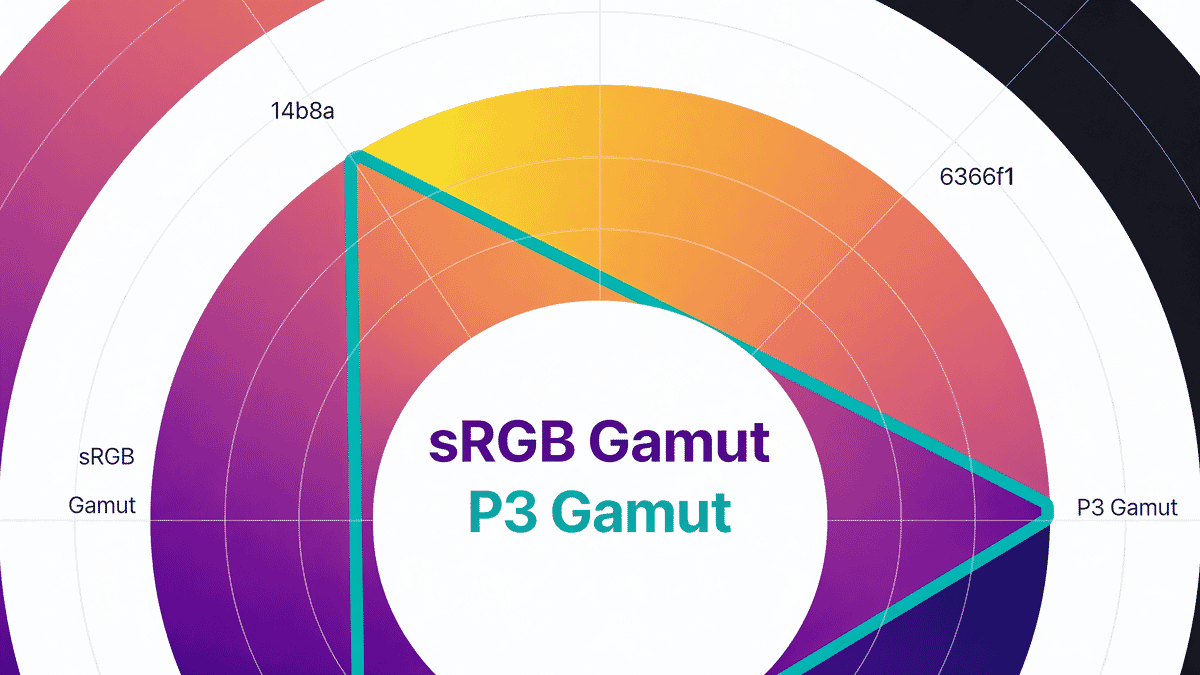
Gamut is the range of colors a color space can represent.
ProPhoto RGB (largest)
└── Adobe RGB
    └── Display P3
        └── sRGB (smallest, but universal)
Wider gamut = more vivid, saturated colors possible.
sRGB: The Web Standard
sRGB has been the web standard since 1996. It represents colors most displays can show and is universally supported.
Key characteristics:
- Based on typical CRT monitor capabilities (from 1996)
- Covers ~35% of visible colors
- Gamma of approximately 2.2
- Default for HTML, CSS, and untagged images
When to use sRGB:
- General web content
- Maximum compatibility
- When you don’t need vivid colors
Display P3: The Wide Gamut Future
Display P3 offers ~25% more colors than sRGB, particularly more saturated reds, greens, and oranges.
Browser support:
- Safari (macOS/iOS): Full support
- Chrome: Full support on capable displays
- Firefox: Full support
- Edge: Full support
Device support:
- All Apple devices since 2016
- Many flagship Android phones
- Most professional monitors
- Growing standard display adoption
ICC Profiles
ICC profiles describe how to convert colors between devices and color spaces.
Embedded Profiles
Images can contain embedded ICC profiles:
# Check for embedded profile
identify -verbose image.jpg | grep -i profile

# Using exiftool
exiftool -icc_profile:all image.jpg
Profile Types
Matrix profiles: Simple mathematical transform (smaller file size).
LUT profiles: Lookup tables for complex transforms (larger, more accurate).
Common Profiles
| Profile | Size | Description |
|---|---|---|
| sRGB IEC61966-2.1 | 3-4 KB | Standard sRGB |
| sRGB v4 | 0.5 KB | Compact sRGB |
| Display P3 | 0.5-1 KB | Apple wide gamut |
| Adobe RGB (1998) | 0.5 KB | Adobe standard |
Web Color Management
How Browsers Handle Color
- Tagged images: Browser reads ICC profile, converts to display space
- Untagged images: Assumed sRGB
- CSS colors: sRGB by default (unless specified otherwise)
CSS Color Spaces
Modern CSS supports multiple color spaces:
/* sRGB (default) */
color: rgb(255, 100, 50);

/* Display P3 */
color: color(display-p3 1 0.4 0.2);

/* With fallback */
color: rgb(255, 100, 50); /* Fallback */
color: color(display-p3 1 0.4 0.2); /* P3 if supported */

/* Feature detection */
@supports (color: color(display-p3 1 0 0)) {
  .vivid {
    color: color(display-p3 1 0.2 0.1);
  }
}
Canvas Color Space
// Create P3 canvas
const canvas = document.createElement('canvas');
const ctx = canvas.getContext('2d', { colorSpace: 'display-p3' });
Preparing Images for Web
The sRGB Workflow
For maximum compatibility:
- Work in your preferred color space
- Convert to sRGB before export
- Embed sRGB profile or strip (browsers assume sRGB)
# Convert to sRGB with ImageMagick
convert input.jpg -profile sRGB.icc output.jpg

# Strip profile (browser assumes sRGB)
convert input.jpg -strip output.jpg
The Wide Gamut Workflow
For vivid colors on capable displays:
- Capture/create in wide gamut (P3 or larger)
- Export in Display P3 with embedded profile
- Provide sRGB fallback
# Convert to Display P3
convert input.jpg -profile DisplayP3.icc output-p3.jpg

# Keep both versions
convert input.jpg -profile sRGB.icc output-srgb.jpg
convert input.jpg -profile DisplayP3.icc output-p3.jpg
Stripping vs Embedding Profiles
| Approach | File Size | Color Accuracy | Compatibility |
|---|---|---|---|
| Strip (assume sRGB) | Smaller | Good | Universal |
| Embed sRGB | +3-4 KB | Perfect | Universal |
| Embed P3 | +0.5-1 KB | Perfect (on P3) | P3 displays |
Recommendation:
- For general web: Strip profiles (saves 3-4 KB per image)
- For photography/color-critical: Embed profiles
Wide Gamut Images
When Wide Gamut Matters
Good candidates:
- Sunsets with vivid oranges
- Tropical scenes with saturated greens
- Product photos where color accuracy matters
- Brand colors that fall outside sRGB
- Professional photography portfolios
Less important for:
- Text and UI elements
- Grayscale or low-saturation images
- Thumbnails and previews
Serving Wide Gamut Images
<picture>
  <!-- P3 for capable displays -->
  <source
    srcset="photo-p3.jpg"
    type="image/jpeg"
    media="(color-gamut: p3)"
  >
  <!-- sRGB fallback -->
  <img src="photo-srgb.jpg" alt="Photo">
</picture>Note: The color-gamut media query has limited support. Many sites serve P3 to all and let browsers handle the conversion.
CSS for Wide Gamut
/* Define brand colors in both spaces */
:root {
  --brand-orange: rgb(255, 102, 0);
}

@media (color-gamut: p3) {
  :root {
    --brand-orange: color(display-p3 1 0.45 0);
  }
}
Format Support
Color Profile Support by Format
| Format | sRGB | Display P3 | Adobe RGB | HDR |
|---|---|---|---|---|
| JPEG | Yes | Yes | Yes | No |
| PNG | Yes | Yes | Yes | No |
| WebP | Yes | Limited | No | No |
| AVIF | Yes | Yes | Yes | Yes |
| HEIC | Yes | Yes | Yes | Yes |
AVIF and Wide Gamut
AVIF has excellent wide gamut support:
# Encode P3 image with avifenc
avifenc --cicp 12/1/1 input-p3.png output.avif
# 12 = BT.2020 primaries (includes P3)
# 1 = BT.709 transfer (standard)
# 1 = BT.709 matrix
WebP Limitations
WebP has limited ICC profile support. When wide gamut matters, consider:
- Use JPEG/PNG with embedded profile
- Use AVIF (better compression + color support)
- Accept potential color shifts in WebP
Common Issues
Problem 1: Washed Out Colors
Symptom: Image looks desaturated compared to original.
Causes:
- Profile stripped from wide gamut image
- Browser doesn’t recognize profile
- Display limited to sRGB
Solution:
- Convert to sRGB before stripping
- Embed profile for color-critical images
- Test on various devices
Problem 2: Over-Saturated Colors
Symptom: Colors appear too vivid or unnatural.
Causes:
- Wide gamut image displayed as sRGB
- Missing profile interpretation
Solution:
- Embed correct profile
- Convert to sRGB for compatibility
Problem 3: CSS/Image Color Mismatch
Symptom: Background color doesn’t match image color.
Causes:
- Image in different color space than CSS
- CSS using sRGB, image using P3
Solution:
/* Match CSS to image color space */
.container {
  /* If image is sRGB */
  background: rgb(255, 200, 150);

  /* If image is P3 */
  background: color(display-p3 1 0.78 0.59);
}
Problem 4: Profile Bloating File Size
Symptom: Small images with large ICC profiles.
Solution:
# Use compact sRGB v4 profile
convert input.jpg -profile sRGB_v4_ICC_preference.icc output.jpg

# Or strip if sRGB
convert input.jpg -strip output.jpg
Testing Color
Browser DevTools
Chrome DevTools can simulate different color spaces:
- Open DevTools → Rendering
- Enable “Emulate CSS media feature color-gamut”
Visual Testing
Create a test image with colors at sRGB boundary:
<div class="color-test">
  <div style="background: rgb(255, 0, 0);">sRGB Red</div>
  <div style="background: color(display-p3 1 0 0);">P3 Red</div>
</div>
On a P3 display, the P3 red should be noticeably more vivid.
Programmatic Detection
// Check if display supports P3
function supportsP3() {
  return window.matchMedia('(color-gamut: p3)').matches;
}

// Check if CSS color() is supported
function supportsCSSColor() {
  return CSS.supports('color', 'color(display-p3 1 0 0)');
}
Optimization Strategies
Strip Profiles for Performance
For sRGB images, stripping profiles saves 3-4 KB:
# Strip with ImageMagick
convert input.jpg -strip output.jpg

# Strip with ExifTool
exiftool -icc_profile:all= image.jpg

# Strip during optimization
jpegoptim --strip-all input.jpg
Conditional Wide Gamut
<picture>
  <source
    srcset="hero-p3.avif"
    type="image/avif"
    media="(color-gamut: p3)"
  >
  <source srcset="hero.avif" type="image/avif">
  <source srcset="hero.webp" type="image/webp">
  <img src="hero.jpg" alt="Hero">
</picture>
Build Pipeline Integration
// Sharp with color management
const sharp = require('sharp');

await sharp('input.jpg')
  .toColorspace('srgb')
  .withMetadata({ icc: 'srgb' }) // Or false to strip
  .jpeg({ quality: 80 })
  .toFile('output.jpg');
HDR and the Future
HDR on the Web
HDR (High Dynamic Range) is coming to web images:
Benefits:
- Brighter highlights
- Deeper shadows
- More natural appearance on HDR displays
Current status:
- AVIF supports HDR
- Limited browser/display support
- No standard CSS integration yet
Preparing for HDR
# Create HDR AVIF
avifenc --cicp 9/16/9 input-hdr.exr output.avif
# 9 = BT.2020 primaries
# 16 = PQ transfer function (HDR)
# 9 = BT.2020 NCL matrix
Summary
Quick Reference
| Scenario | Recommendation |
|---|---|
| General web images | sRGB, strip profile |
| Color-critical photos | sRGB, embed profile |
| Wide gamut displays | Display P3, embed profile |
| Maximum compatibility | sRGB, strip profile |
| Brand colors | Define in both sRGB and P3 |
Checklist
- ✅ Work in wide gamut, export to sRGB for web
- ✅ Strip profiles for sRGB images (saves 3-4 KB)
- ✅ Embed profiles for color-critical or P3 images
- ✅ Test on both sRGB and P3 displays
- ✅ Use feature detection for wide gamut CSS
- ✅ Consider AVIF for wide gamut + compression
- ✅ Match CSS colors to image color space
- ✅ Provide sRGB fallbacks for P3 images
Understanding color management prevents frustrating color issues and prepares your images for the growing adoption of wide gamut displays. For most web content, sRGB remains the safe choice, but wide gamut is increasingly valuable for photography and brand-focused content.